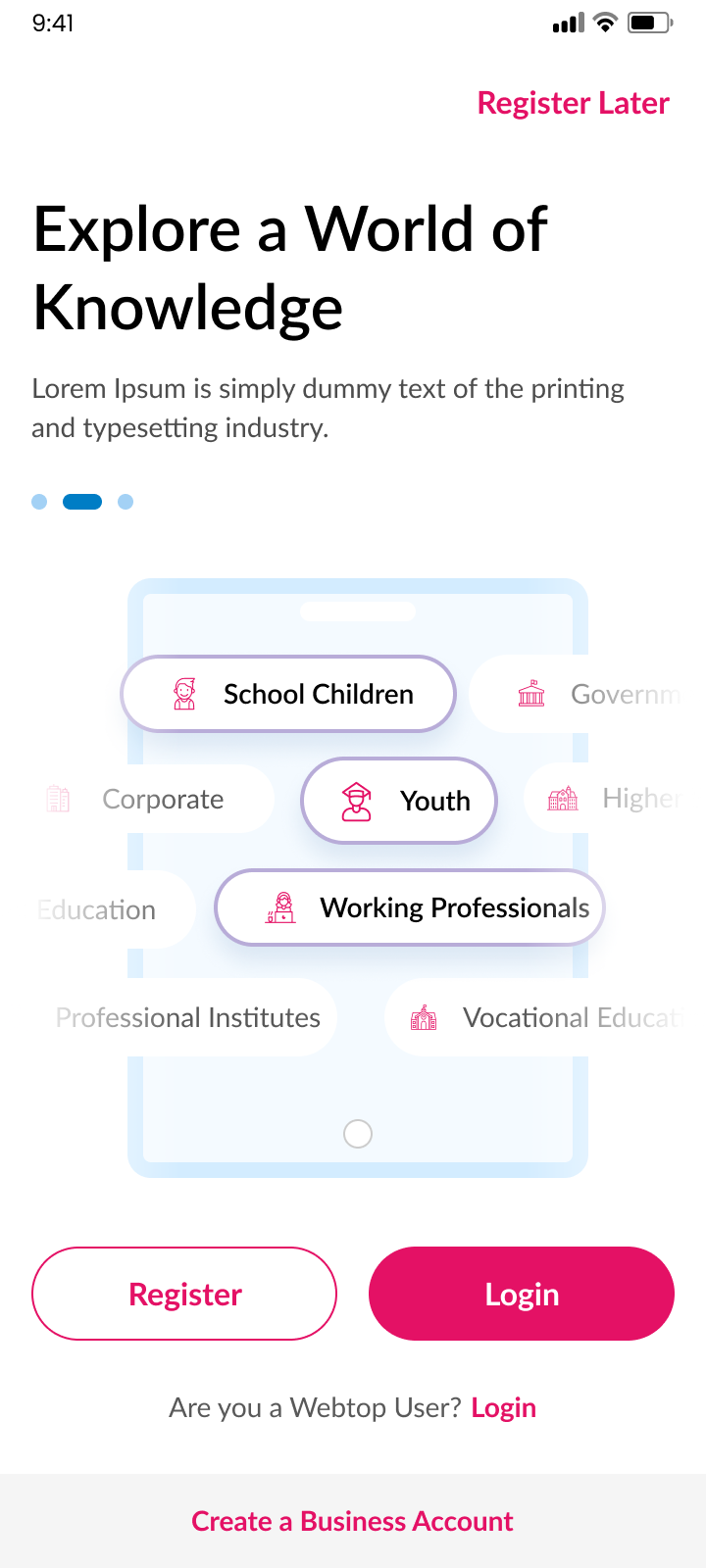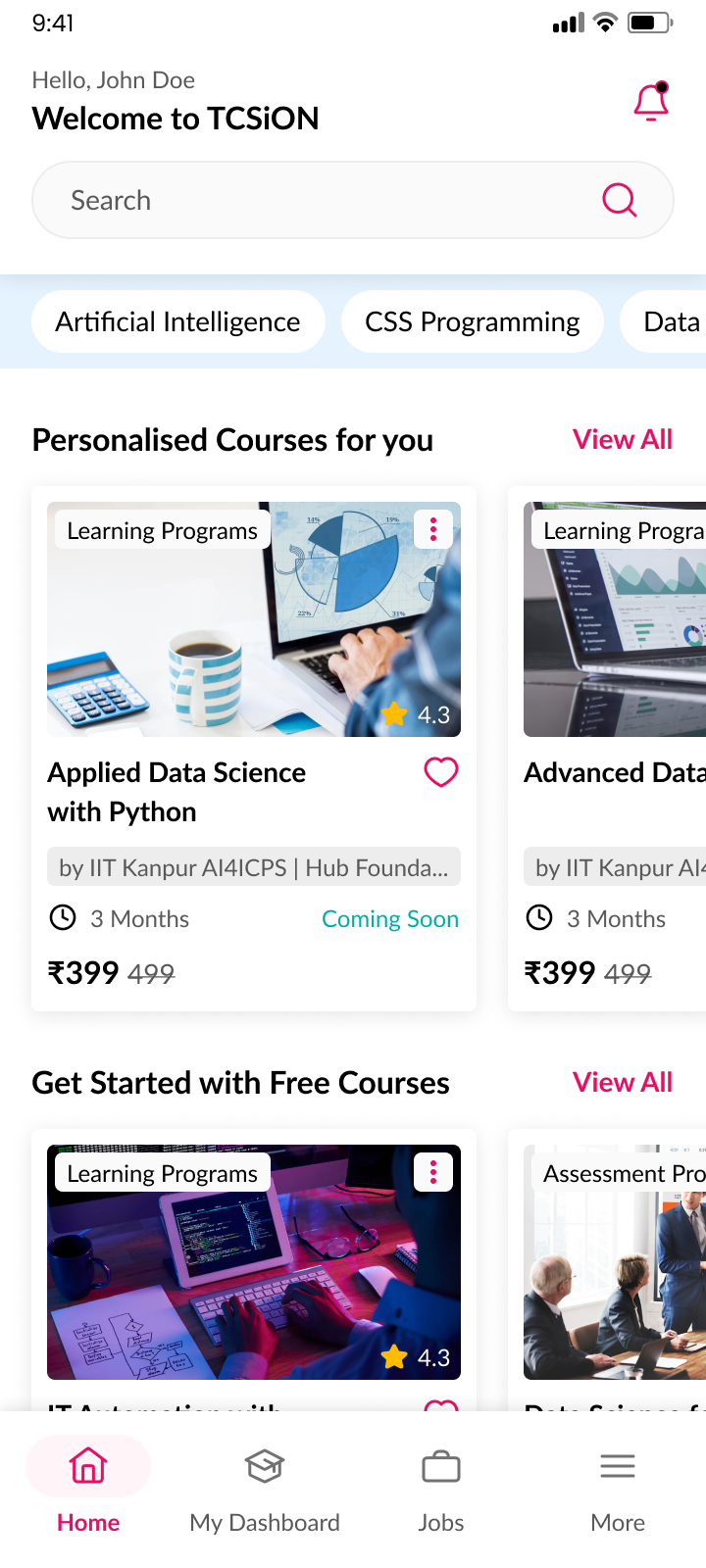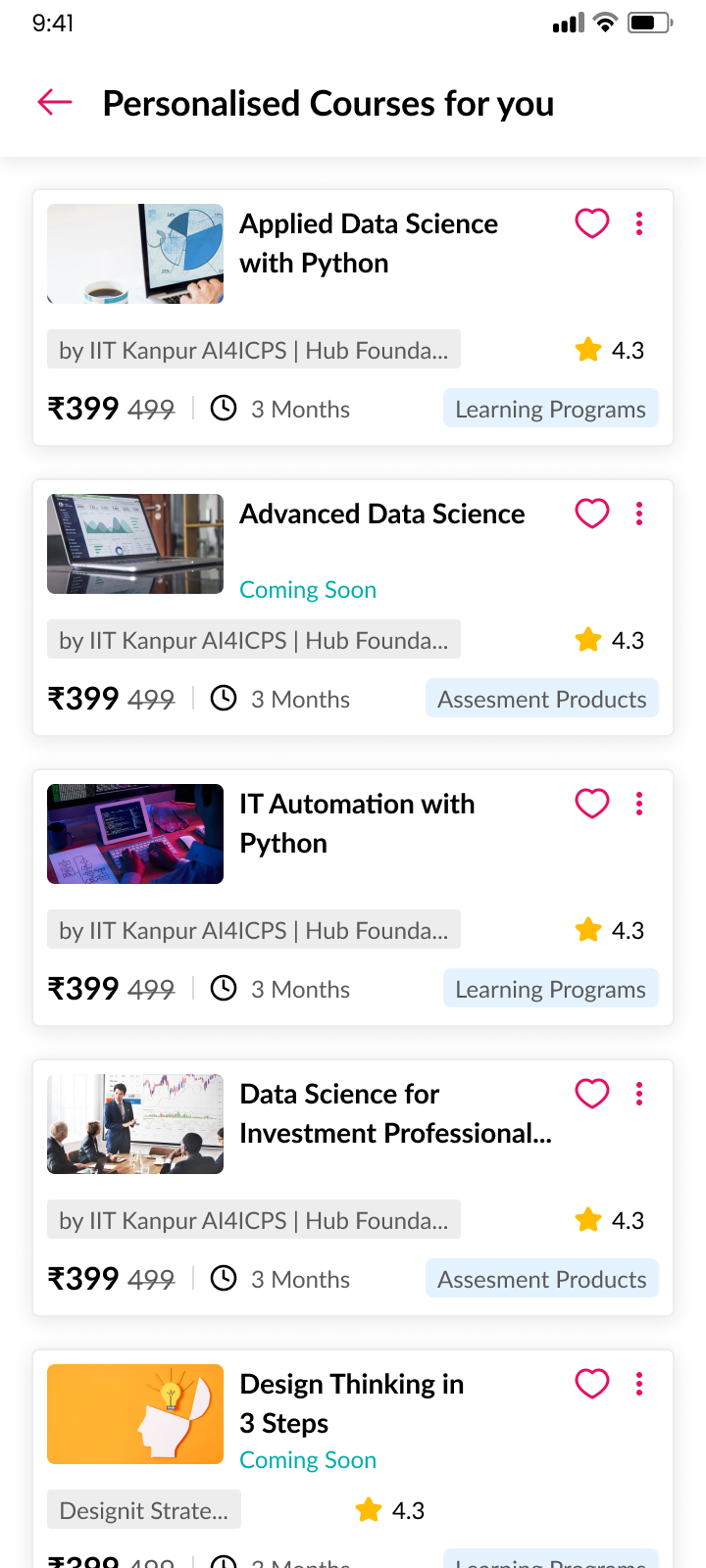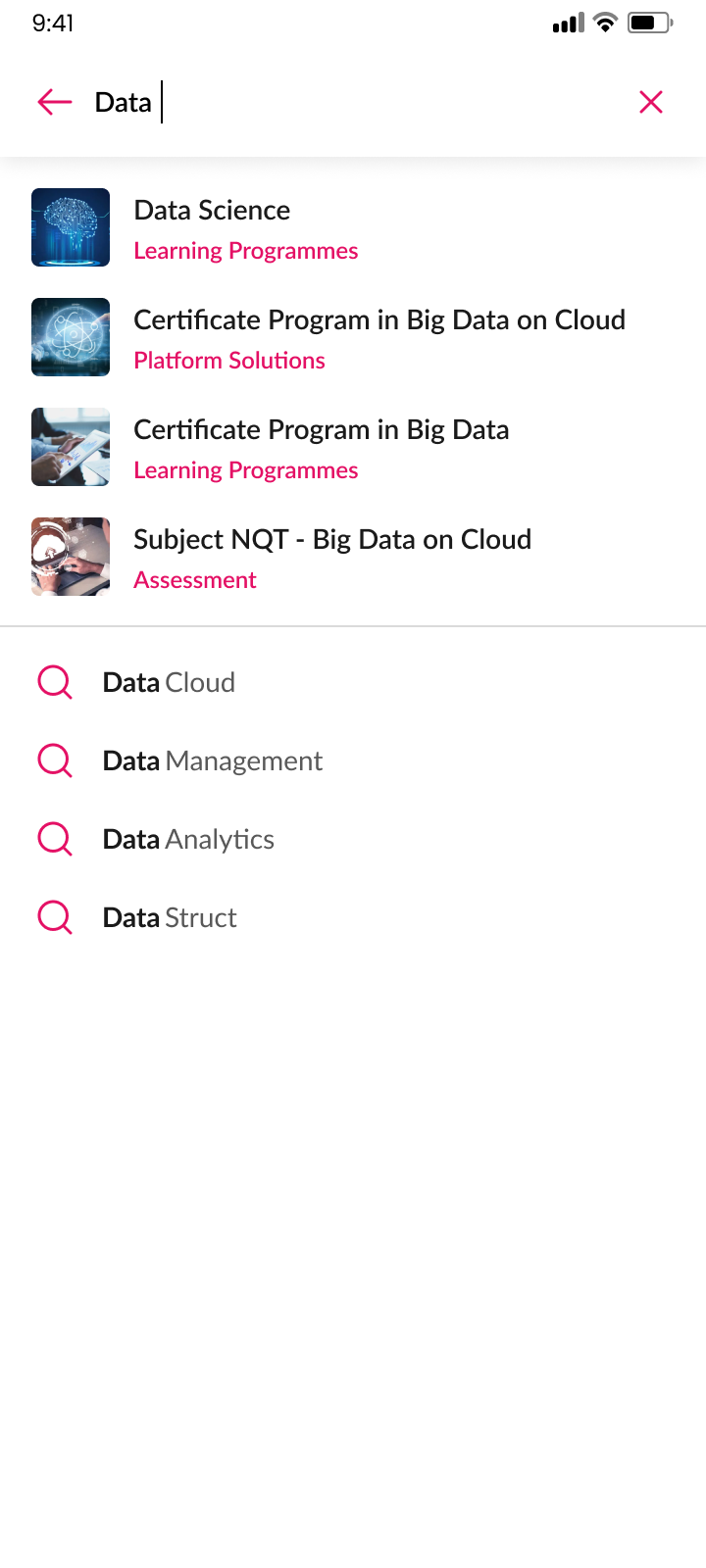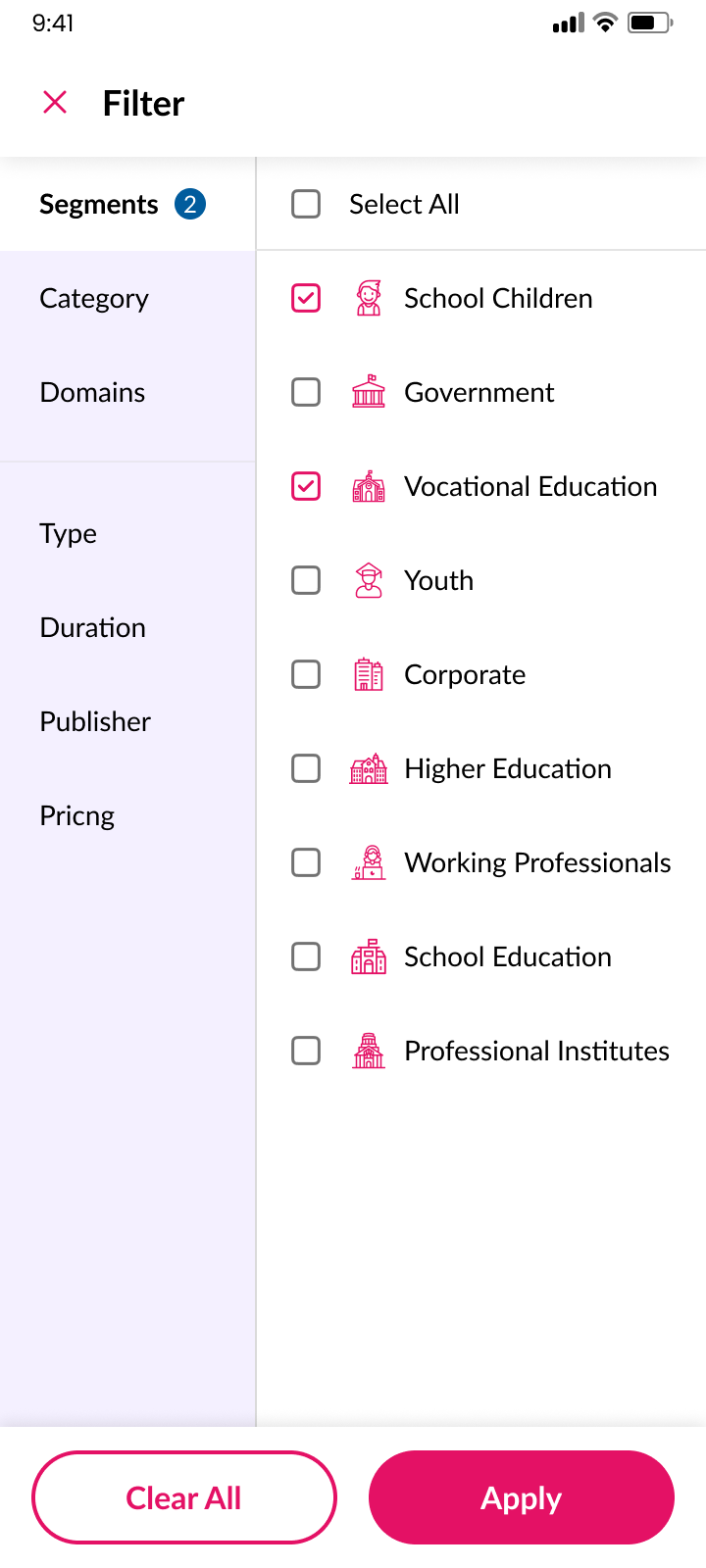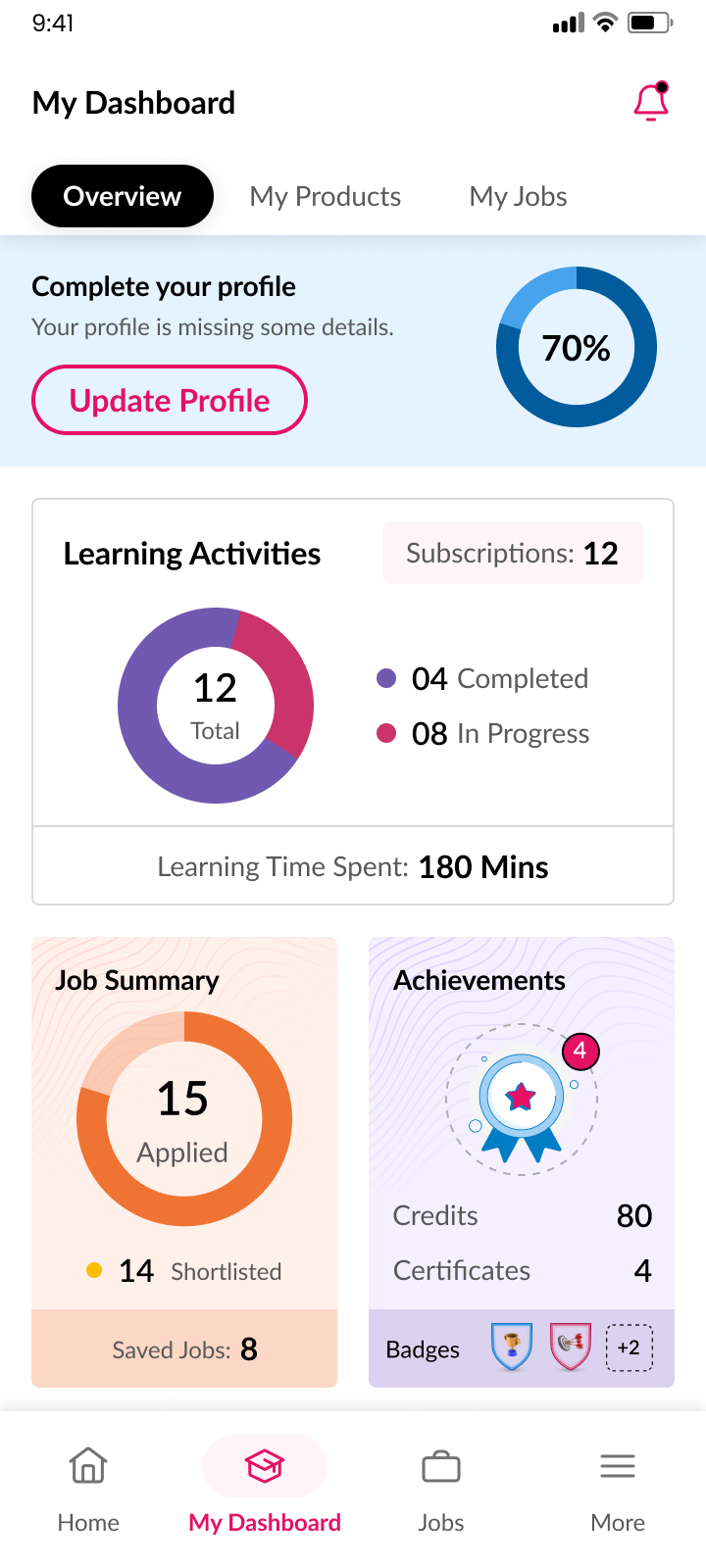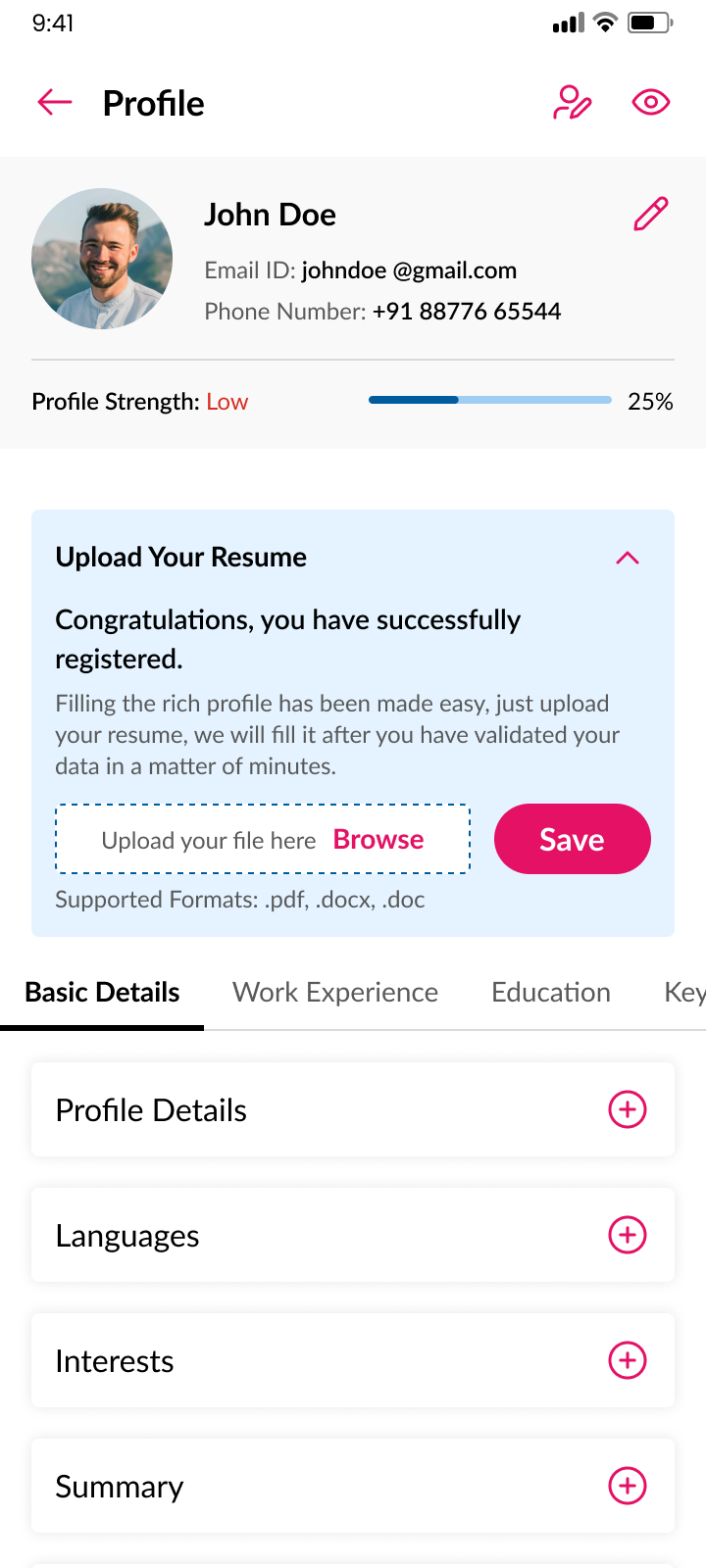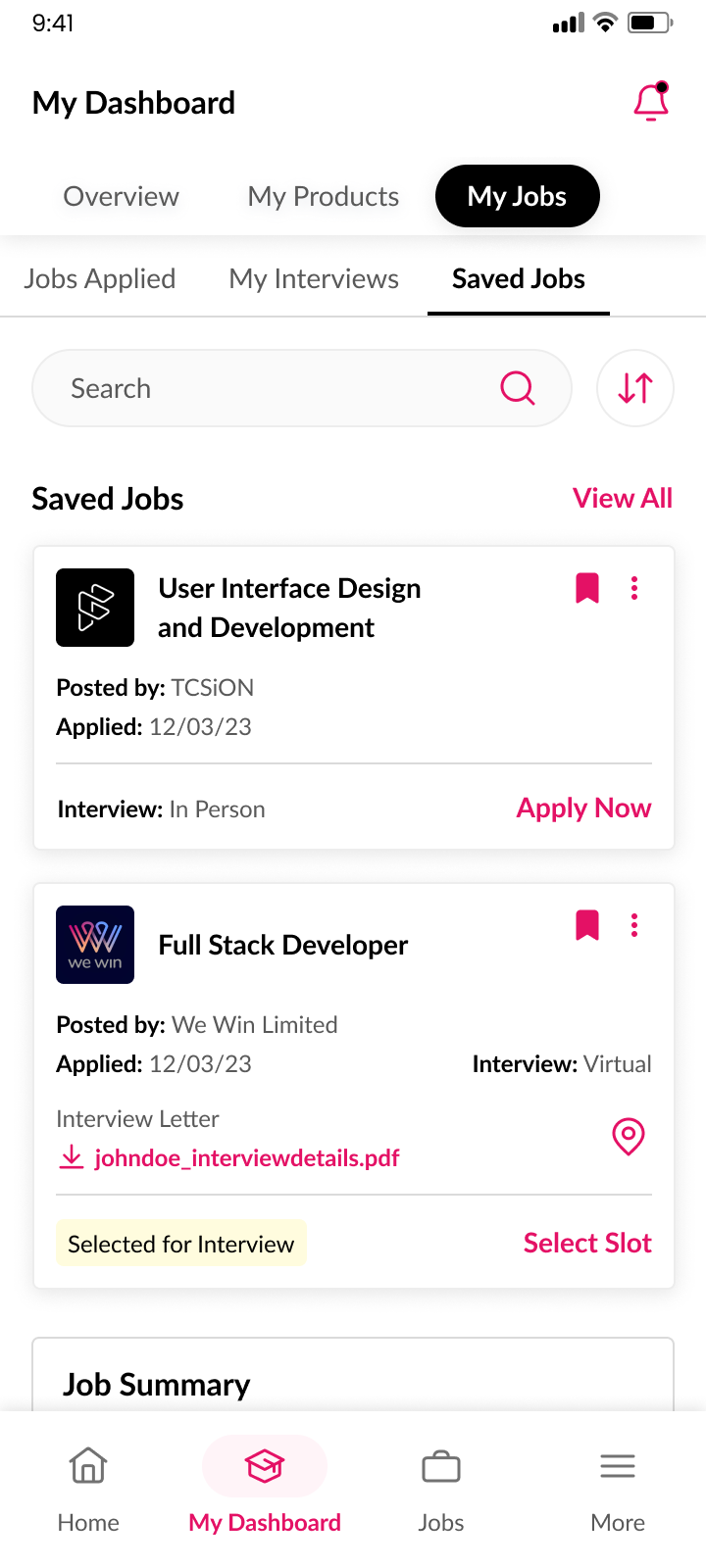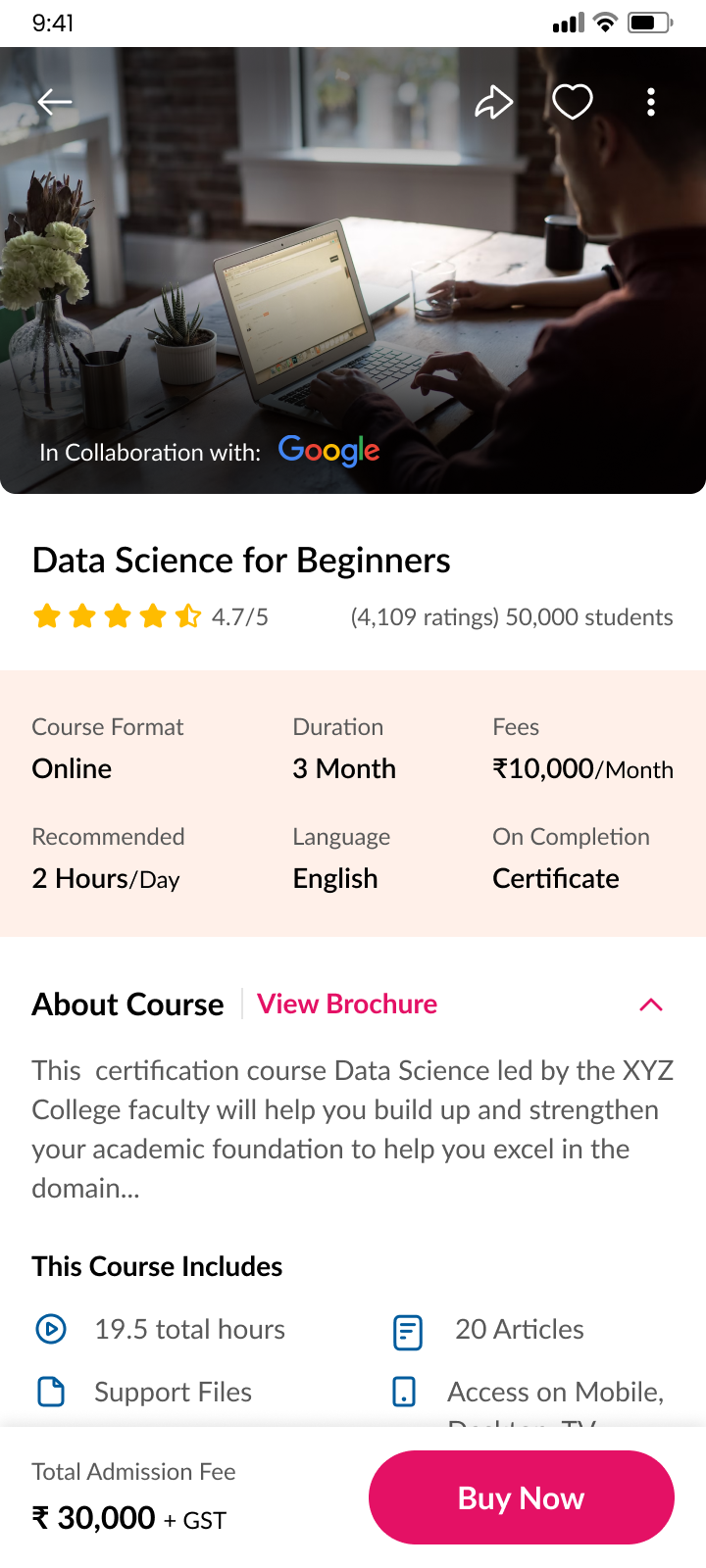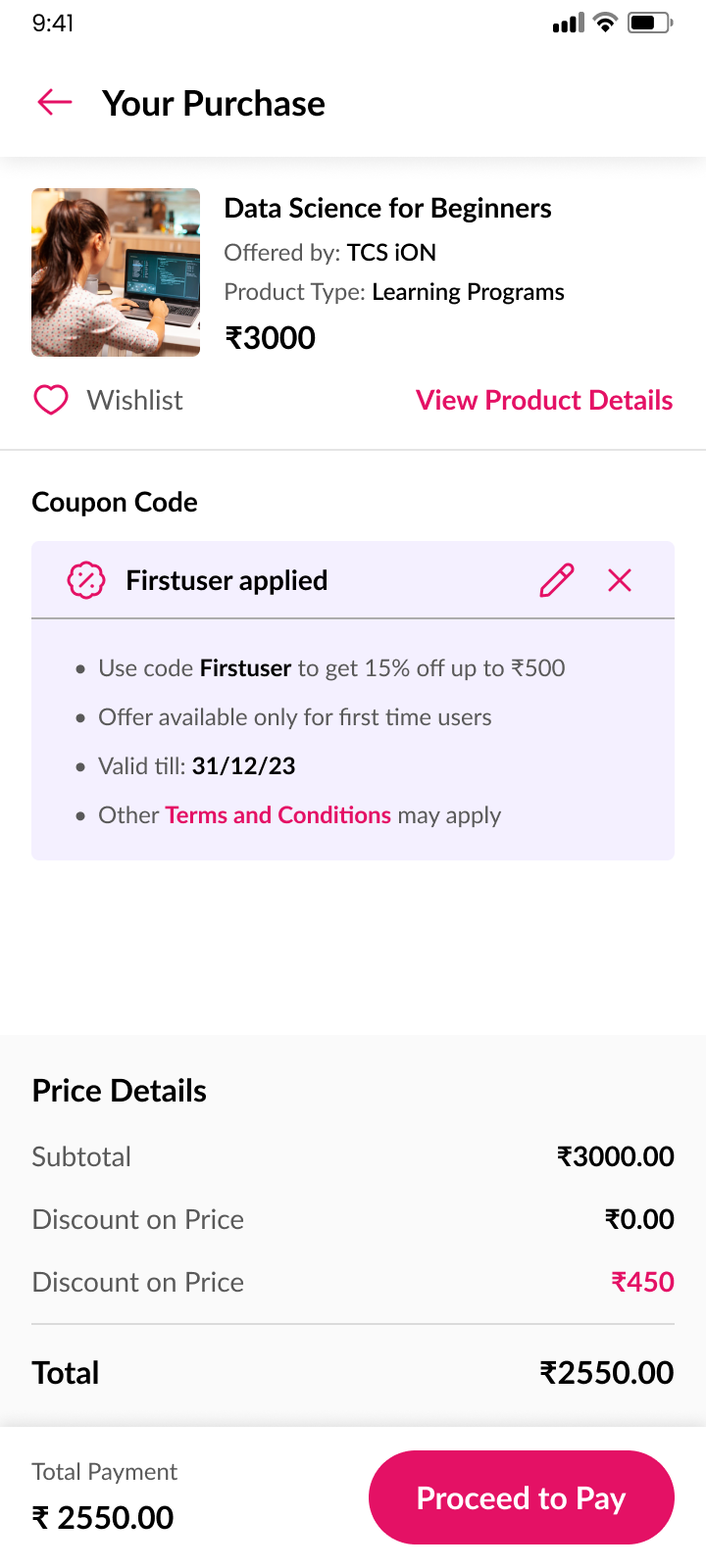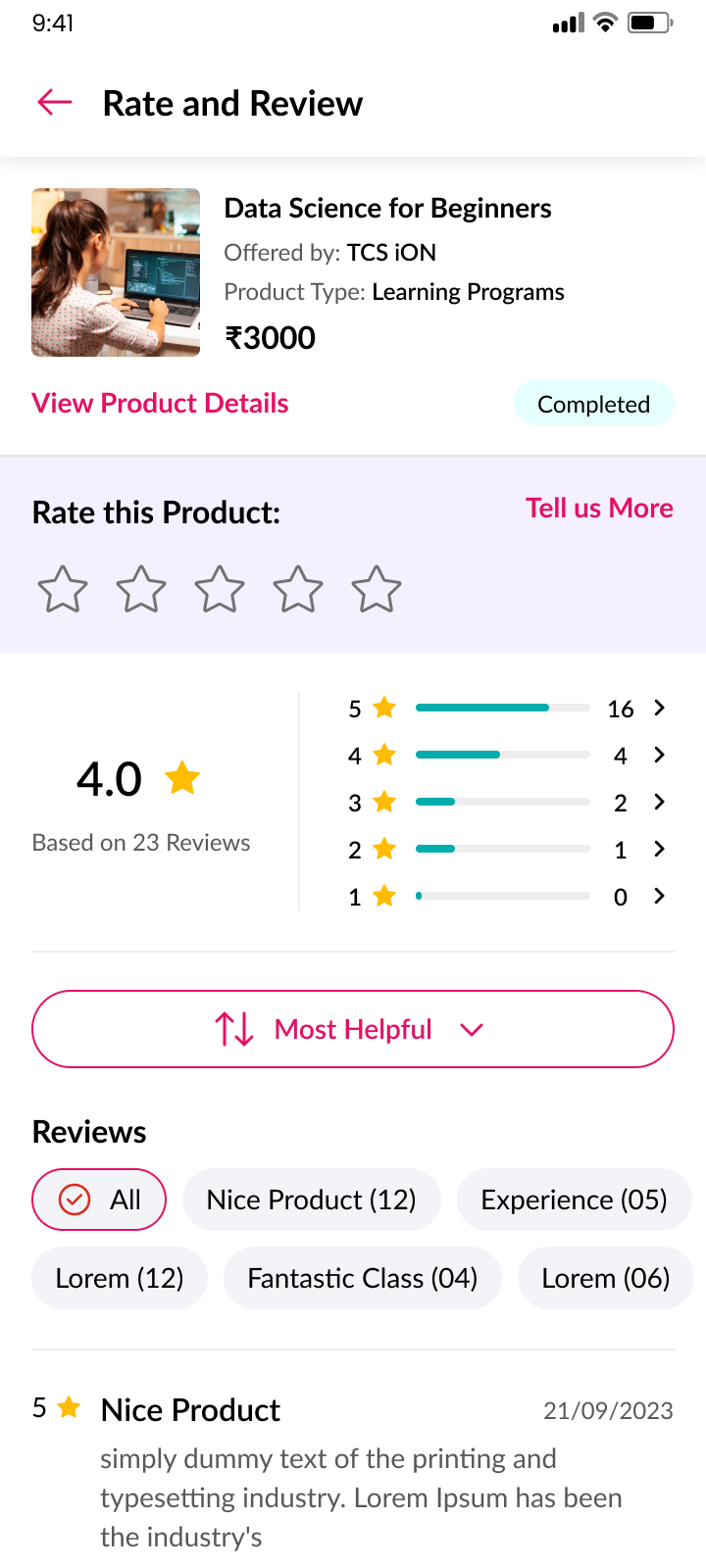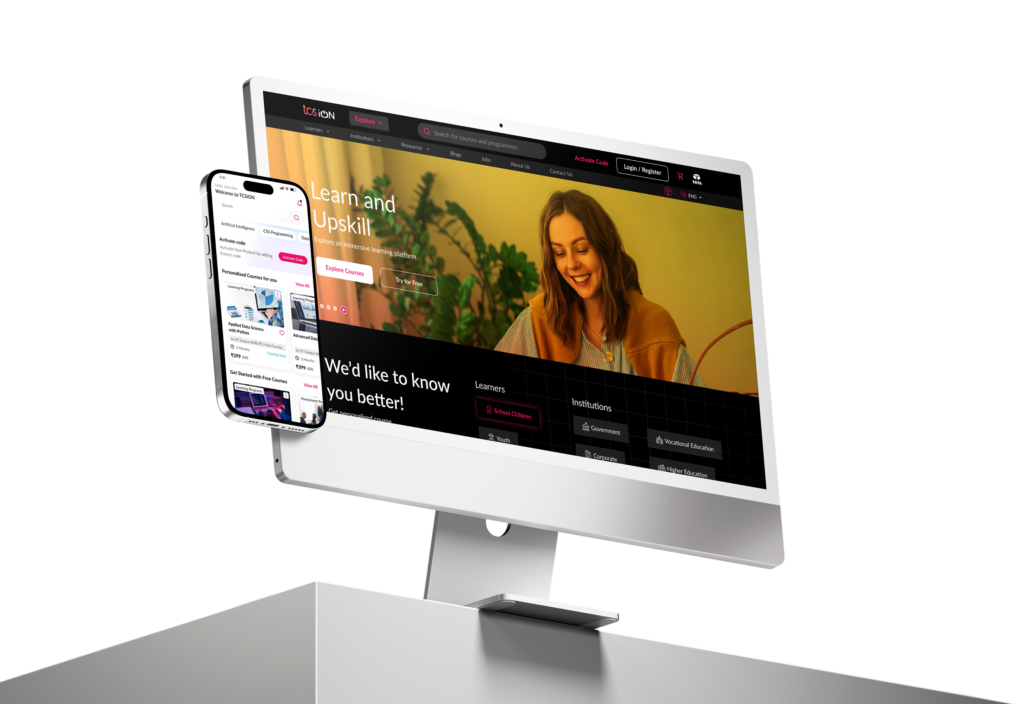

Designed TCS iON’s platform and mobile app to enhance learning,
assessments, job search, and training experiences. The live platform
received positive feedback, boosting engagement and aligning with
the brand’s vision.
Designed TCS iON’s platform and mobile app to enhance learning, assessments, job search, and training experiences. The live platform received positive feedback, boosting engagement and aligning with the brand’s vision.
TCS iON
About
TCS iON is a digital learning and assessment platform developed by Tata Consultancy Services. It helps schools, colleges, and businesses deliver learning and conduct exams online in a simple and secure way.
Along with online assessments, TCS iON also offers a wide range of learning solutions — from school education and university-level courses to vocational training. It’s designed to support learners at every stage.
The platform also helps job seekers by providing access to job listings and career-related opportunities, making it a one-stop solution for learning and growth.
TCS iON
About
TCS iON is a digital learning and assessment platform developed by Tata Consultancy Services. It helps schools, colleges, and businesses deliver learning and conduct exams online in a simple and secure way.
Along with online assessments, TCS iON also offers a wide range of learning solutions — from school education and university-level courses to vocational training. It’s designed to support learners at every stage.
The platform also helps job seekers by providing access to job listings and career-related opportunities, making it a one-stop solution for learning and growth.
Key Features:
E-learning modules for upskilling
Assessments to track progress
Job-Seeking tools to launch careers
Current Focus:
These are the core areas TCS iON currently focuses on, serving a wide range of users through well-structured and purpose-driven solutions. TCS iON also caters to a wide range of categories.
School Students
Young Adults
Working Professionals
Key Features:
E-learning modules for upskilling
Assessments to track progress
Job-Seeking tools to launch careers
Current Focus:
These are the core areas TCS iON currently focuses on, serving a wide range of users through well-structured and purpose-driven solutions. TCS iON also caters to a wide range of categories.
School Students
Young Adults
Working Professionals
Diverse Categories Served by TCS iON
TCS iON caters to a broad spectrum of user segments, ensuring accessibility and relevance across different educational and professional stages. By addressing such a wide range of categories, TCS iON is positioned to empower students, job seekers, working professionals, and institutions with resources tailored to their specific needs.
Corporate
Vocational Education
Higher Education
Professional Institutes
School Education
Government
Setting the Stage
Before diving into the Design, it was important to understand how the platform functioned in its current form. TCS iON served a wide range of users, but the experience felt overwhelming, outdated, and inconsistent across devices. Navigation was not intuitive, and key features were often buried or hard to access. These early observations helped highlight the need for a more user-centered approach—one that would simplify the experience while supporting the platform’s growing goals.
Roles
I took on the following roles while redesigning the web app and designing the mobile app from scratch:
- UX Researcher
- UI/Visual Designer
- Information Architect
Interaction Designer
Deliverables
Interaction Design: High-fidelity interactive prototypes to be created for key user tasks across desktop and mobile platforms.
UX/UI Design:
- Research
- Competitor analysis
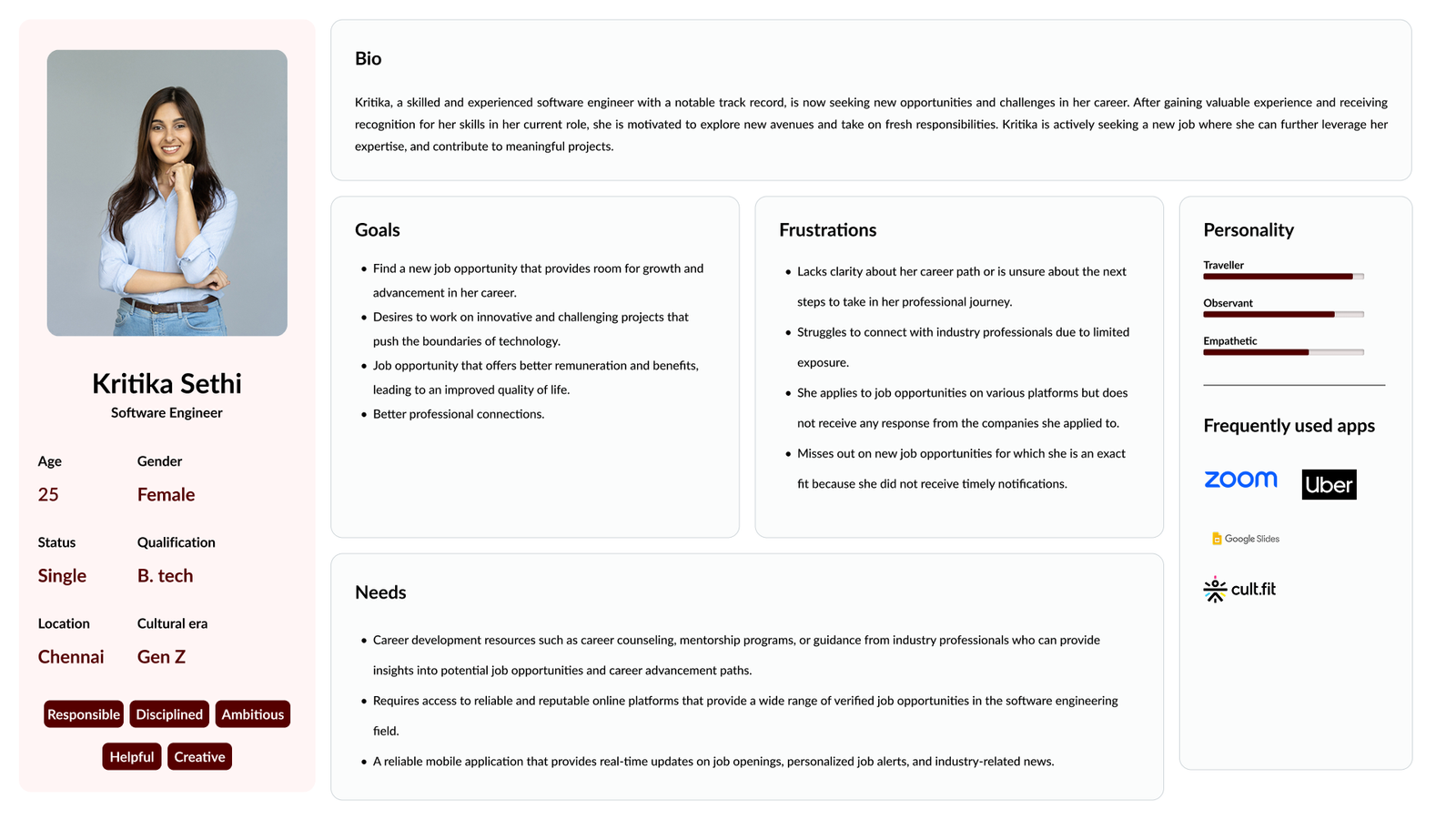
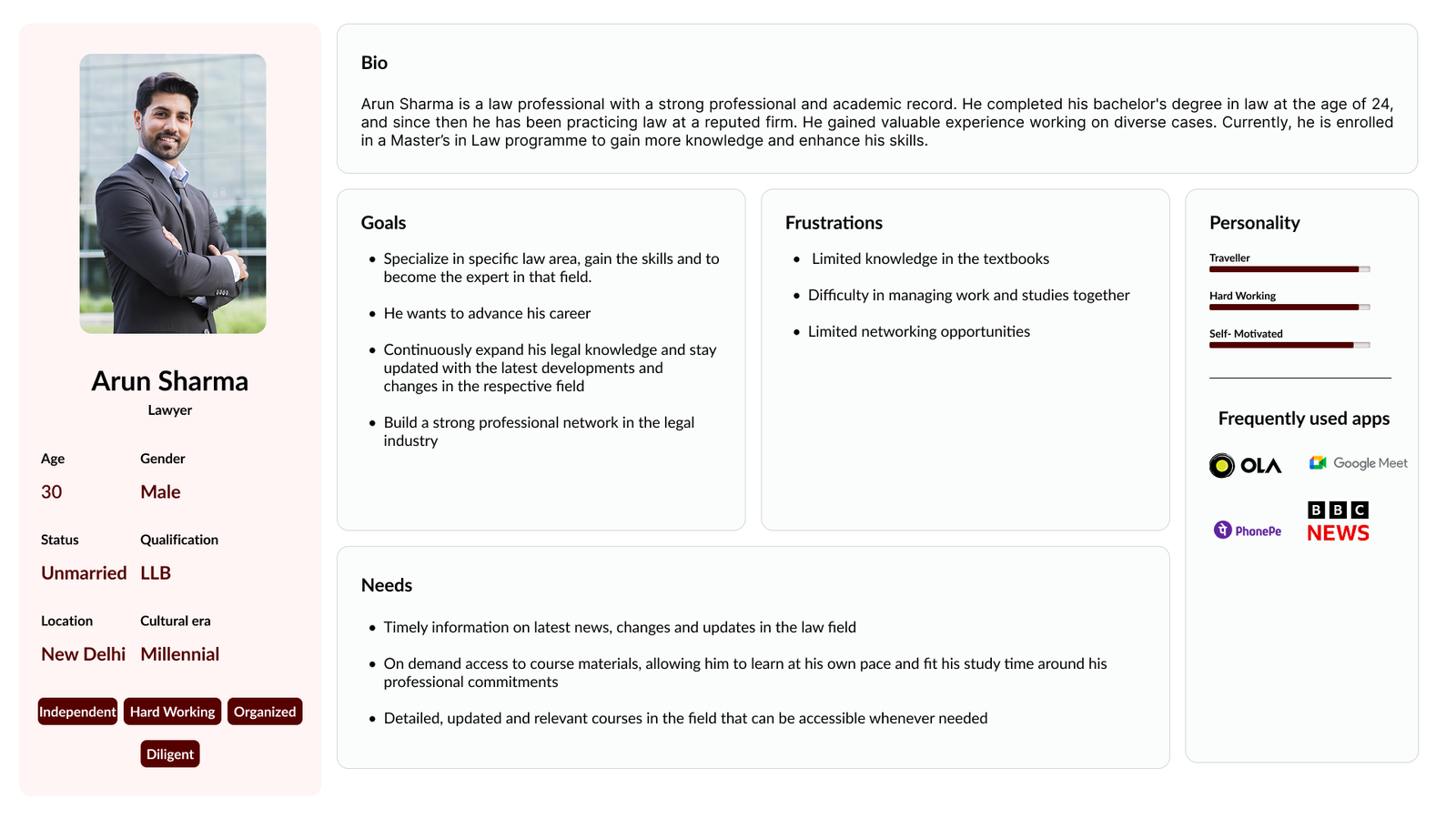
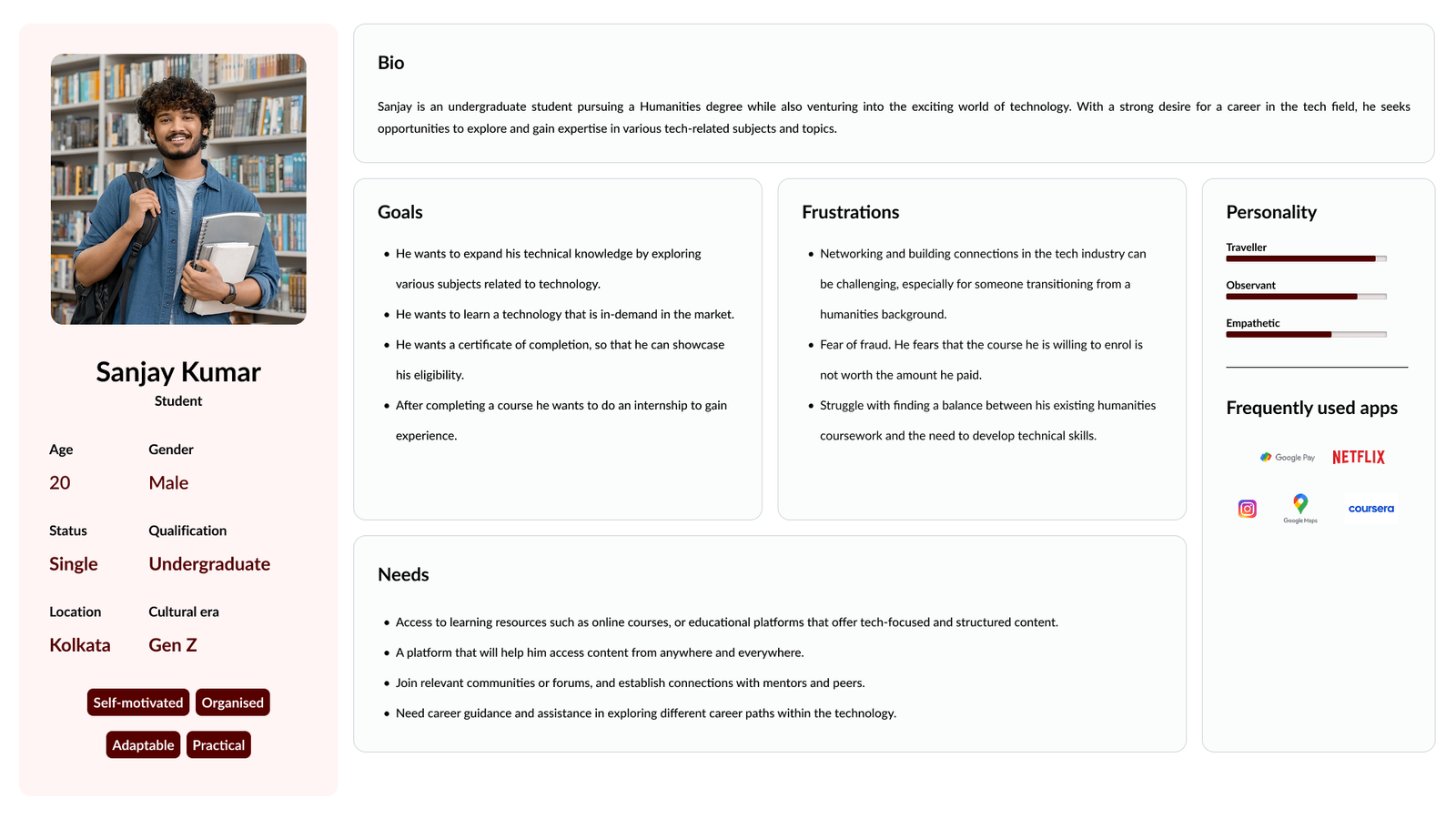
- Persona
- User flow
- Task flow
- Information Architecture (IA)
- Design System
High-fidelity mockups and prototypes
Usability tests and findings
Project Specifications
Duration: 5 months
Tools:
Figma
Illustrator
Miro
Photoshop
Roles
I took on the following roles while redesigning the web app and designing the mobile app from scratch:
- UX Researcher
- UI/Visual Designer
- Information Architect
Interaction Designer
Deliverables
Interaction Design: High-fidelity interactive prototypes to be created for key user tasks across desktop and mobile platforms.
UX/UI Design:
- Research
- Competitor analysis
- Persona
- User flow
- Task flow
- Information Architecture (IA)
- Design System
High-fidelity mockups and prototypes
Usability tests and findings
Project Specifications
Duration: 5 months
Tools:
Figma
Illustrator
Miro
Photoshop
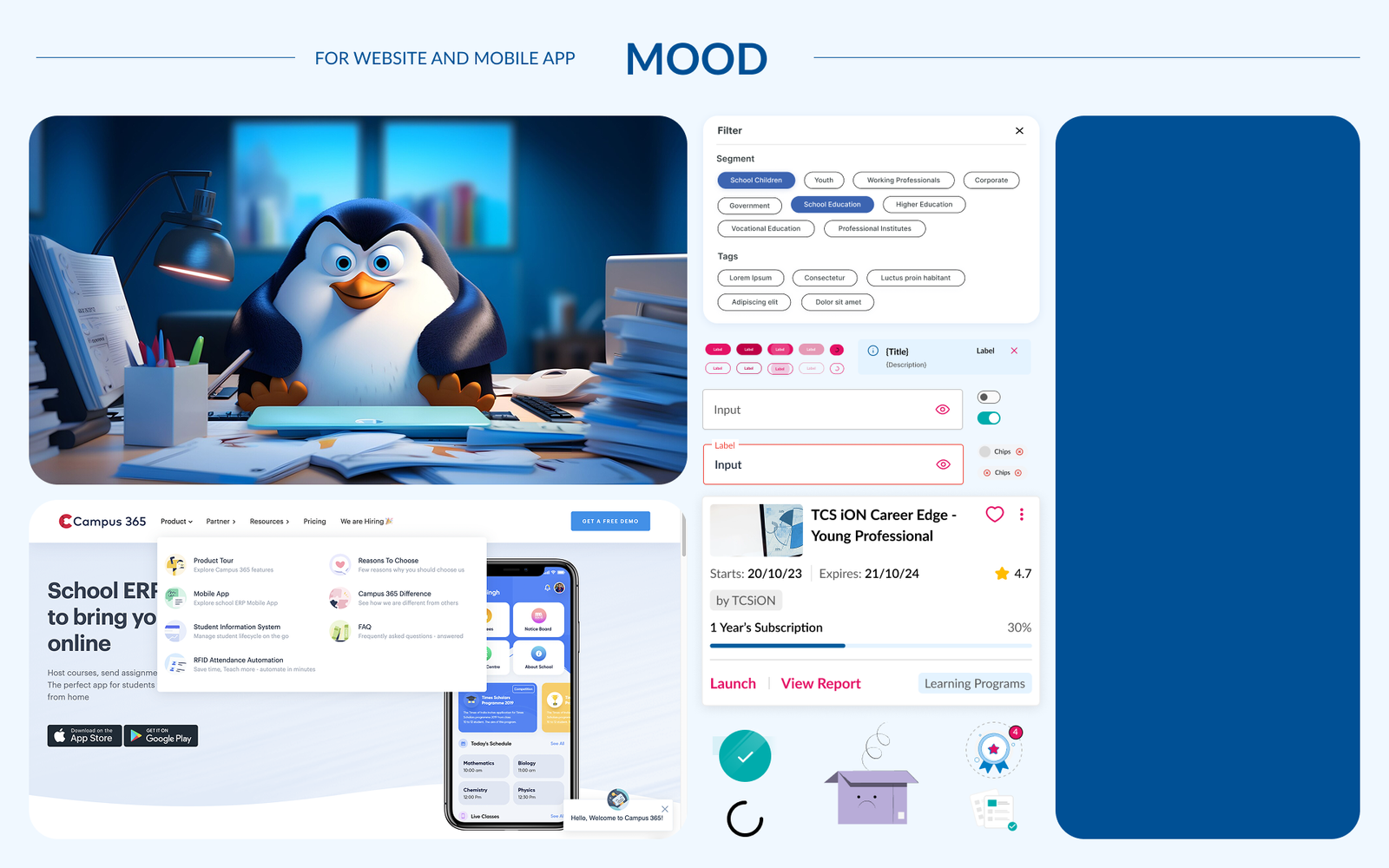
TCS iON aimed to create a more user-friendly experience that reflects its role as a trusted digital learning and career platform. The idea was to keep things clean, approachable, and modern. Something that feels friendly to students but still polished enough for professionals. The visual direction leans on soft colours, neat layouts. Overall, it’s a blend of clarity, warmth, and trust; just the right tone for a platform that supports learning, growth, and opportunity.
Â
TCS iON aimed to create a more user-friendly experience that reflects its role as a trusted digital learning and career platform. The idea was to keep things clean, approachable, and modern. Something that feels friendly to students but still polished enough for professionals. The visual direction leans on soft colours, neat layouts. Overall, it’s a blend of clarity, warmth, and trust; just the right tone for a platform that supports learning, growth, and opportunity.
Â
Exploring the problem
The Main Problem
The old TCS iON web application felt cluttered and followed an outdated design, with minimal refinement in interactions, which often made the experience overwhelming for users. To address this, the new web app introduces a cleaner, more intuitive interface.
The addition of a dedicated mobile application helps deliver a more personalized and accessible experience for learners and professionals on the go.
The Other Problems
- Increased Bounce Rate.
- Learners are dropping off before completing the course.
- Navigation is confusing.
Key Considerations
- Refine the information architecture to simplify navigation and help users find what they need quickly and easily.
Introduce gamification elements like badges and progress tracking to make the learning experience more engaging and rewarding.
- Use clean layouts and visual hierarchy to reduce cognitive load and create a more focused, distraction-free interface.
- Design for mobile-first responsiveness to ensure a smooth and consistent experience across all devices.
Design is being cooked
Exploring the problem
The Main Problem
The old TCS iON web application felt cluttered and followed an outdated design, with minimal refinement in interactions, which often made the experience overwhelming for users. To address this, the new web app introduces a cleaner, more intuitive interface.
The addition of a dedicated mobile application helps deliver a more personalized and accessible experience for learners and professionals on the go.
The Other Problems
- Increased Bounce Rate.
- Learners are dropping off before completing the course.
- Navigation is confusing.
Key Considerations
- Refine the information architecture to simplify navigation and help users find what they need quickly and easily.
Introduce gamification elements like badges and progress tracking to make the learning experience more engaging and rewarding.
- Use clean layouts and visual hierarchy to reduce cognitive load and create a more focused, distraction-free interface.
- Design for mobile-first responsiveness to ensure a smooth and consistent experience across all devices.
Design is being cooked
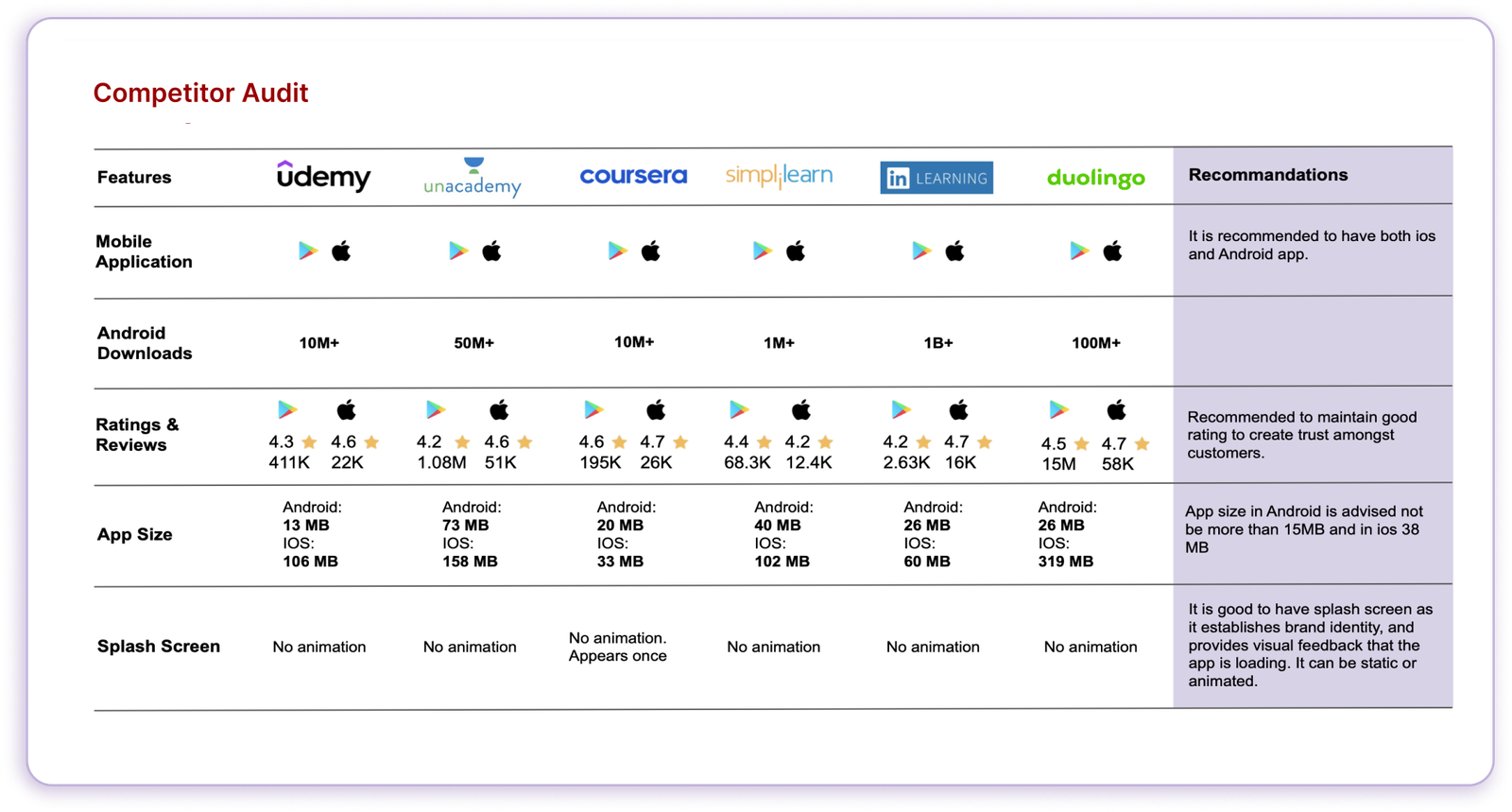
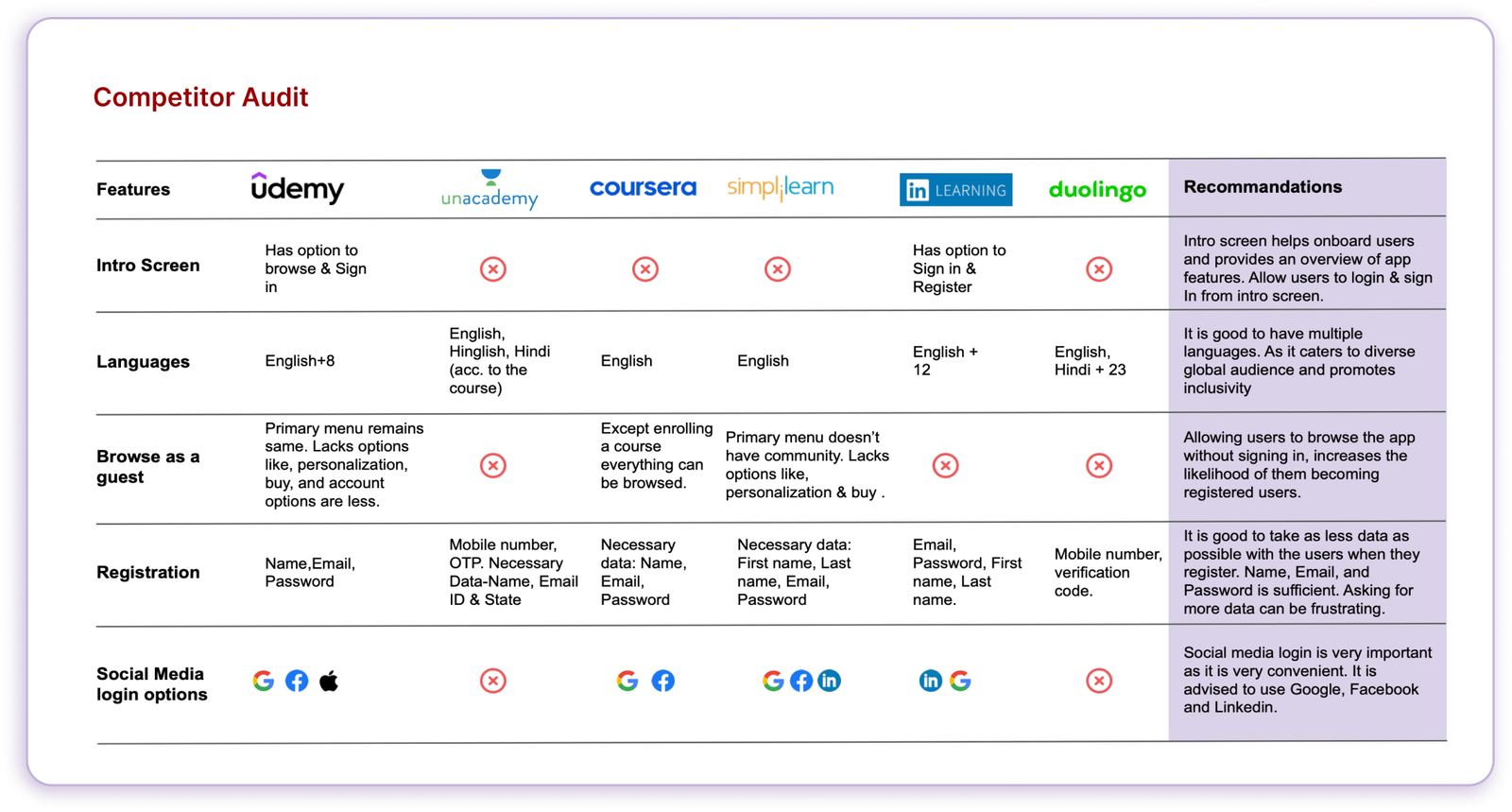
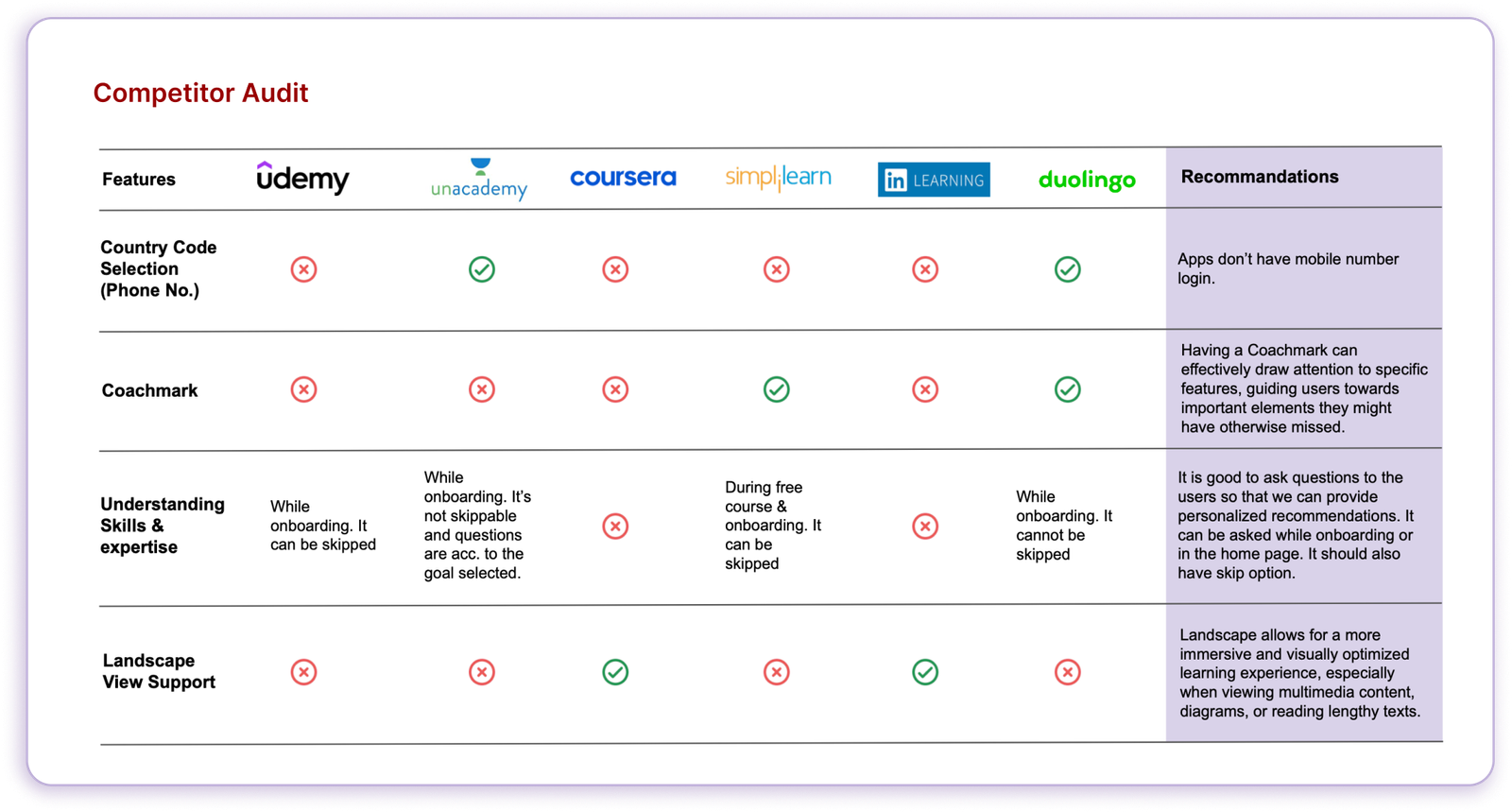
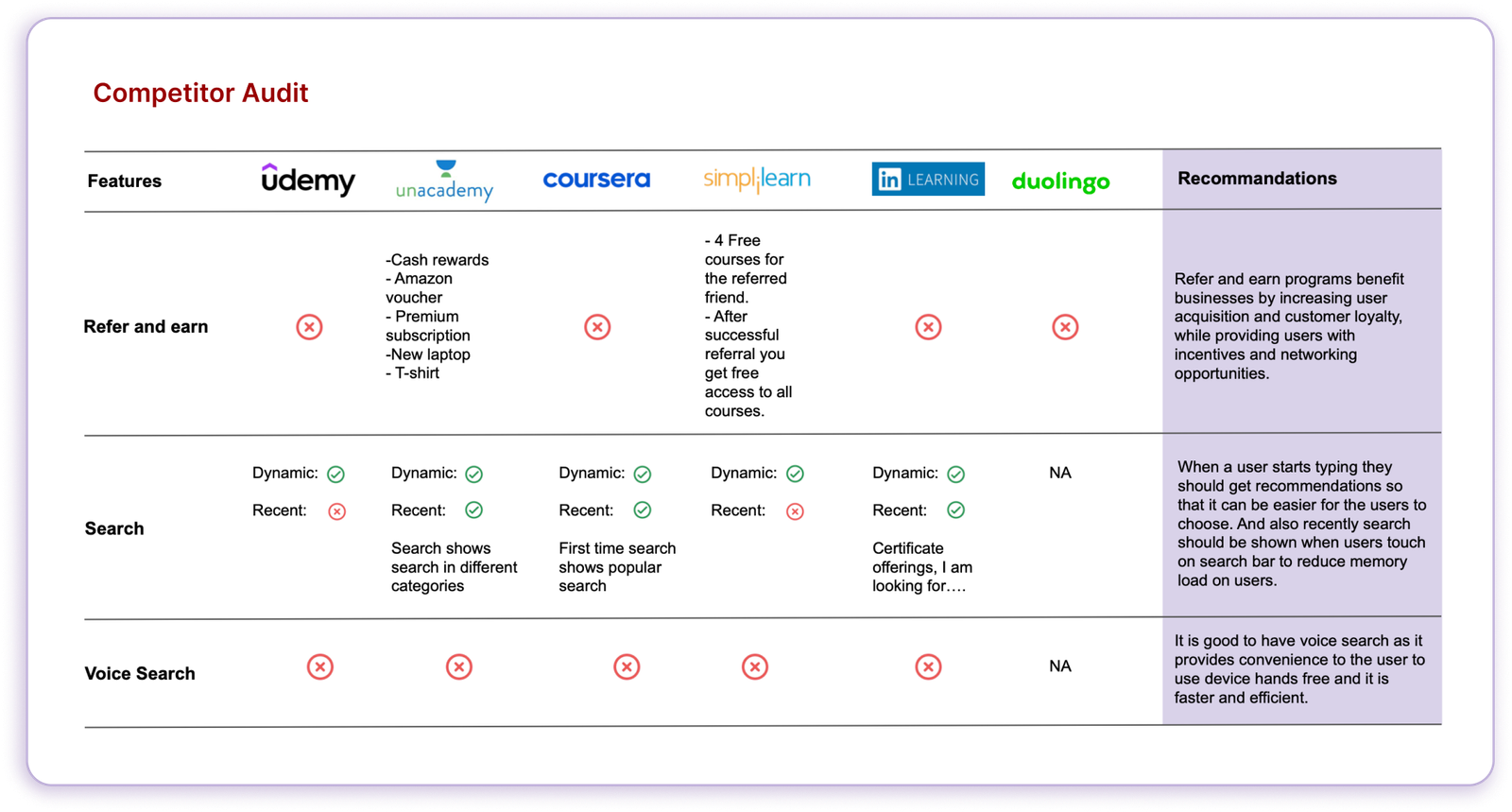
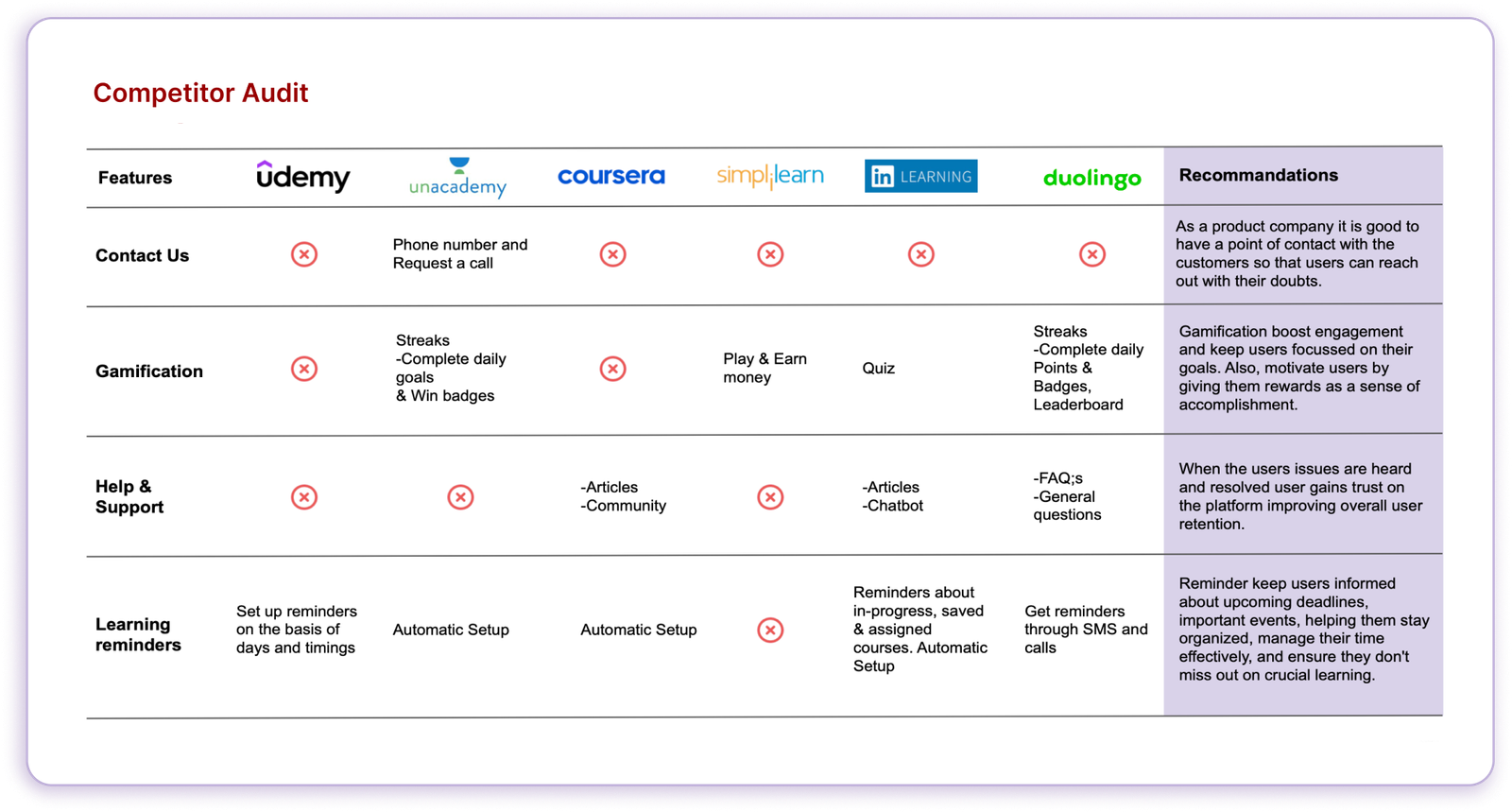
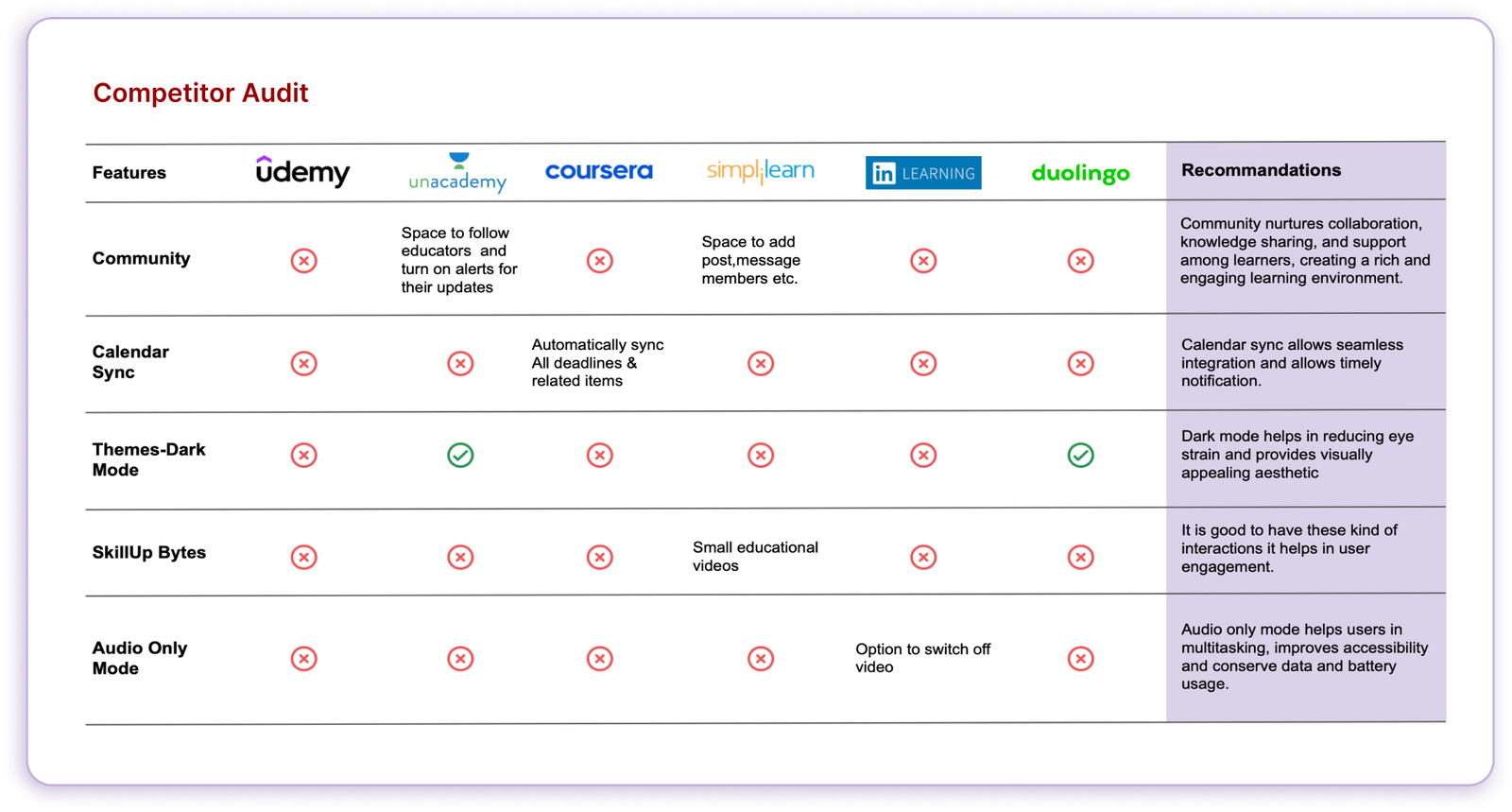
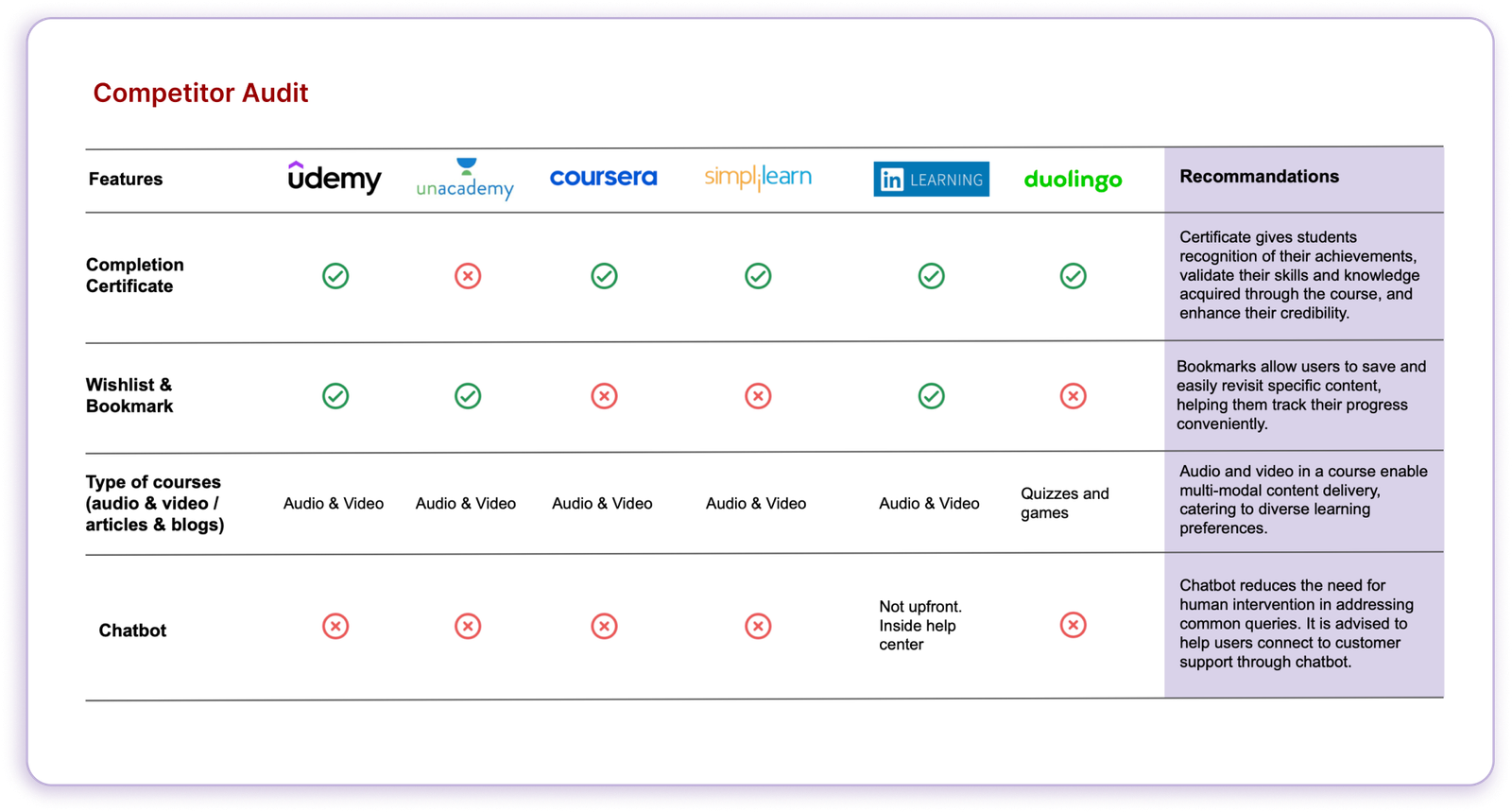
Competitor Analysis
Direct Competitors

Udemy
Udemy is a direct competitor of TCS iON as both platforms provide online courses and learning resources across a wide range of subjects. They offer a similar value proposition by providing a marketplace for instructors to create and sell their courses to learners worldwide.

Coursera
Coursera is a direct competitor of TCS iON as both platforms offer online courses and certifications in collaboration with universities and educational institutions.
Simplilearn
Simplilearn is a direct competitor of TCS iON as it offers a similar range of online courses and certifications across various professional domains. Both platforms target individuals seeking skill development and career advancement through online learning, making them direct competitors in the edu-tech market.
Indirect Competitors

Unacademy
Unacademy competes with TCS iON by offering a comprehensive edu-tech platform that provides live classes, interactive quizzes, and a wide range of courses, attracting learners seeking interactive and personalized learning experiences.

LinkedIn Learning
LinkedIn Learning is an online learning platform that focuses on professional development and offers video-based courses on various topics. While targeting a different audience, it competes with TCS iON by providing educational content for individuals seeking career advancement.

Duolingo
Duolingo is a popular language-learning platform. Speciality about Duolingo is its interactive exercises, games, and quizzes to teach vocabulary, grammar, listening, speaking, and reading skills. Users can learn at their own pace and track their progress through the app or website.
Primary Research
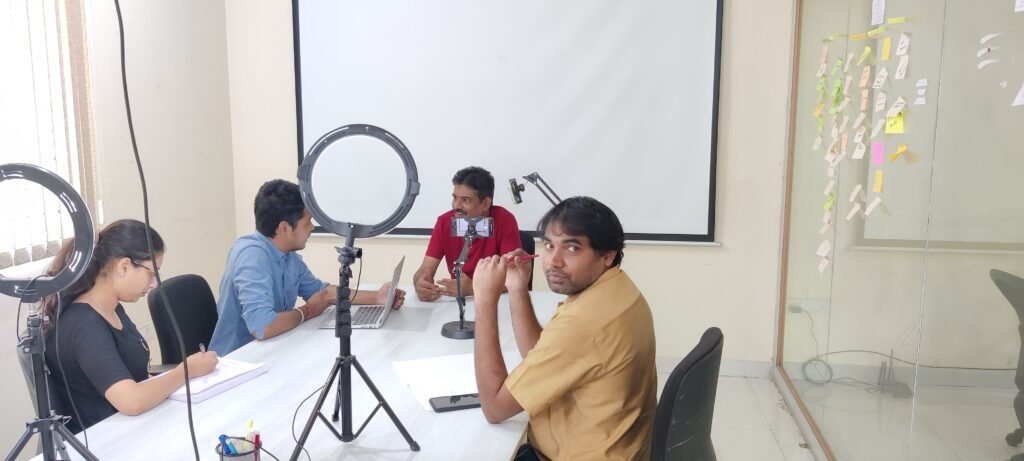
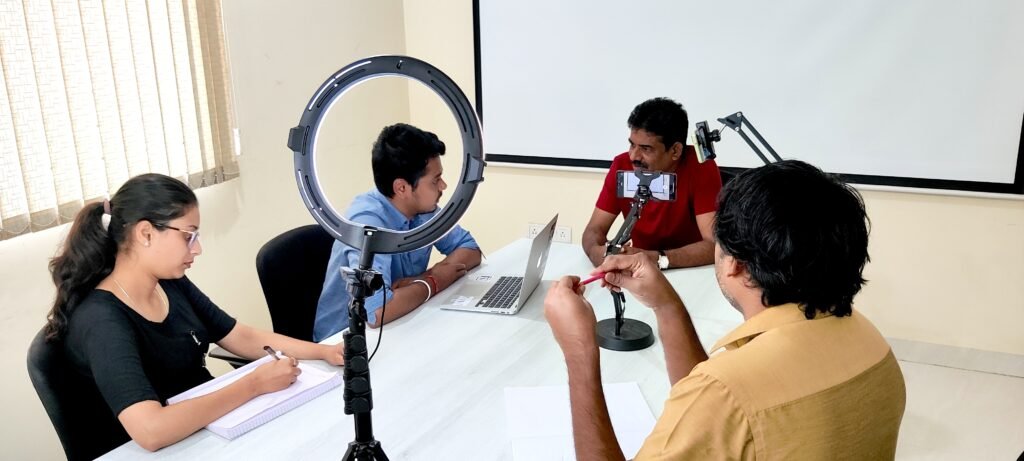
We took the time to talk to real users and understand their everyday struggles with the platform. Through these conversations, we uncovered some surprisingly honest insights about what wasn’t working—and what they really needed. These findings played a big role in shaping the direction of our design and helped us focus on what truly matters to the users.
Key Interview Questions to Uncover User Pain Points
 Daily Use & Context
- Can you describe a typical day when you use an e-learning or job search platform?
- What motivates you to log in and start using it?
- Do you prefer using these platforms on a mobile device or desktop? Why?
 Pain Points & Frustrations
- Have you ever given up on a course or skipped applying for a job because of how the platform worked?
- Is there anything you wish these platforms understood better about your needs?
 Decision-Making & Trust
- How do you usually decide which course to take or which job to apply for?
- Do you rely on reviews, recommendations, or something else?
- What makes you trust or distrust a course or a job listing?
 Goals & Expectations
- If you could improve one thing about your current experience with learning or job search platforms, what would it be and why?
How do you measure your progress or success while learning or job hunting online?
Primary Research
We took the time to talk to real users and understand their everyday struggles with the platform. Through these conversations, we uncovered some surprisingly honest insights about what wasn’t working—and what they really needed. These findings played a big role in shaping the direction of our design and helped us focus on what truly matters to the users.
Key Interview Questions to Uncover User Pain Points
 Daily Use & Context
- Can you describe a typical day when you use an e-learning or job search platform?
- What motivates you to log in and start using it?
- Do you prefer using these platforms on a mobile device or desktop? Why?
 Pain Points & Frustrations
- Have you ever given up on a course or skipped applying for a job because of how the platform worked?
- Is there anything you wish these platforms understood better about your needs?
 Decision-Making & Trust
- How do you usually decide which course to take or which job to apply for?
- Do you rely on reviews, recommendations, or something else?
- What makes you trust or distrust a course or a job listing?
 Goals & Expectations
- If you could improve one thing about your current experience with learning or job search platforms, what would it be and why?
How do you measure your progress or success while learning or job hunting online?
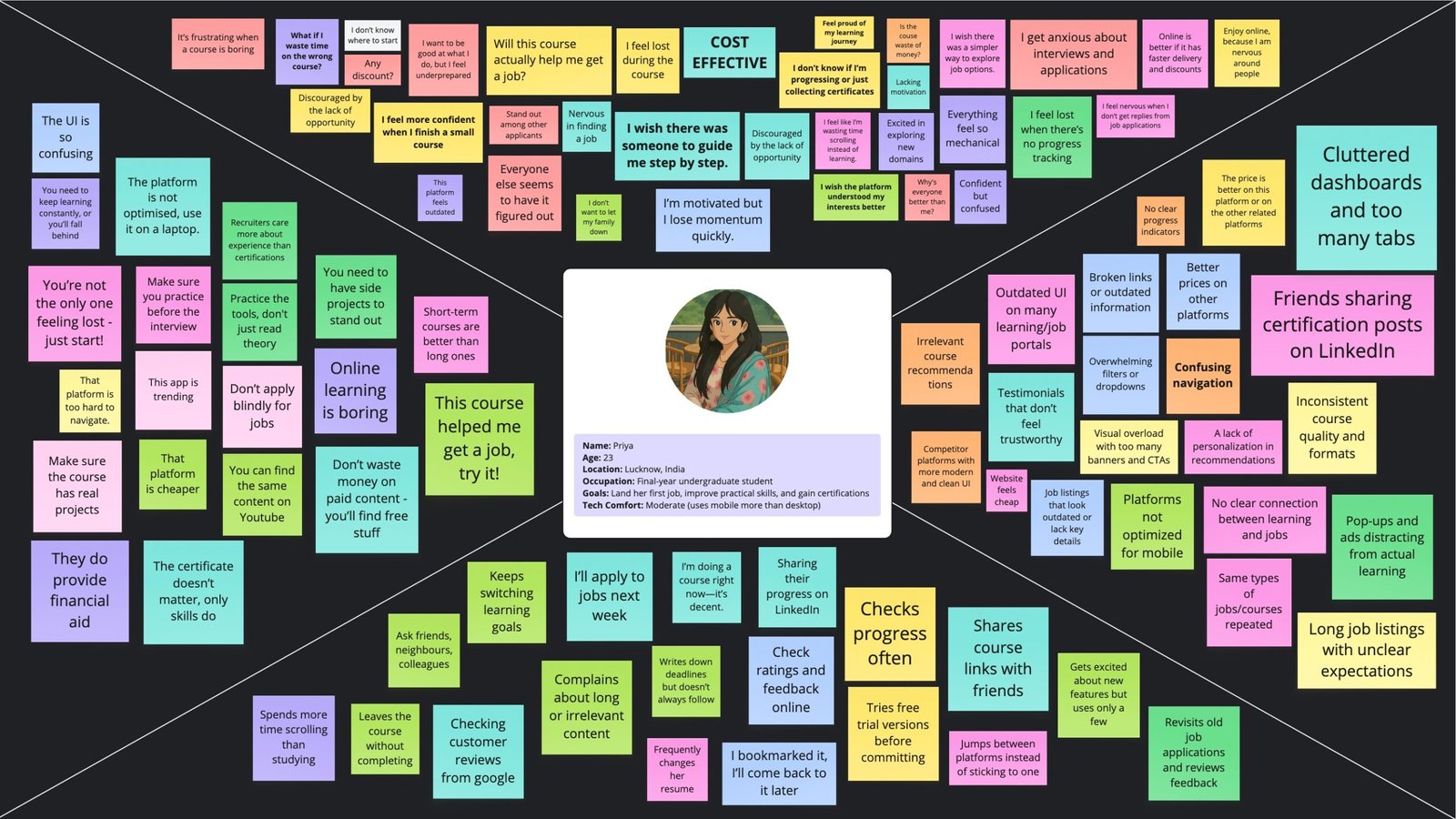
Empathy Mapping
The team engaged in empathy mapping to synthesize user research findings and better understand what users say, think, do, and feel, helping us align our design decisions with real user emotions and behaviors.
Hear?
Think and Feel?
Say and Do?
See?
PAINS
- The interface feels cluttered and outdated, making it hard to navigate or stay focused.
- Users often doubt the quality or real-world usefulness of the courses offered.
- Many start courses but drop off due to a lack of engaging or interactive elements.
- Irrelevant course or job recommendations make the platform feel impersonal.
- Even after finishing courses, users may still feel unsure about their readiness for jobs or their visibility to employers.
GAINS
Users value a personalized learning experience with suggestions tailored to their goals and interests.
Seamless mobile access is important so they can learn and search for jobs on the go.
Gamification elements like badges or rewards help keep them engaged and motivated.
Seeing other learners’ progress and activities builds a sense of community and shared growth.
A clear learning path helps reduce confusion and makes users feel more confident about what to do next.
Empathy Mapping
The team engaged in empathy mapping to synthesize user research findings and better understand what users say, think, do, and feel, helping us align our design decisions with real user emotions and behaviors.
Think and Feel?
Say and Do?
PAINS
- The interface feels cluttered and outdated, making it hard to navigate or stay focused.
- Users often doubt the quality or real-world usefulness of the courses offered.
- Many start courses but drop off due to a lack of engaging or interactive elements.
- Irrelevant course or job recommendations make the platform feel impersonal.
- Even after finishing courses, users may still feel unsure about their readiness for jobs or their visibility to employers.
GAINS
Users value a personalized learning experience with suggestions tailored to their goals and interests.
Seamless mobile access is important so they can learn and search for jobs on the go.
Gamification elements like badges or rewards help keep them engaged and motivated.
Seeing other learners’ progress and activities builds a sense of community and shared growth.
A clear learning path helps reduce confusion and makes users feel more confident about what to do next.
Hence, our objective became:
“Create a user-friendly, engaging, and personalized platform that helps learners stay motivated, navigate content with ease, and confidently progress toward their learning and career goals.”
Hence, our objective became:
“Create a user-friendly, engaging, and personalized platform that helps learners stay motivated, navigate content with ease, and confidently progress toward their learning and career goals.”
Ideation
With clearly identified user pain points and goals, the next step was to brainstorm potential solutions that could improve usability, engagement, and accessibility. The ideation phase focused on generating design concepts that address user frustrations while aligning with TCS iON’s goals.
Information Architecture
This is a Figma iFrame; it’s a large file, so please allow a moment for it to load.
Getting Started with Visual Design
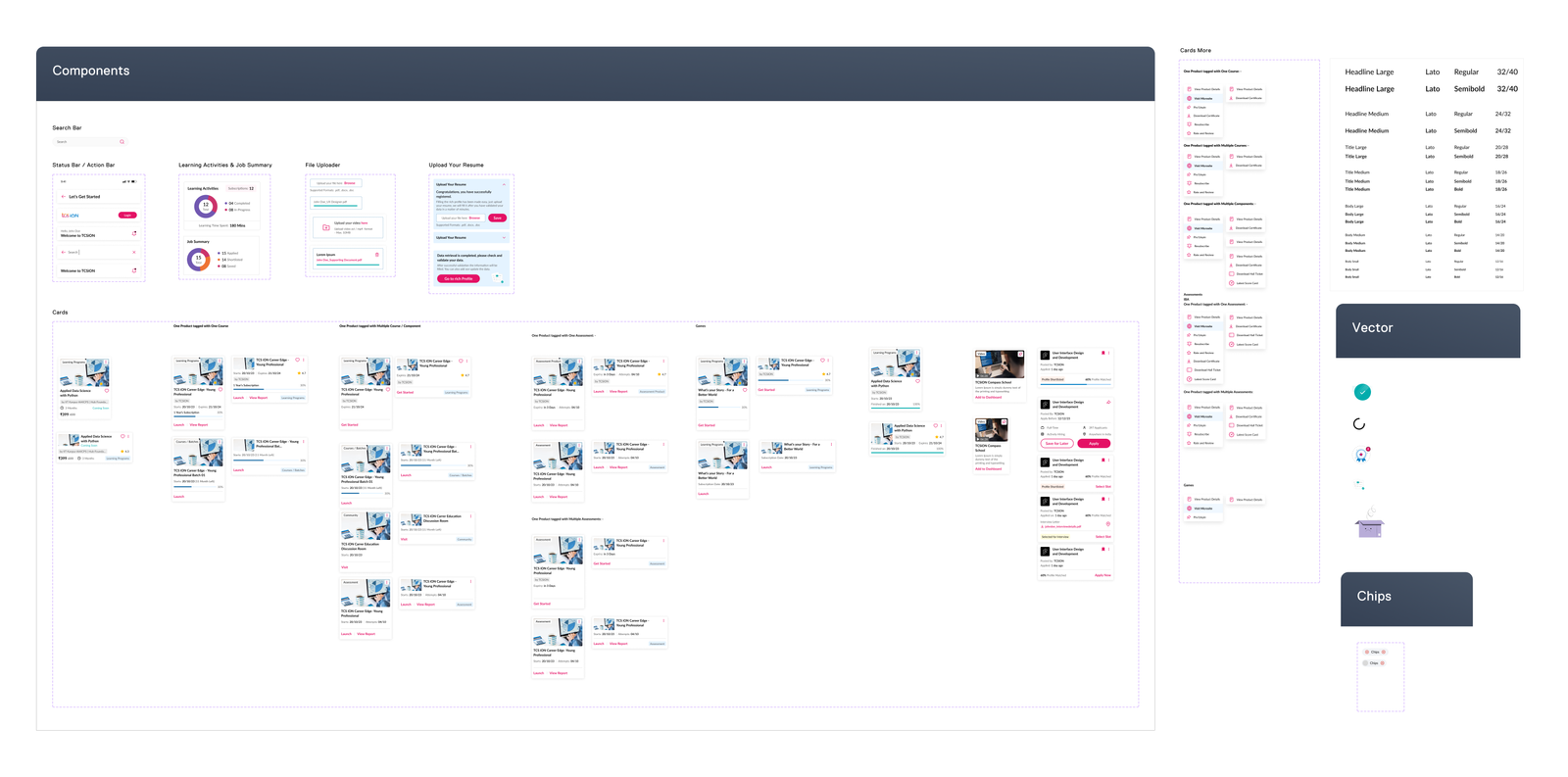
Created a comprehensive Design System to bring consistency, clarity, and scalability to the platform. It includes a well-defined set of components, typography styles, color palettes, spacing rules, and interaction patterns that ensure a cohesive look and feel across every page. This system not only improved the visual harmony of the web app but also made the design and development process faster, more organized, and easier to maintain as the platform grows.
This is a Figma iFrame; it’s a large file, so please allow a moment for it to load.
High-Fidelity Wireframes
Created over 100+ high-fidelity screens for the Web Application to map out the complete user journey and define the core structure of the web experience. These designs were refined through multiple iterations to achieve a smooth, polished, and intuitive experience.
This is a Figma iFrame; it’s a large file, so please allow a moment for it to load.
Extending the experience to a seamless on-the-go platform
Designing for Mobile
With most learners and job seekers accessing content on their phones, it became essential to translate core features into a mobile-first interface that feels natural, lightweight, and effortless. The mobile design focuses on simplifying navigation, improving accessibility, and offering a more personalized experience
Design System for Mobile Application
Here are a few mobile screens showcasing the visual design and layout of the mobile application.
Figma File of Mobile App Visual Design
Created over 200+ high-fidelity screens for the Mobile Application to map out the complete user journey and define the core structure of the mobile app experience. These designs were refined through multiple iterations to achieve a smooth, polished, and intuitive experience.
This is a Figma iFrame; it’s a large file, so please allow a moment for it to load.