




Heuristic Evaluation
and
Web Accessibility Report
About Project
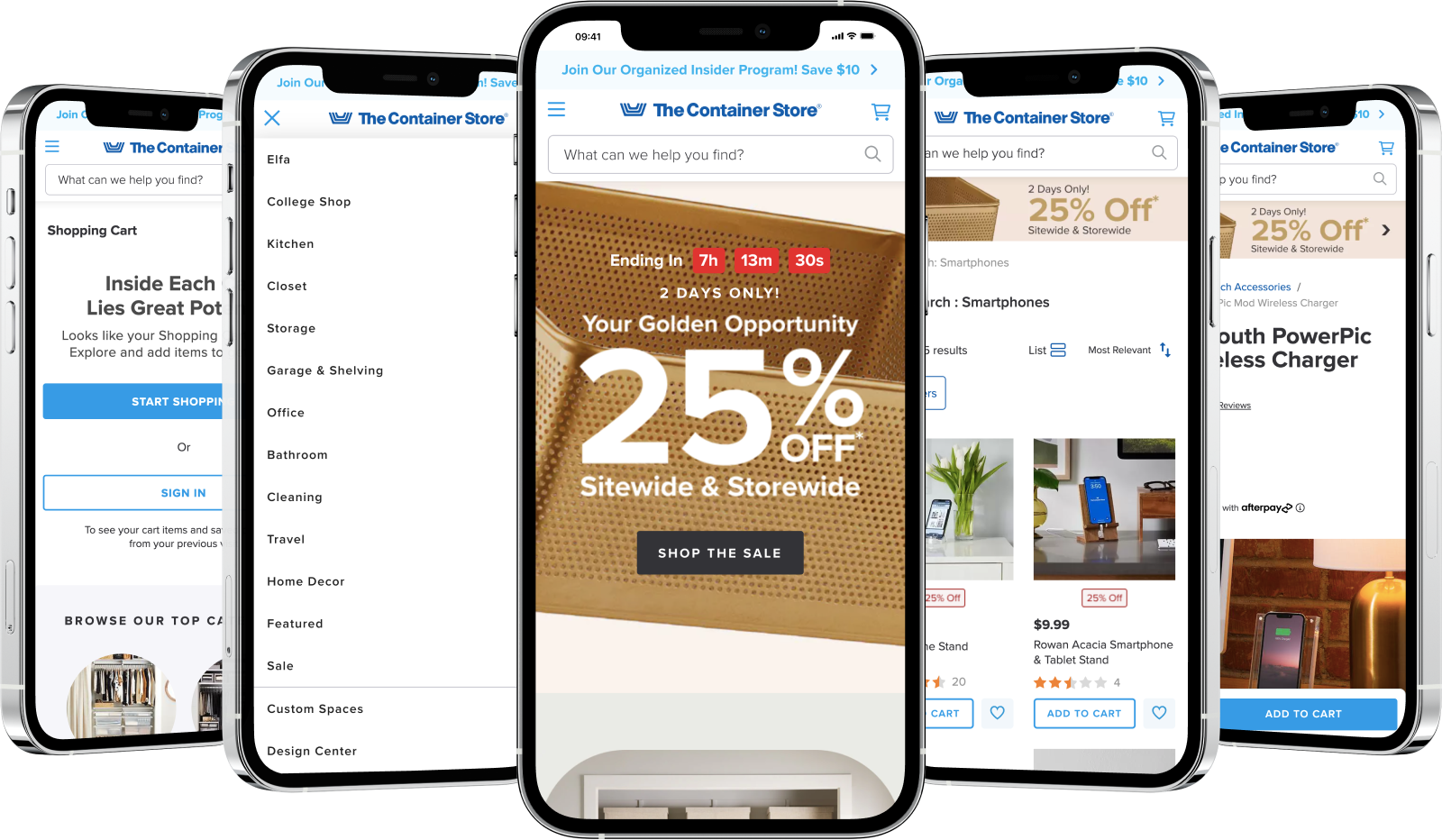
The Container Store is an online shop that offers a wide range of products, including Storage Solutions, Closet Organization, Kitchen & Pantry items, Office Organization, Bathroom Storage, Garage Storage, Travel & Luggage, Laundry & Cleaning products, Shelving Units, Decor & Furniture, and more.
In this project, my role was to find areas where the site and app could be improved. This project highlights those areas, but it doesn’t suggest specific solutions. Many of the recommendations are based on the Baymard Institute’s guidelines, which are well-known for their research and analysis aimed at optimizing e-commerce usability and conversion rates.
Role and Duration
UX Designer | Bridge UX Design Studios
UX Audit, Heuristic Evaluation, Web Accessibility
August, 2023
Project Overview
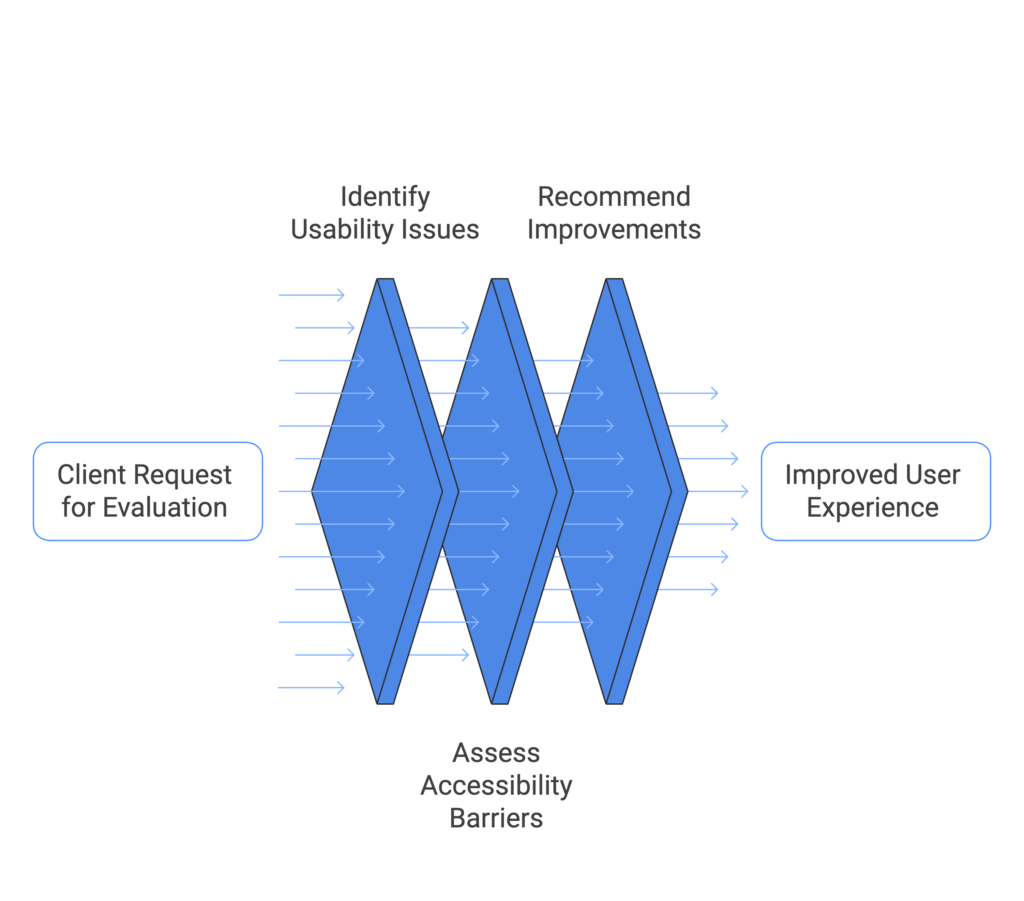
The client approached us to conduct a heuristic evaluation and assess web accessibility for their website in order to identify and resolve usability issues that may be hindering user experience and engagement. Despite the website’s functional design, user feedback and analytics suggested navigation challenges, inconsistent interactions, and accessibility barriers, particularly for users with disabilities.
The client sought to ensure that their website adheres to best practices in usability and accessibility, providing an intuitive and inclusive experience for all users, regardless of their abilities. By performing the heuristic evaluation and accessibility audit, the goal was to uncover potential issues that could impact user satisfaction, website effectiveness, and compliance with accessibility standards, ultimately improving both user retention and conversion rates.
Goal
Our goal is to identify the following issues:
Evaluation Methodology
We employed a comprehensive methodology encompassing heuristic evaluation and specific accessibility assessments.
1. Heuristic Evaluation
We utilized Jakob Nielsen’s 10 Usability Heuristics as the framework for our evaluation:
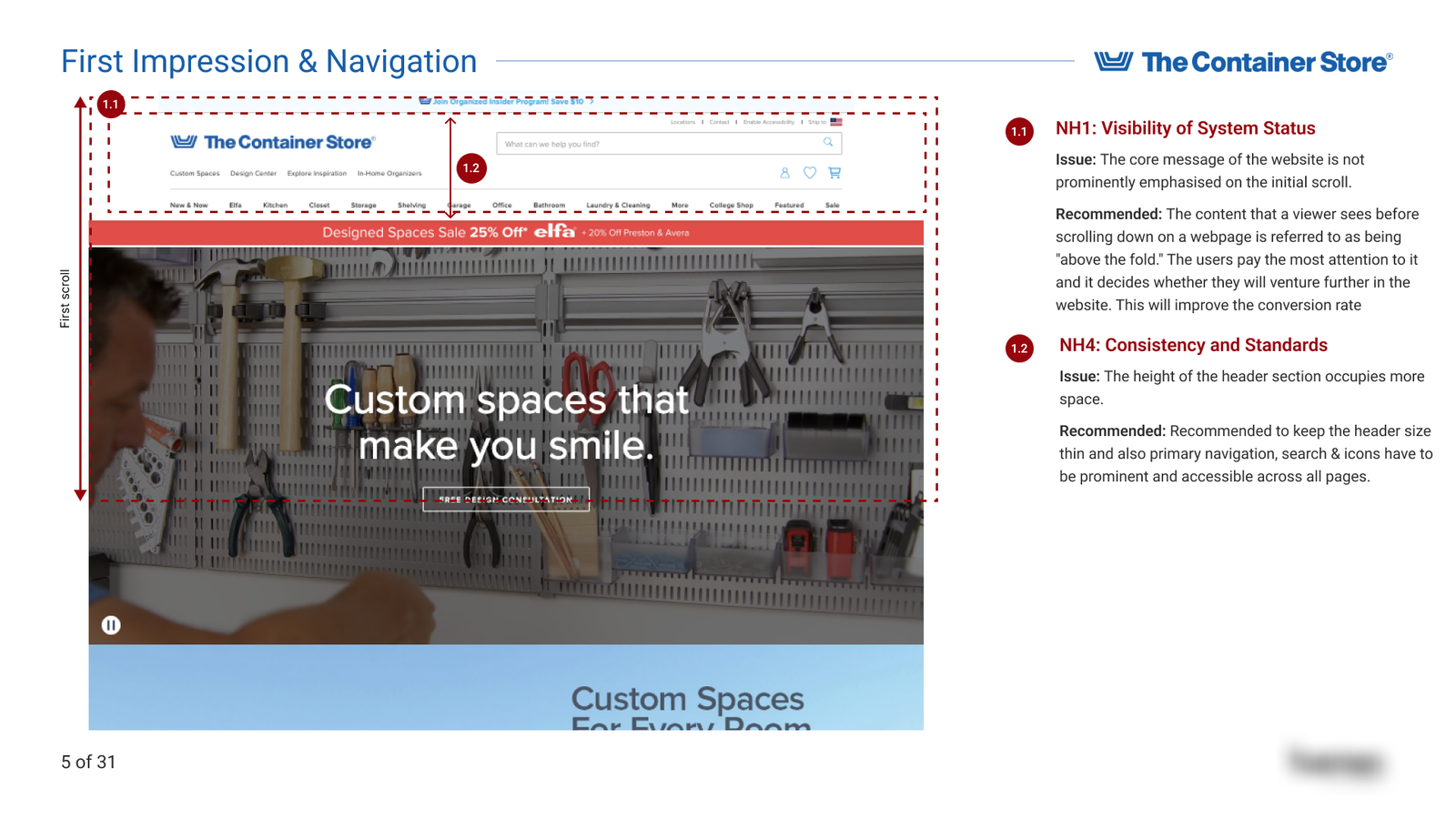
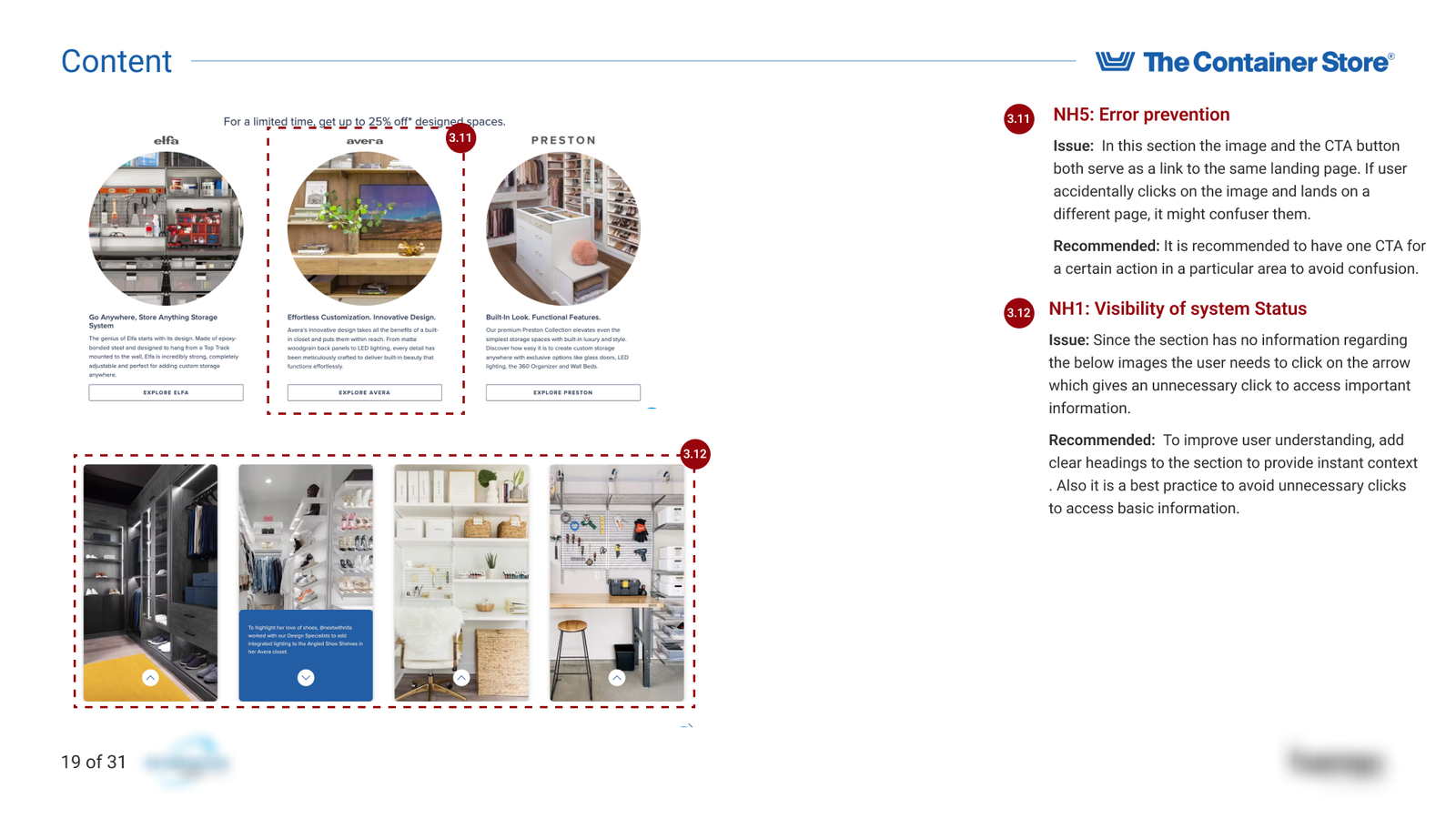
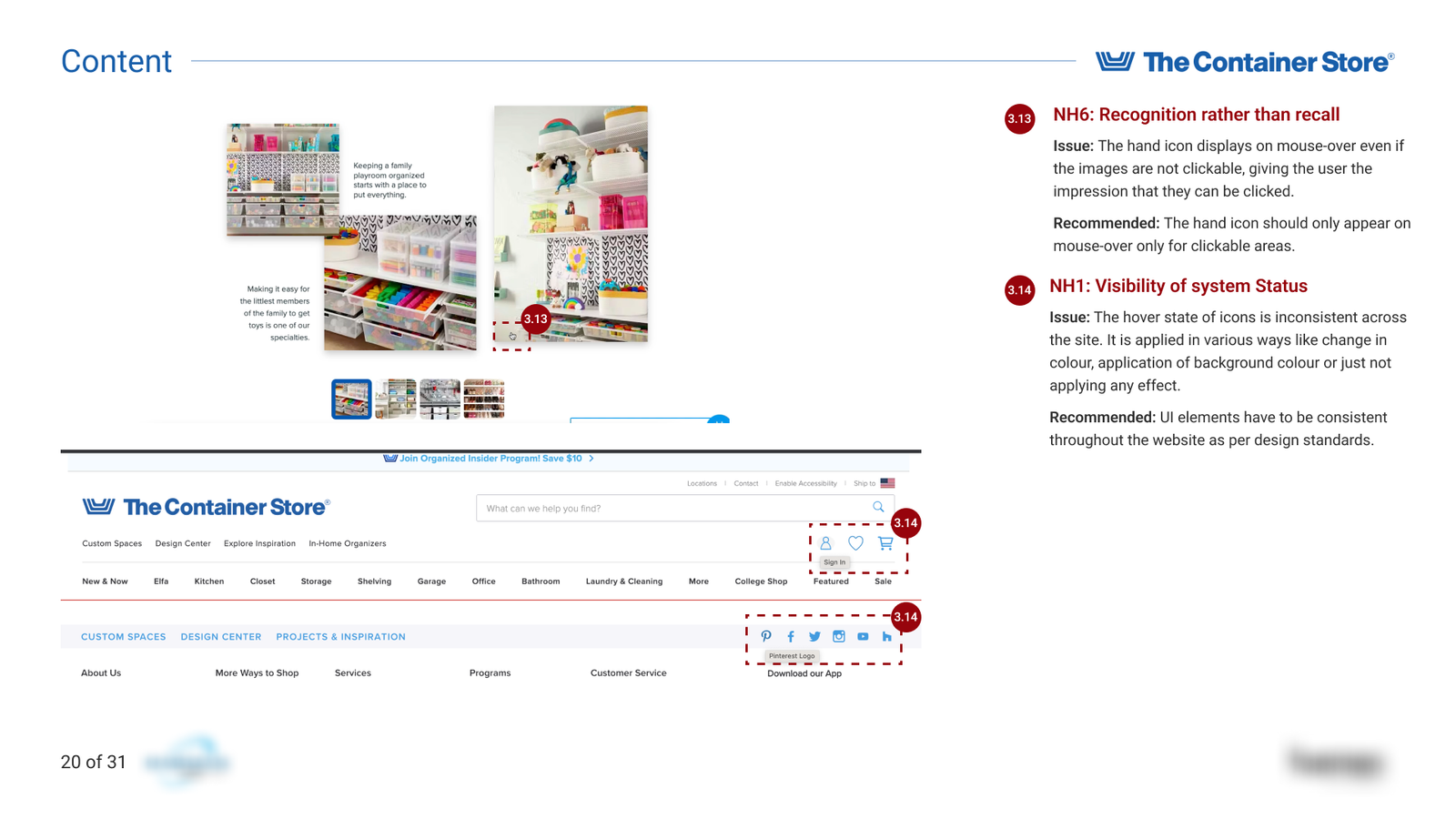
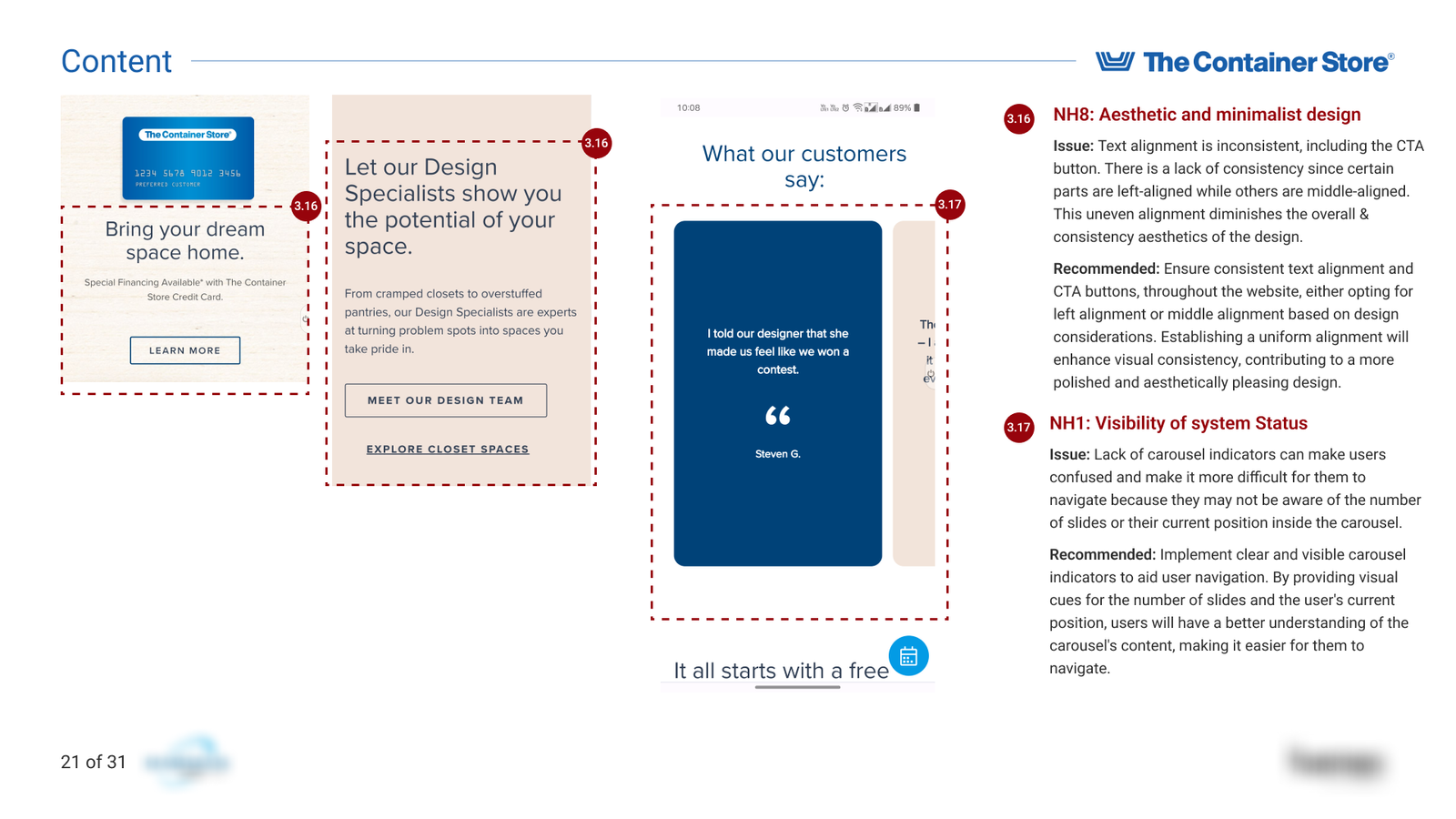
Visibility of System Status: Assessing if the system provides timely and appropriate feedback to users.
Match Between System and the Real World: Ensuring the use of language and concepts familiar to users, following real-world conventions.
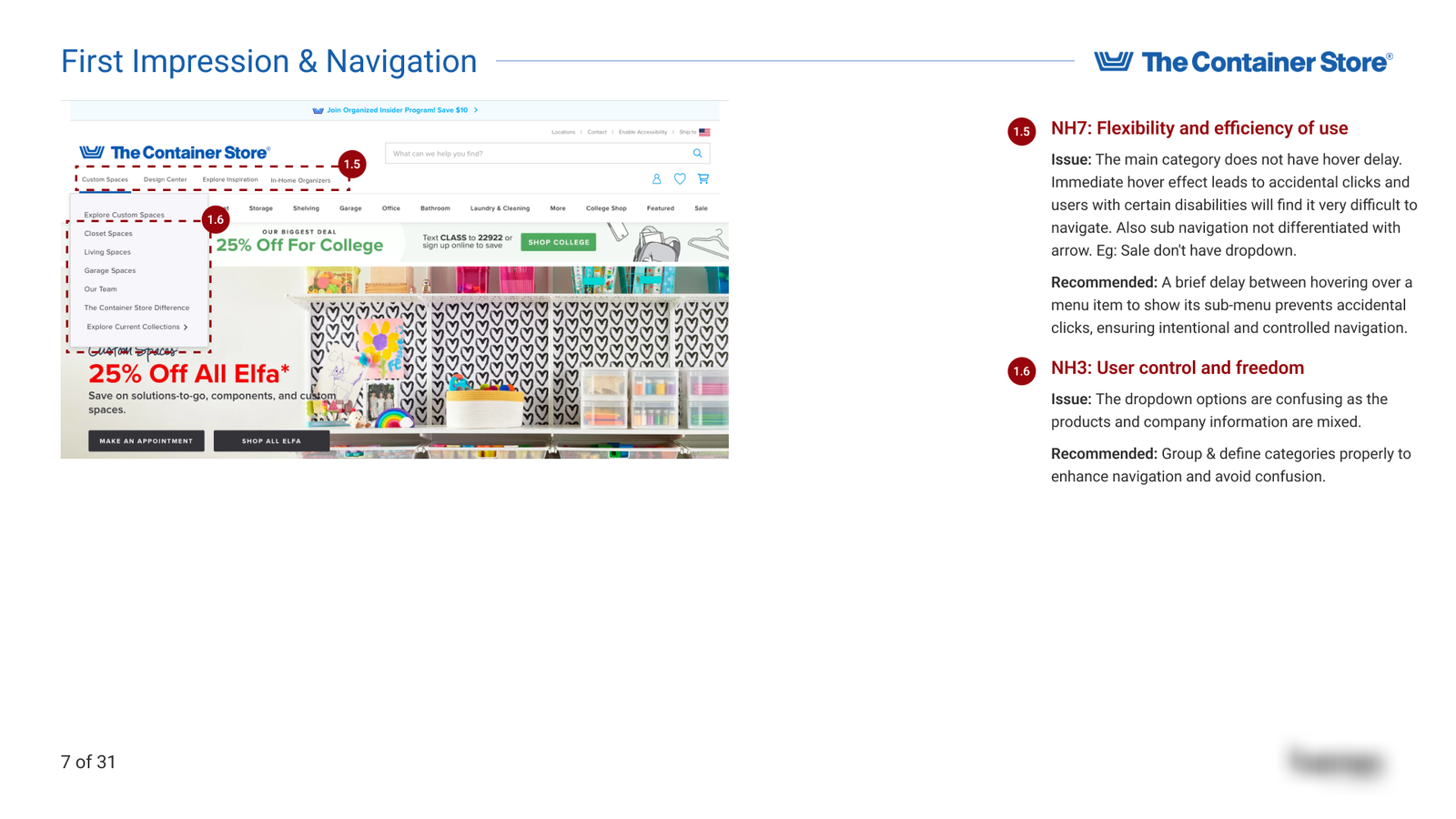
User Control and Freedom: Checking for options that allow users to undo or redo actions easily.
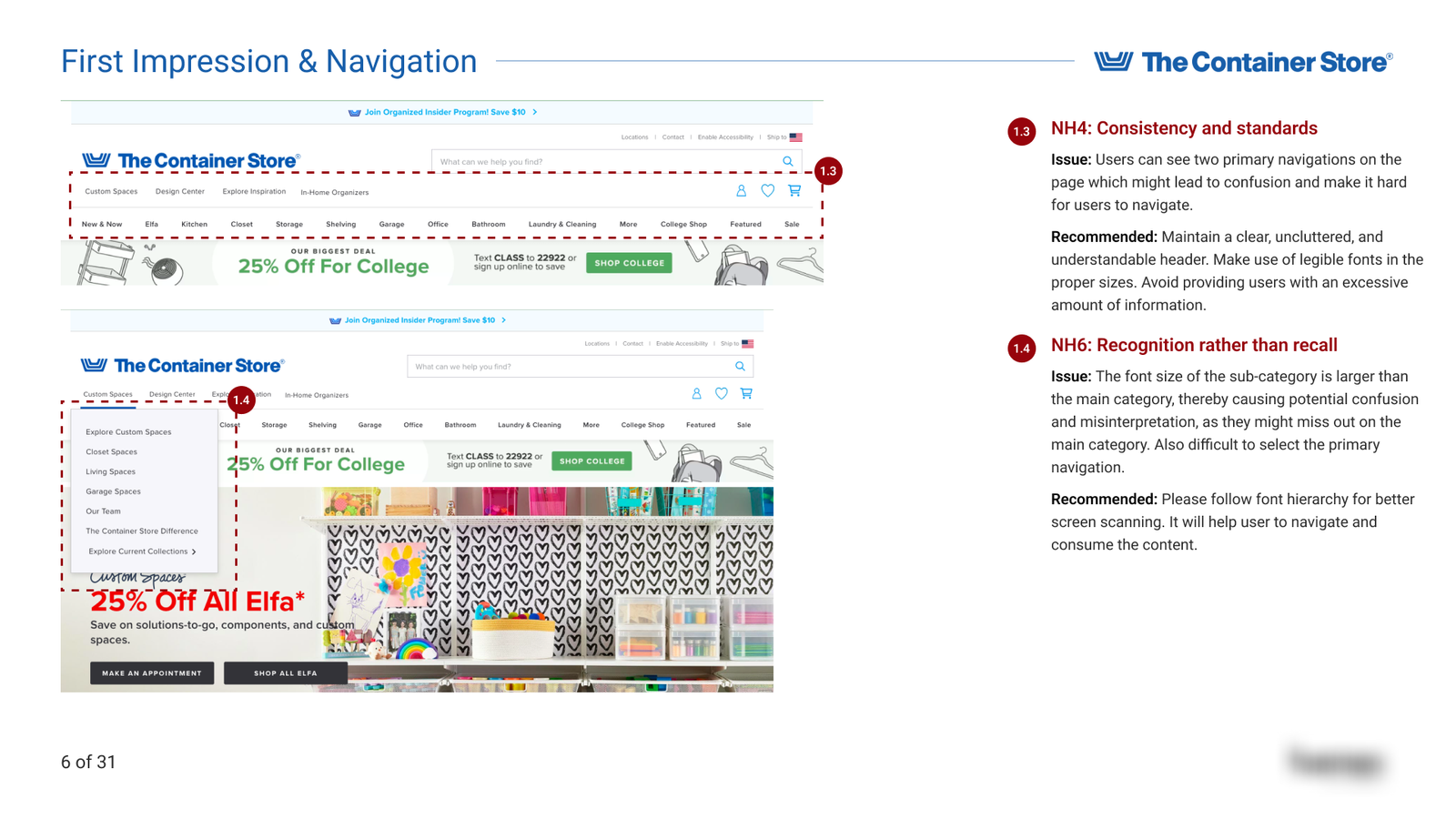
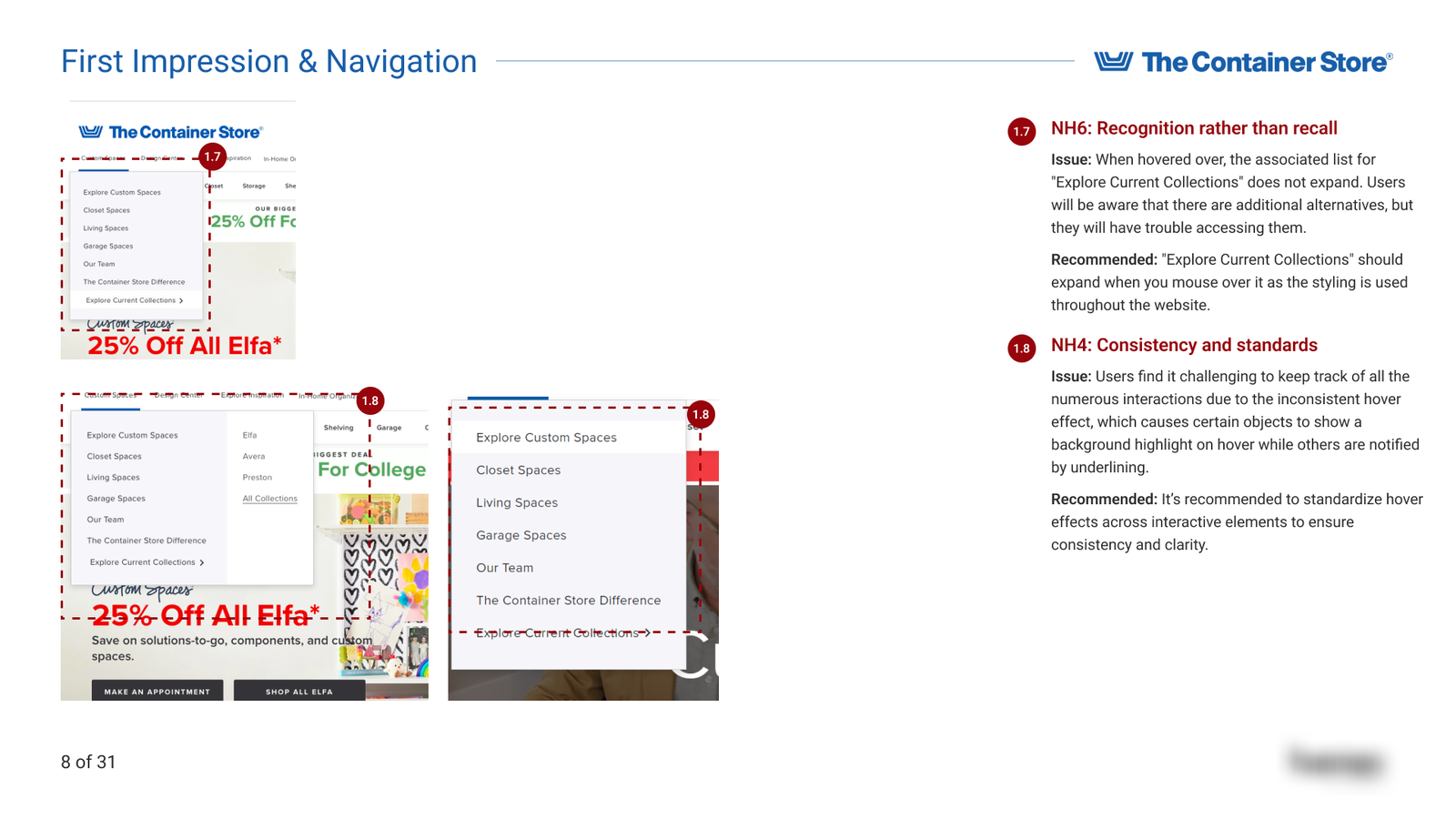
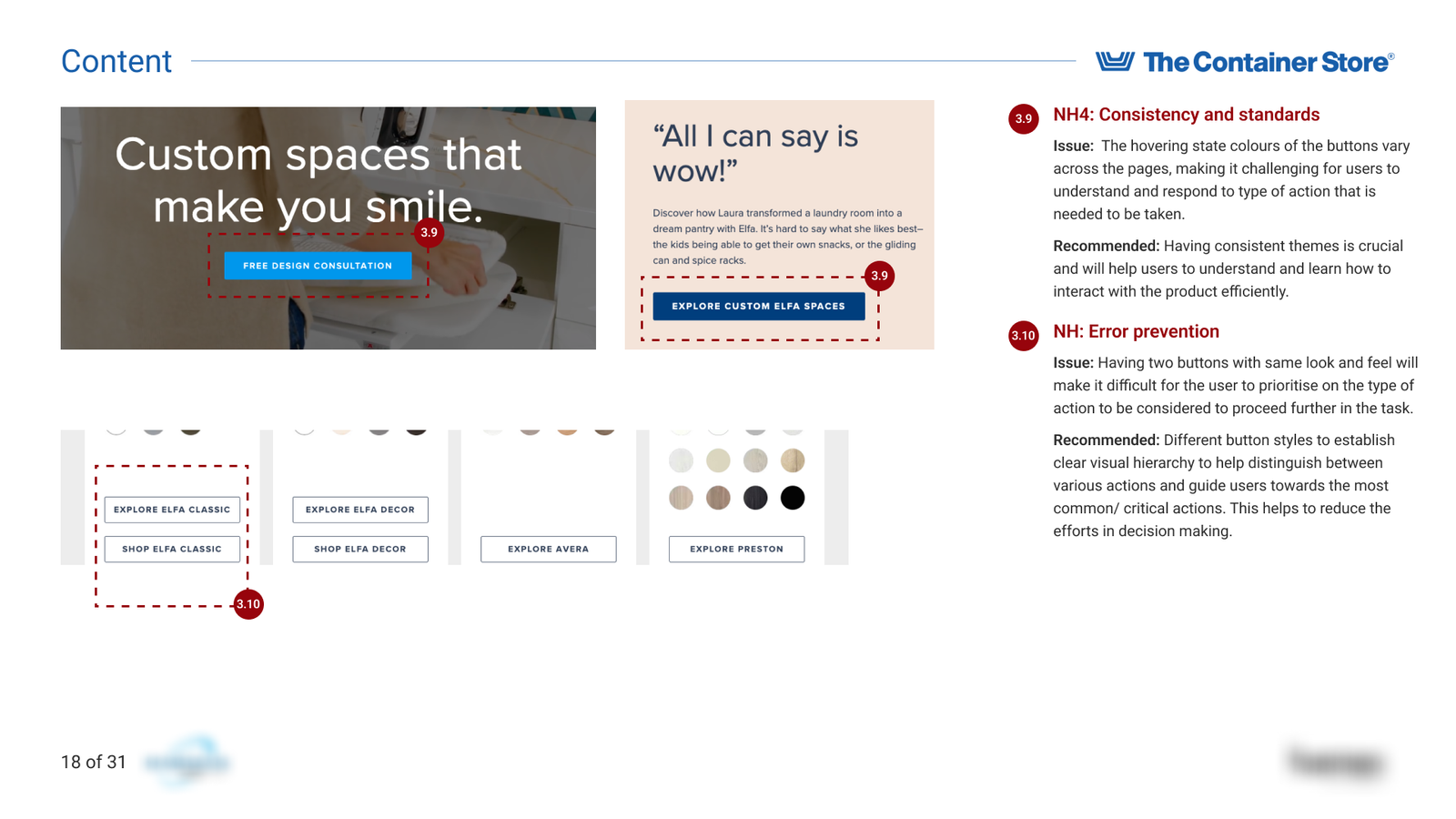
Consistency and Standards: Verifying uniformity in terminology and design across the site, adhering to platform conventions.
Error Prevention: Identifying potential error-prone areas and evaluating measures in place to prevent them.
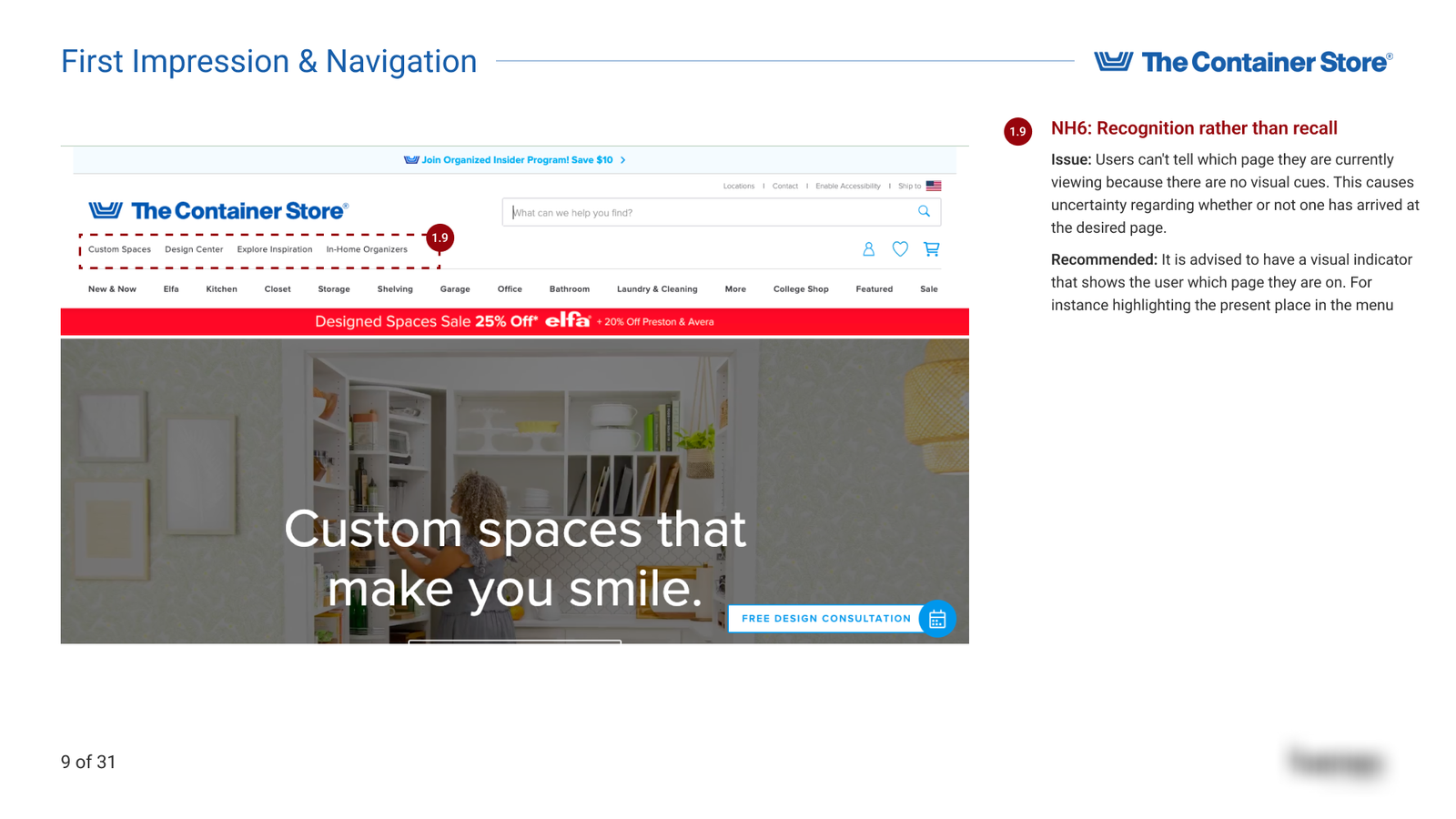
Recognition Rather Than Recall: Ensuring that options and information are visible, minimizing the need for users to remember details.
Flexibility and Efficiency of Use: Determining if the site caters to both novice and experienced users, offering shortcuts or accelerators.
Aesthetic and Minimalist Design: Evaluating the design for simplicity, ensuring no irrelevant information clutters the interface.
Help Users Recognize, Diagnose, and Recover from Errors: Reviewing the clarity and helpfulness of error messages.
Help and Documentation: Assessing the availability and quality of support resources and documentation.
2. Accessibility Assessments
In addition to the heuristic evaluation, we conducted specific assessments focusing on:
- Tab Order: We navigated through the webpage using the keyboard’s ‘Tab’ key to ensure a logical and intuitive focus order. This ensures that users who rely on keyboard navigation can move through interactive elements in a coherent sequence.
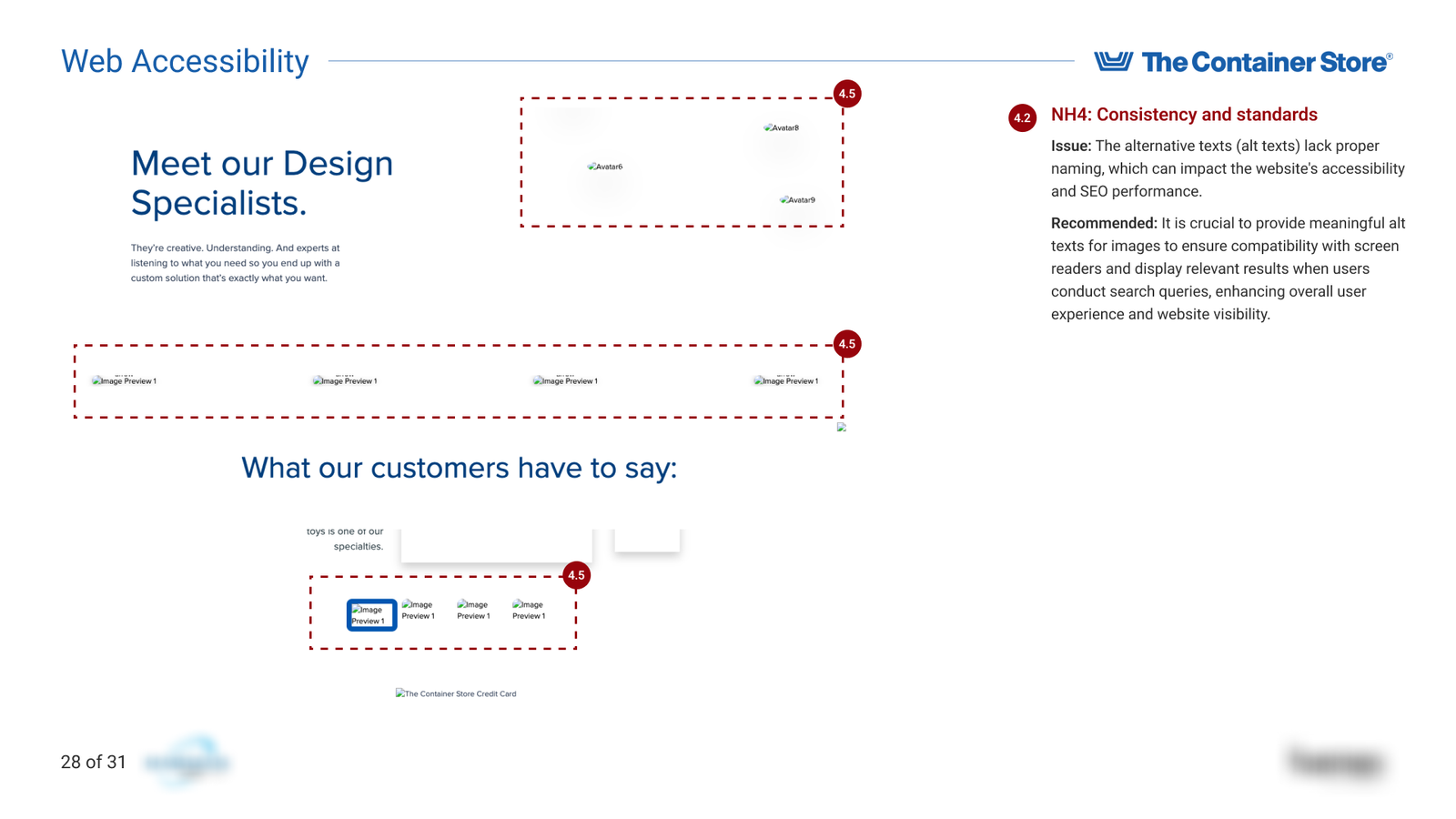
- Screen Reader Compatibility: Utilizing screen reader software, we evaluated the site’s content to ensure it is accessible to visually impaired users. This involved checking for appropriate use of ARIA roles, alt text for images, and proper heading structures.
- Content Accessibility Without Images: We disabled image loading in the browser to verify that all essential information is accessible through text alone. This ensures that users who cannot view images due to disabilities or technical limitations can still access the content.
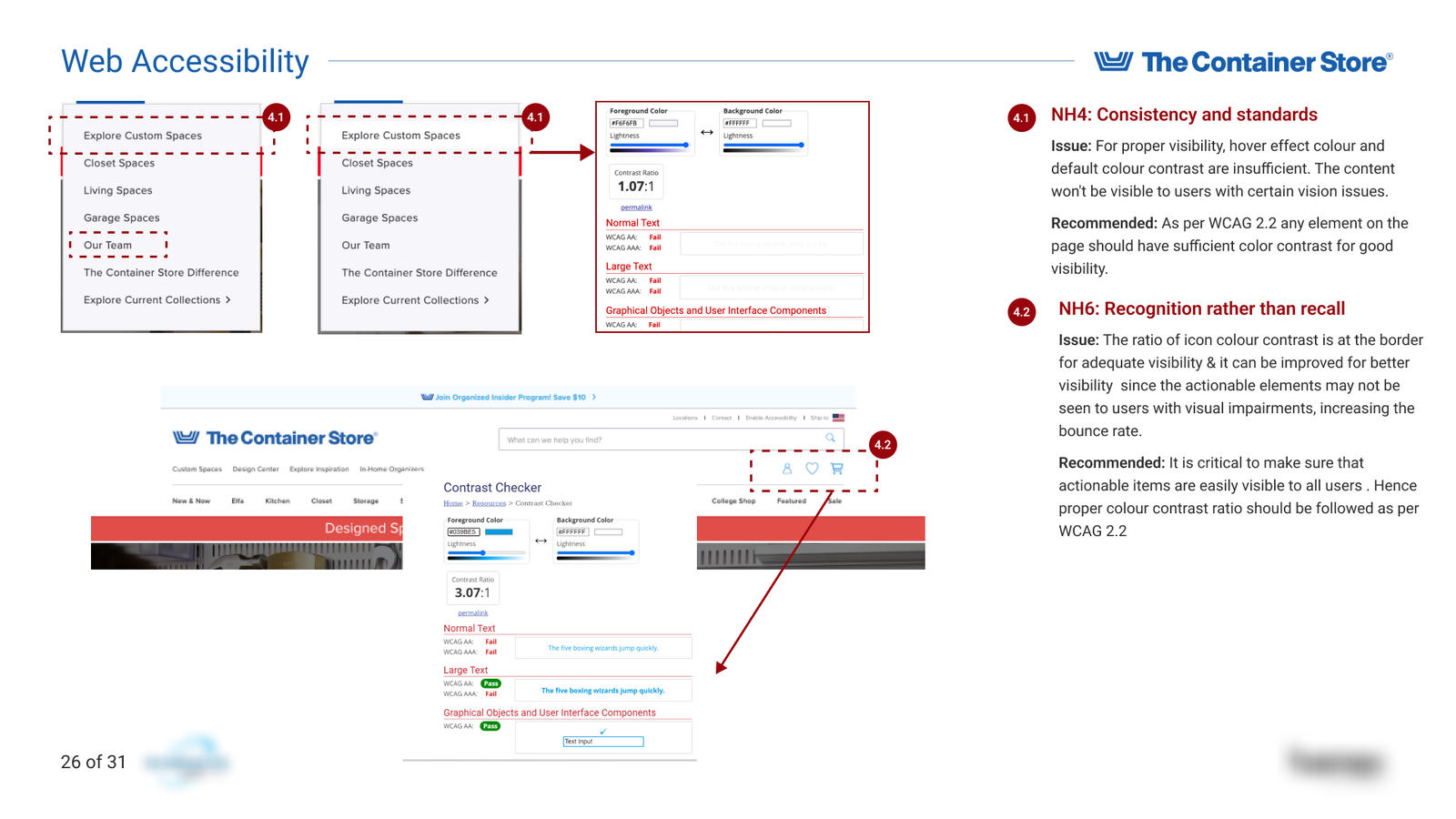
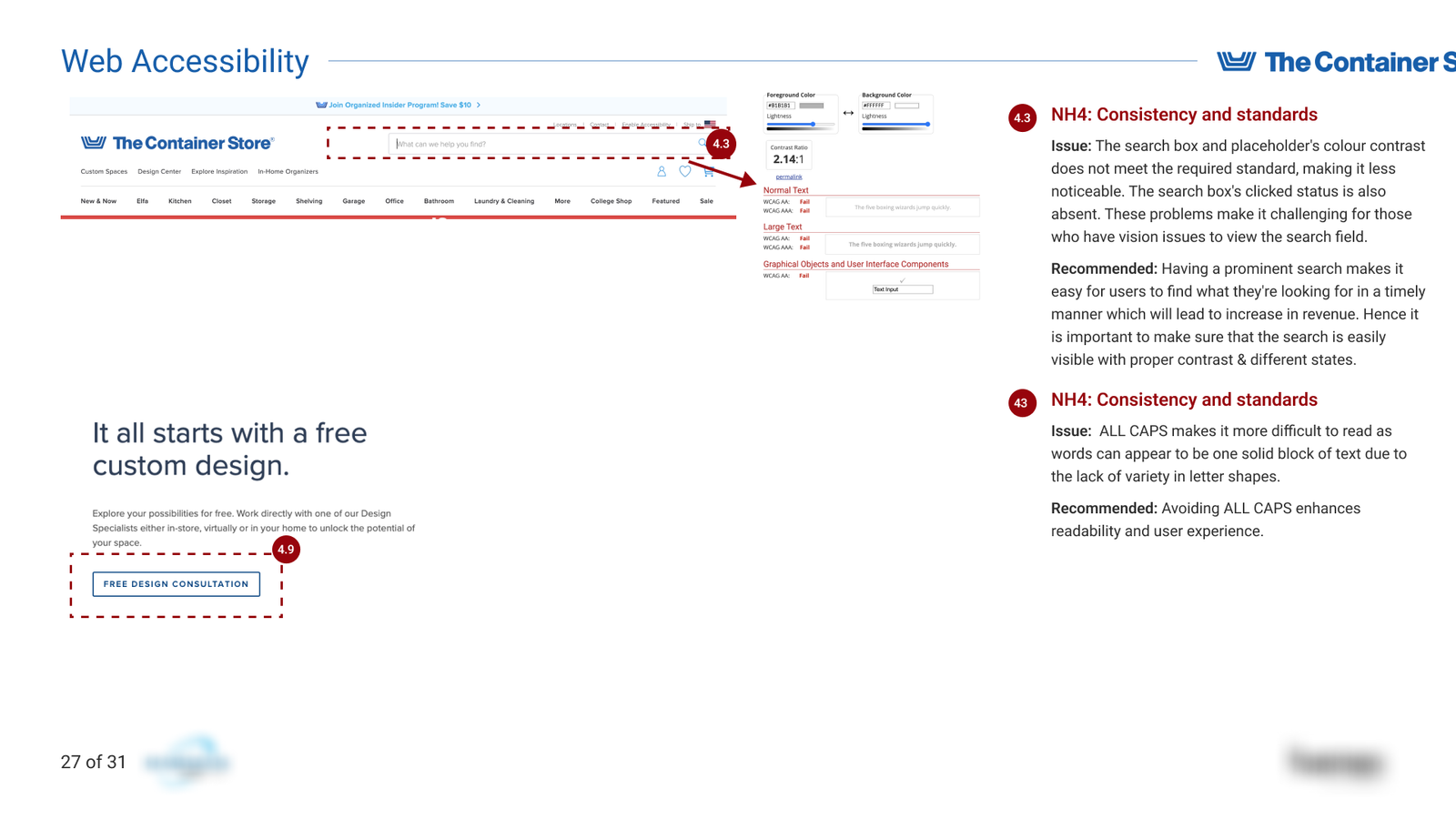
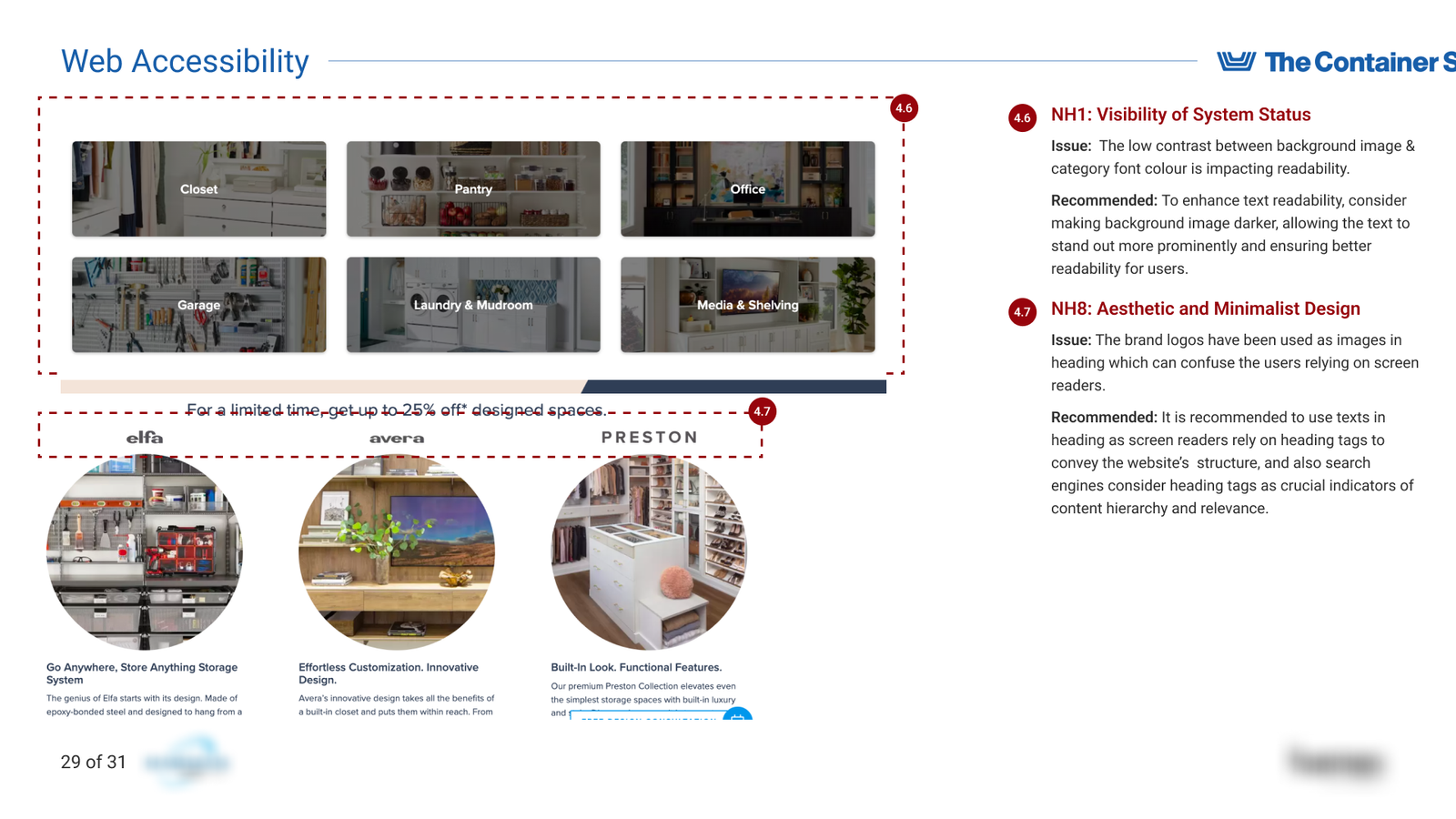
- Colour Contrast: We employed tools to measure the contrast ratio between text and background colors, ensuring compliance with the Web Content Accessibility Guidelines (WCAG) minimum contrast requirements. This is crucial for users with visual impairments, including color blindness.
Tools & Techniques
Key Findings
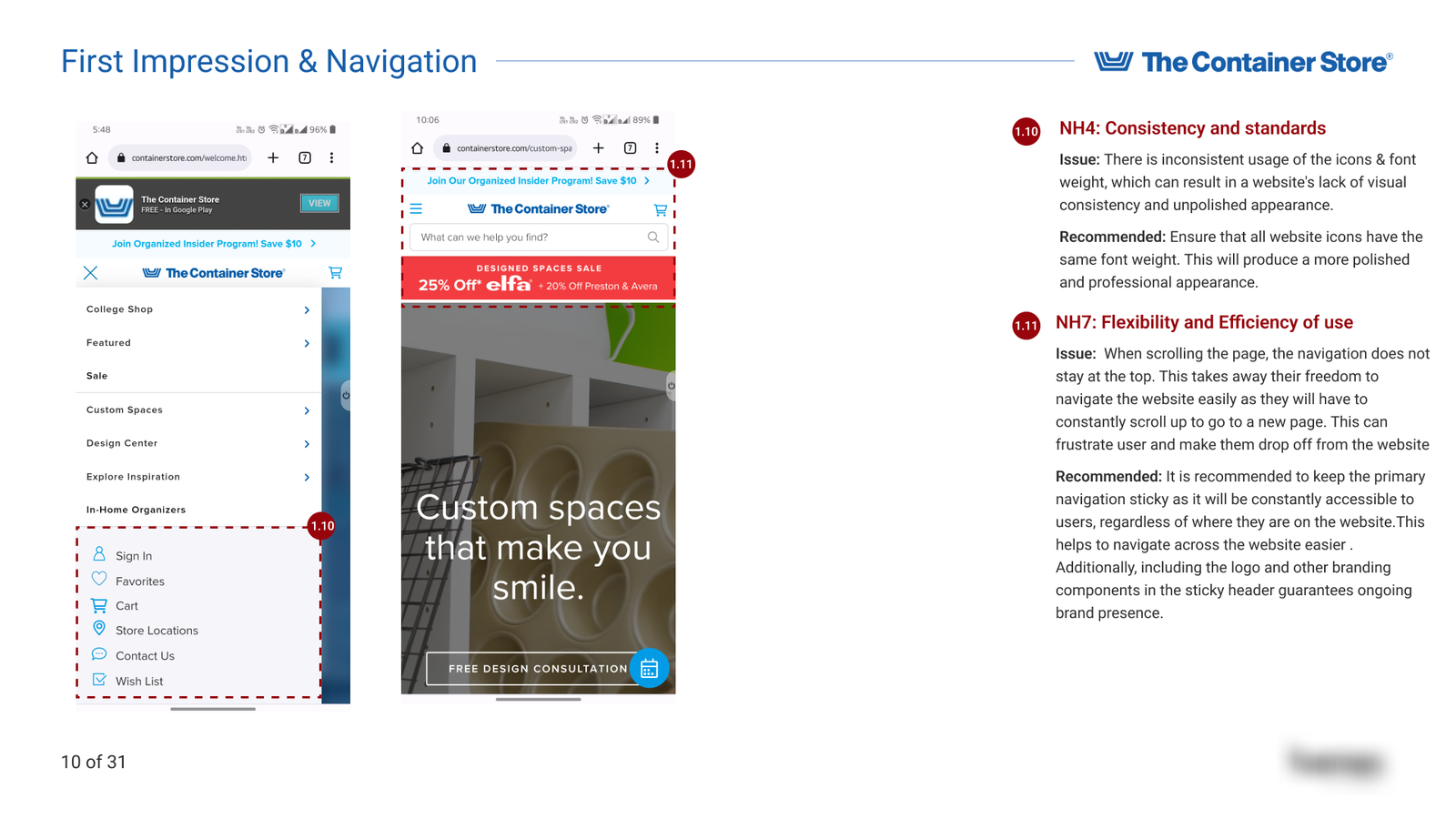
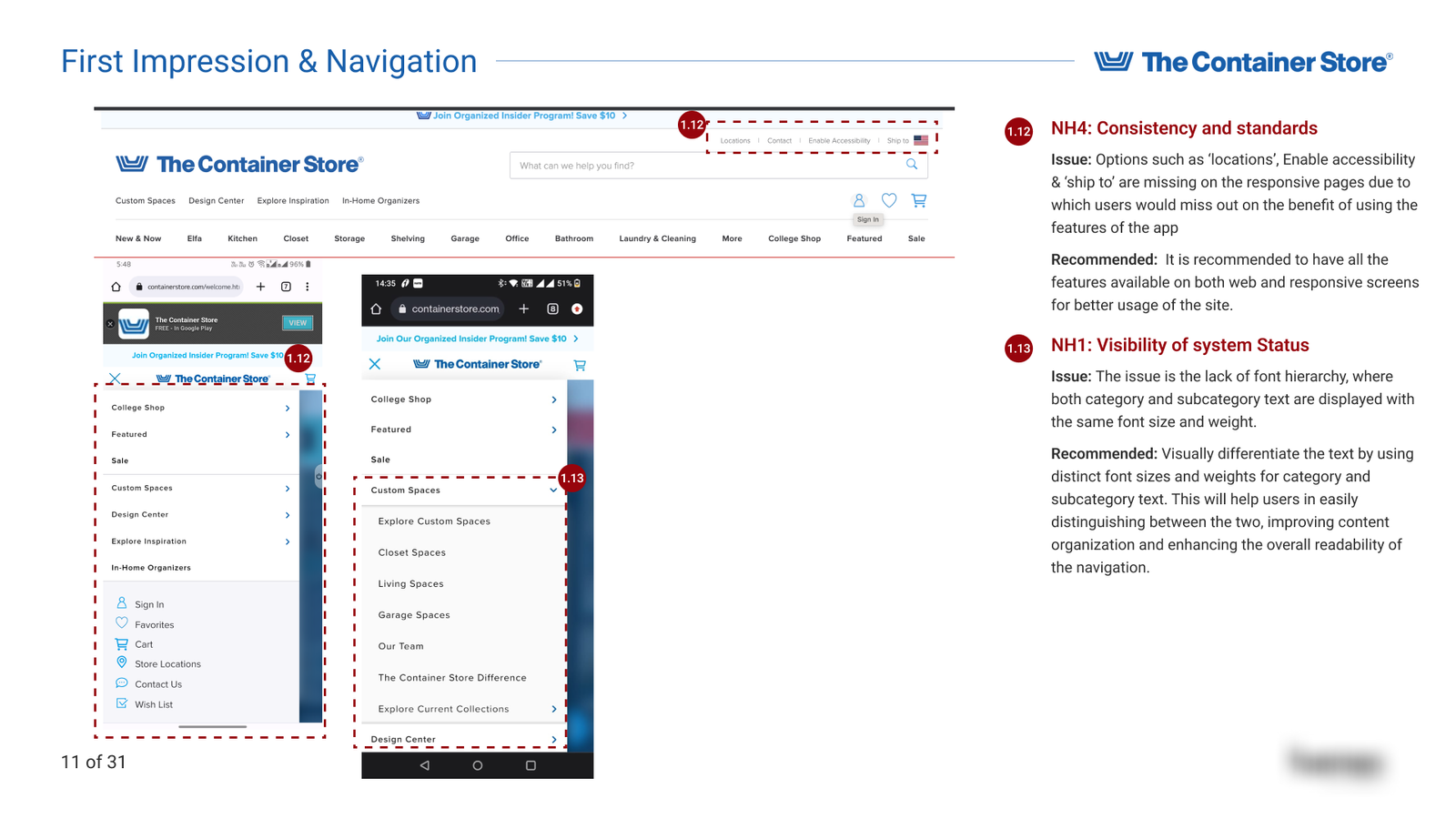
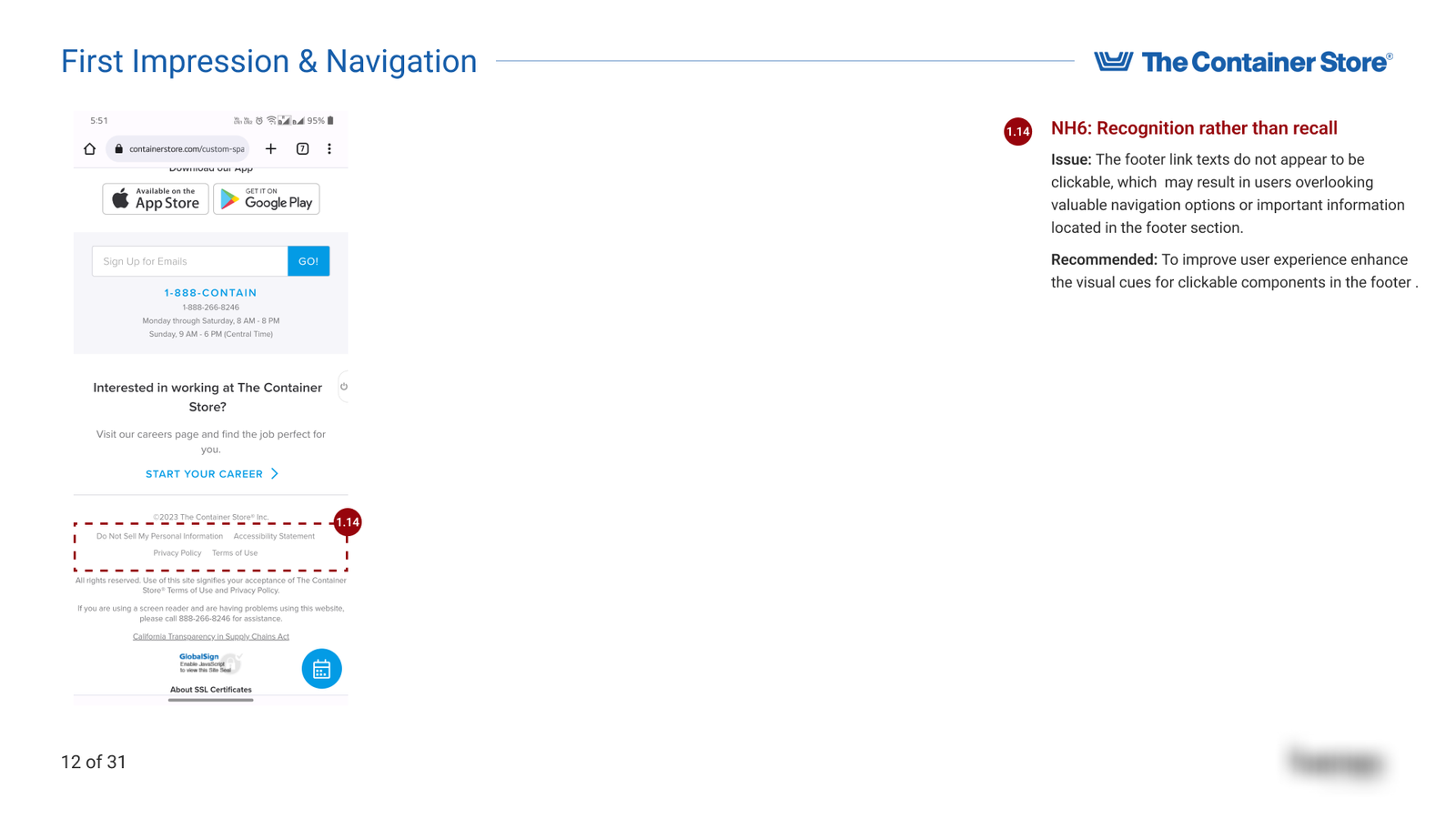
1. First Impression & Navigation
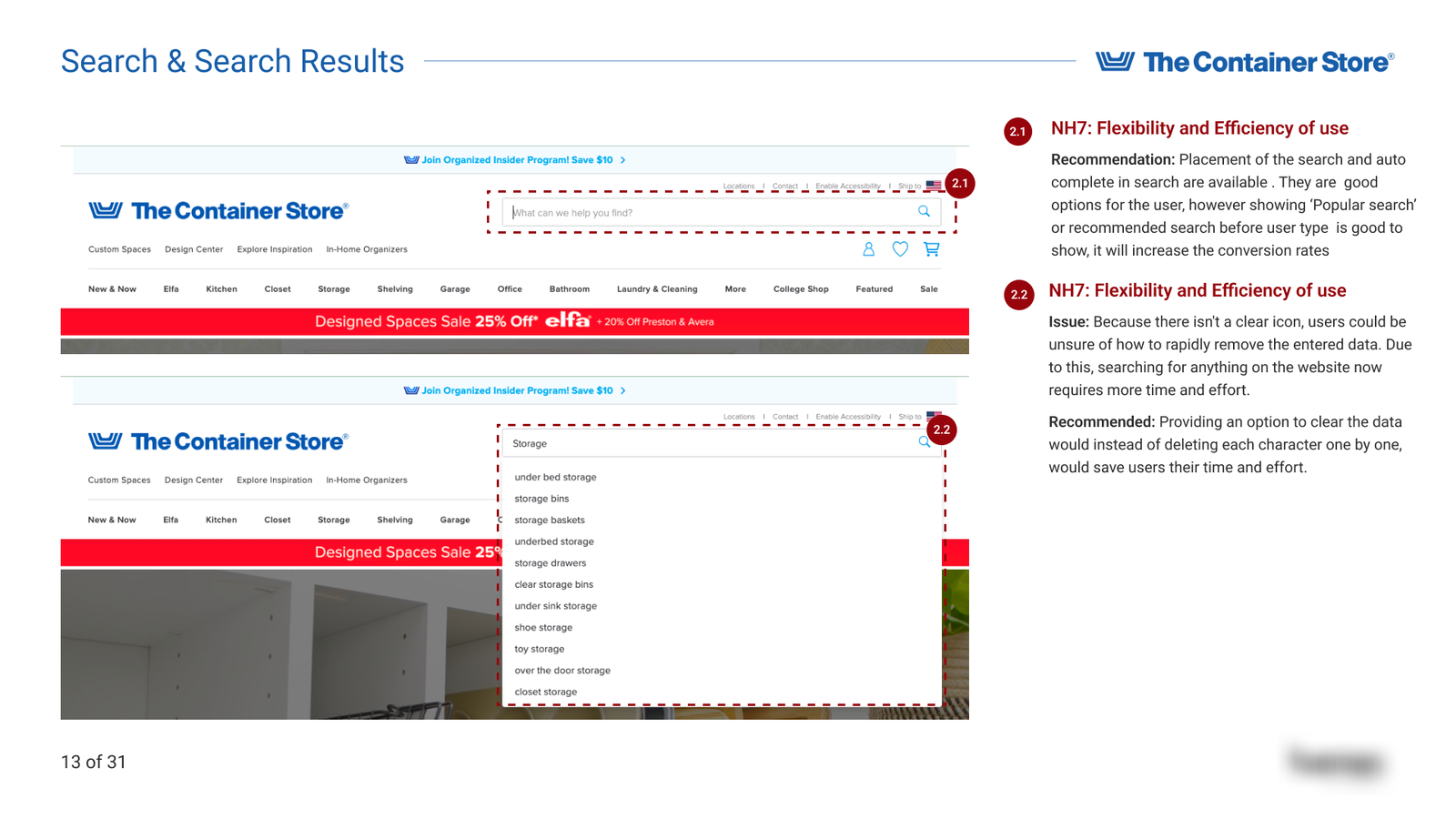
2. Search and Search Results
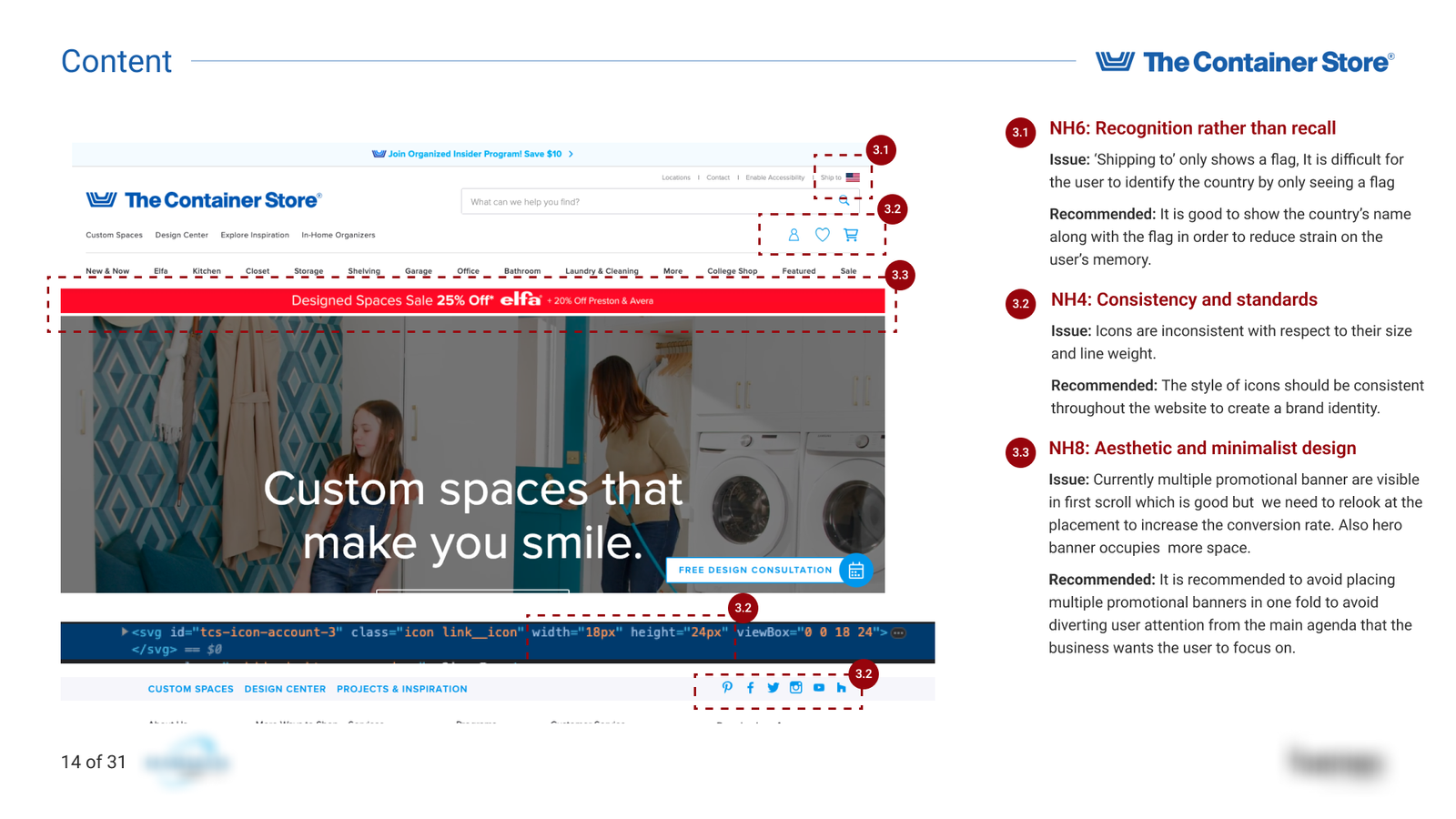
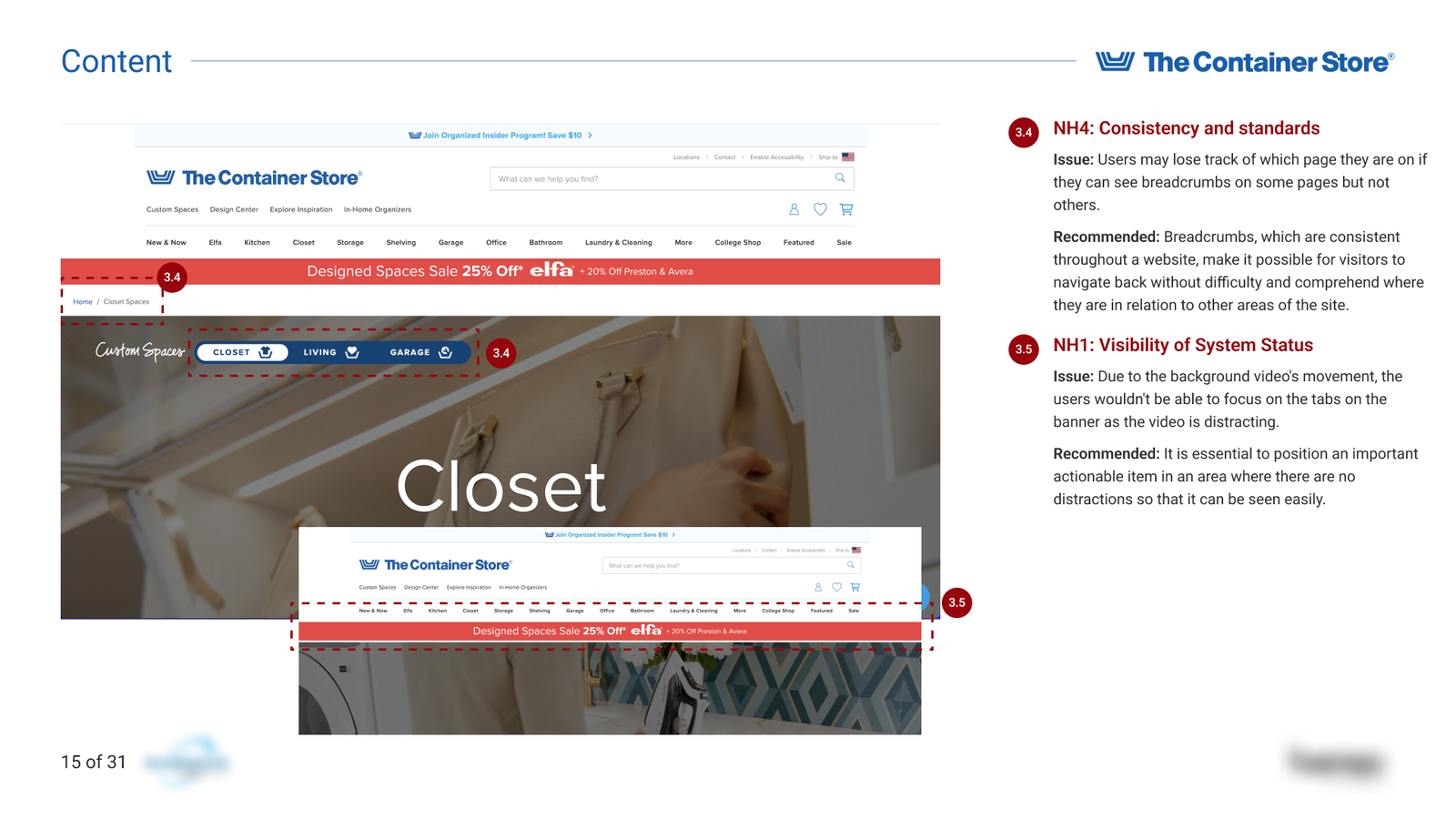
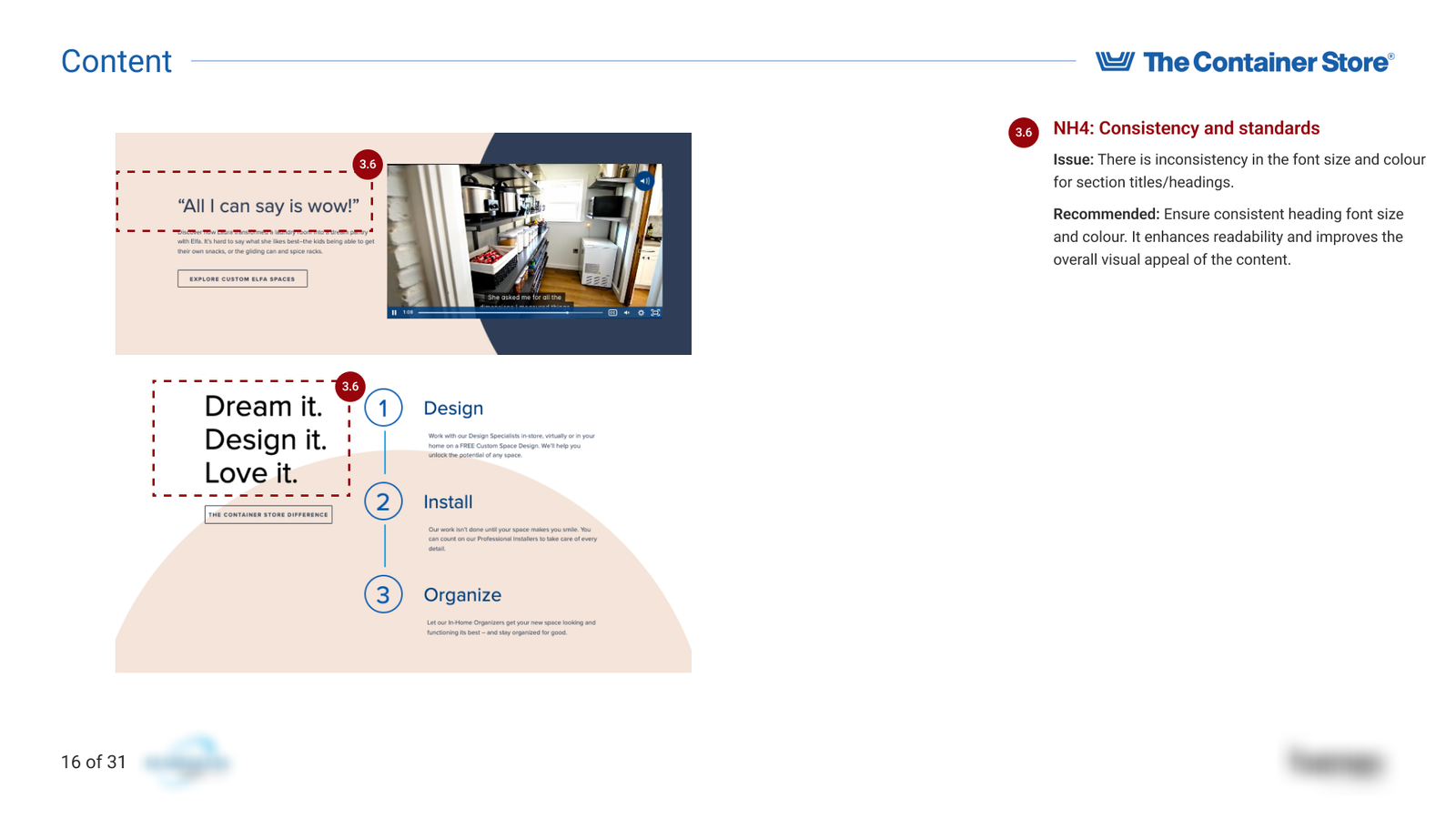
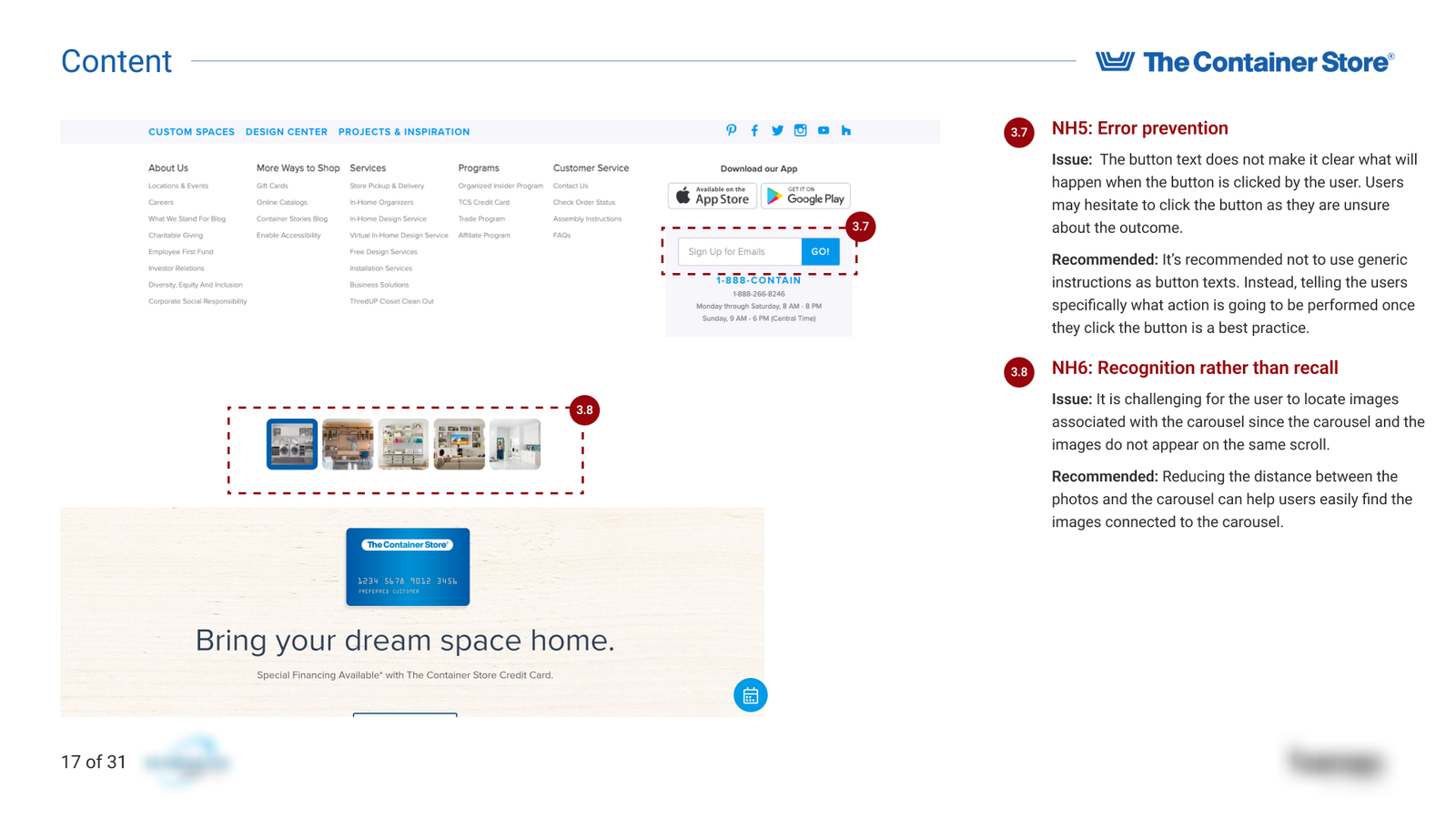
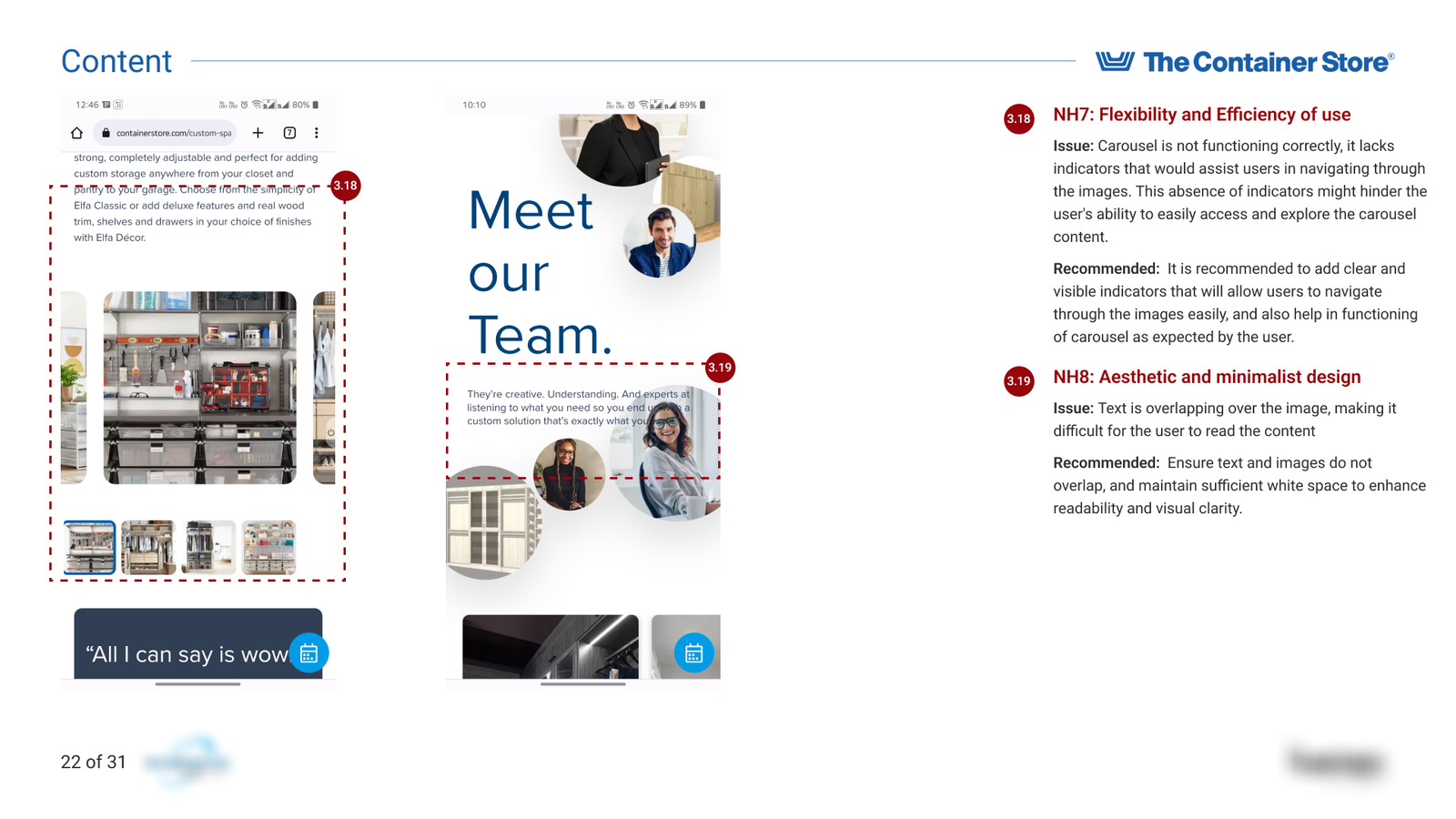
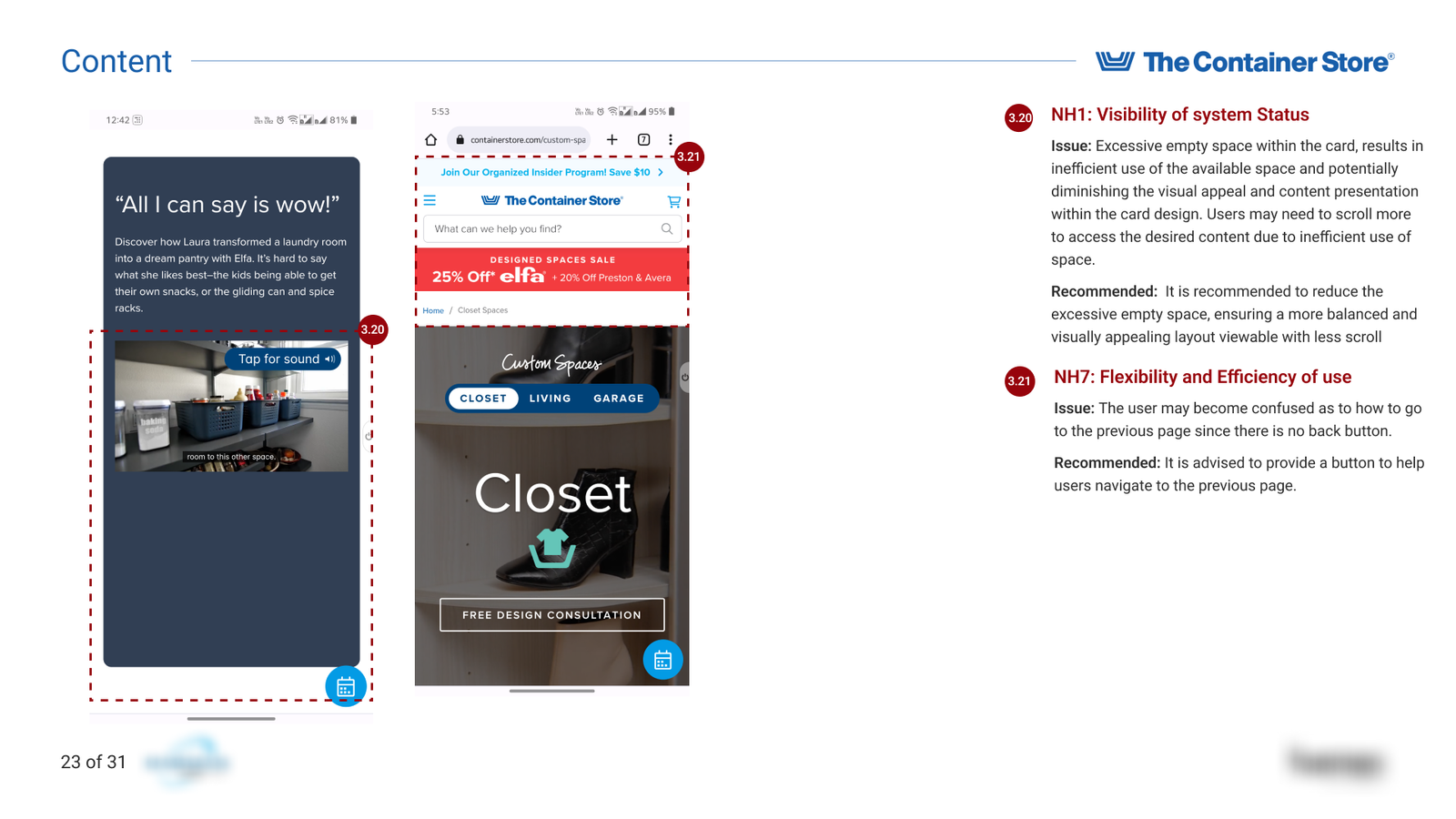
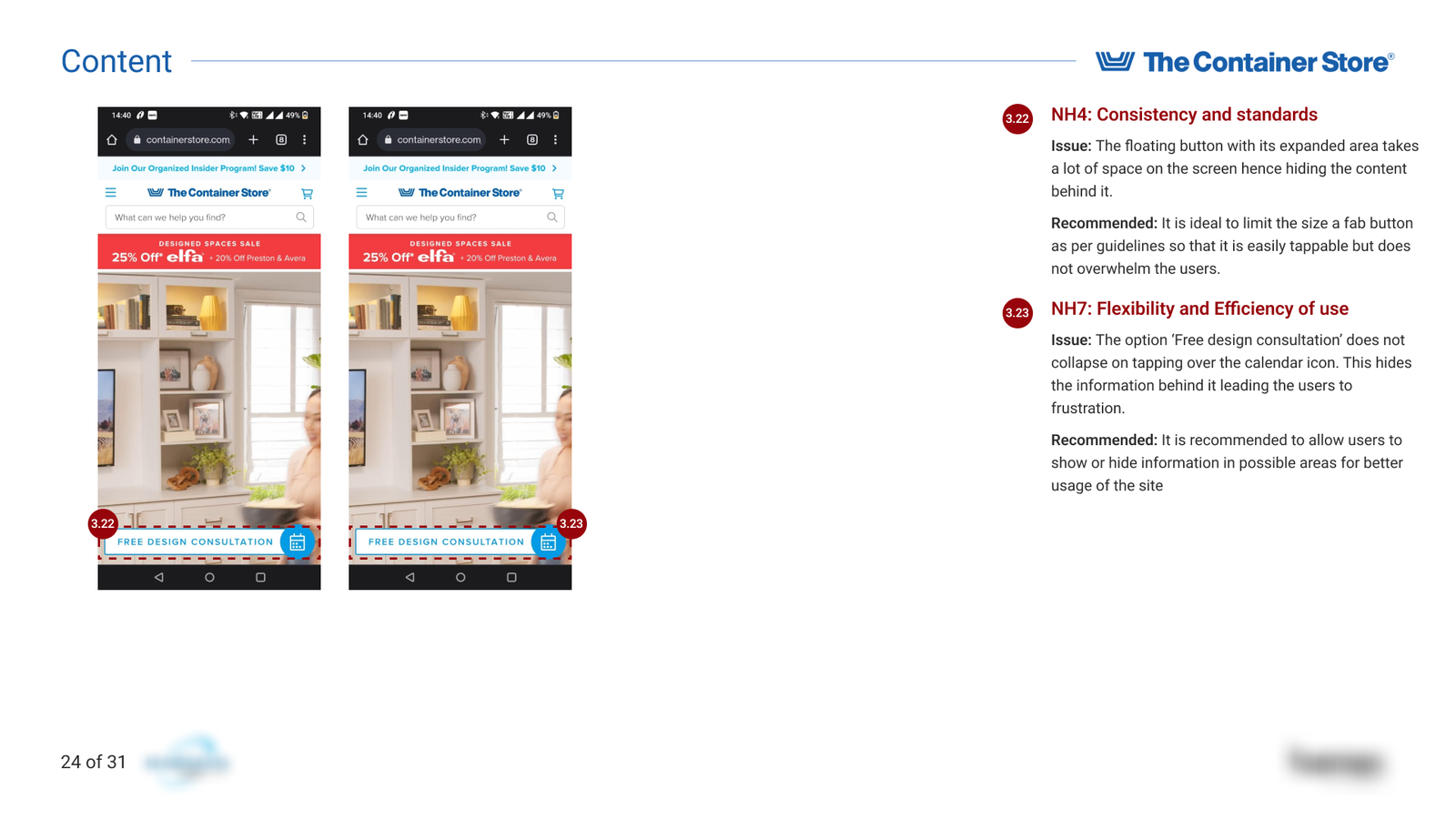
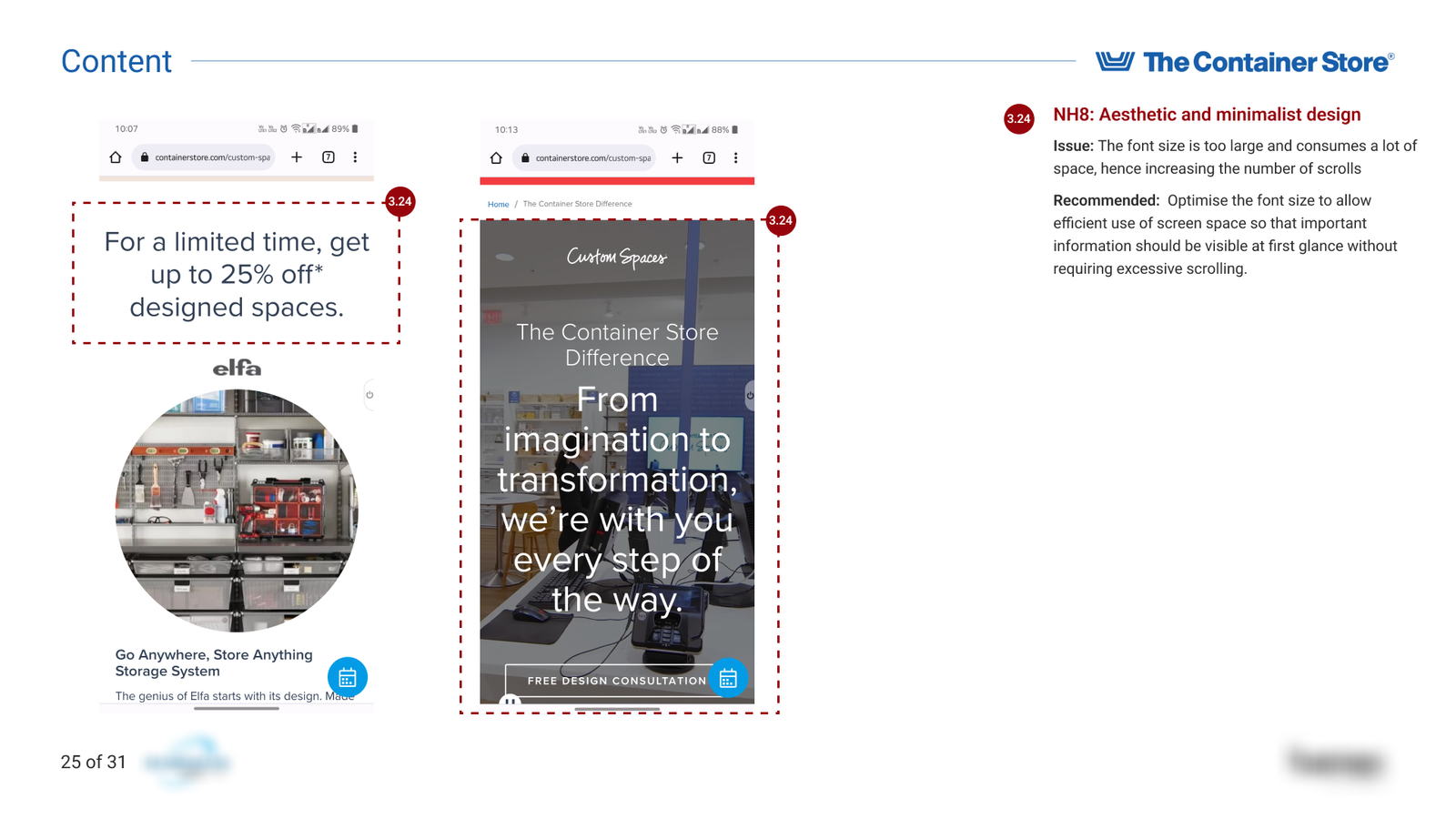
3. Content
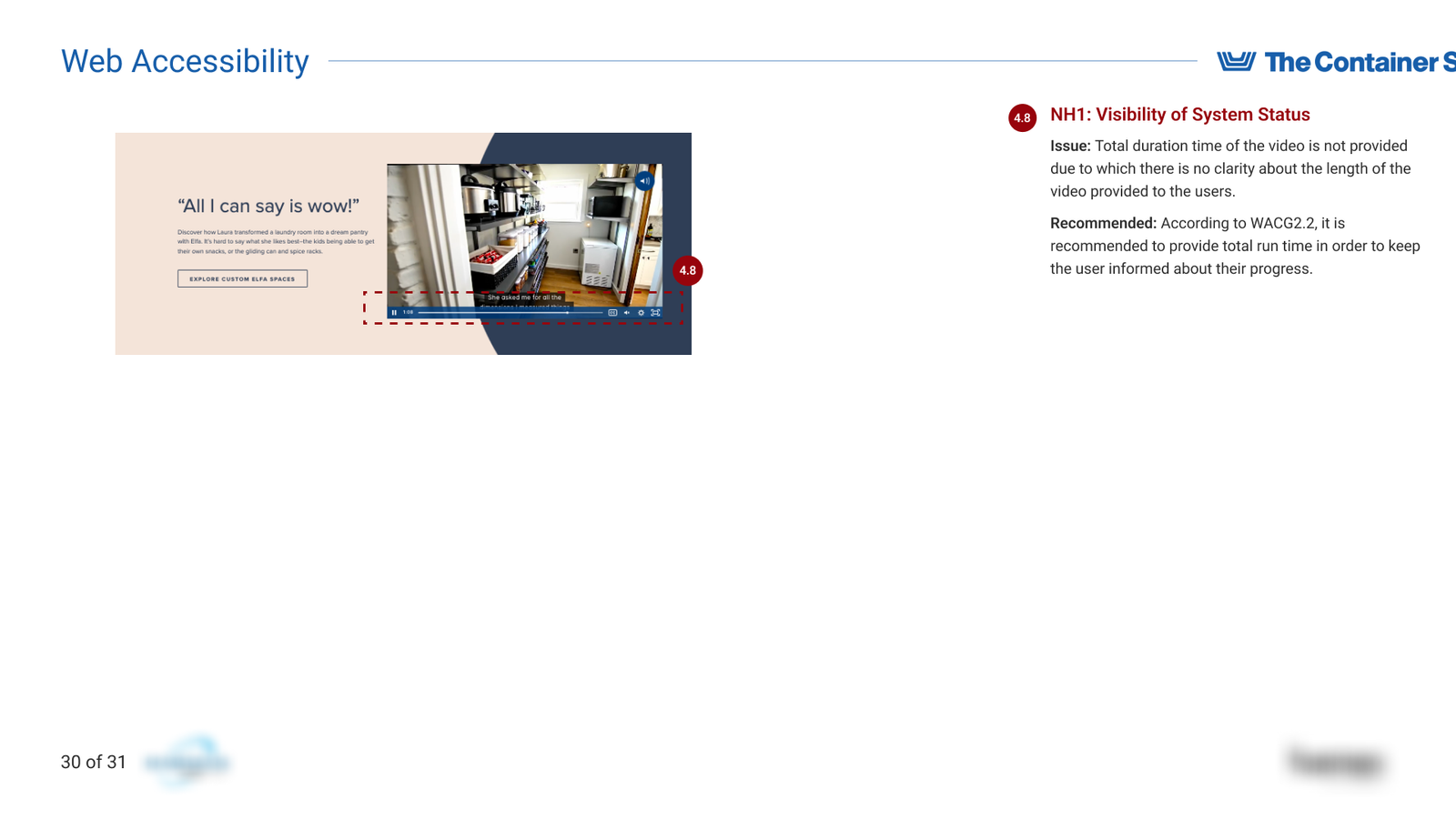
4. Web Accessibility
"This is the most detailed and well-constructed heuristic evaluation I’ve seen so far. Moving forward, whenever I review any other heuristic analysis, I’ll be using this as my benchmark. The level of clarity, depth, and structure you’ve demonstrated here sets a new standard for how these evaluations should be done."
You have reached the end! Thank you for your time.