
PARKESE
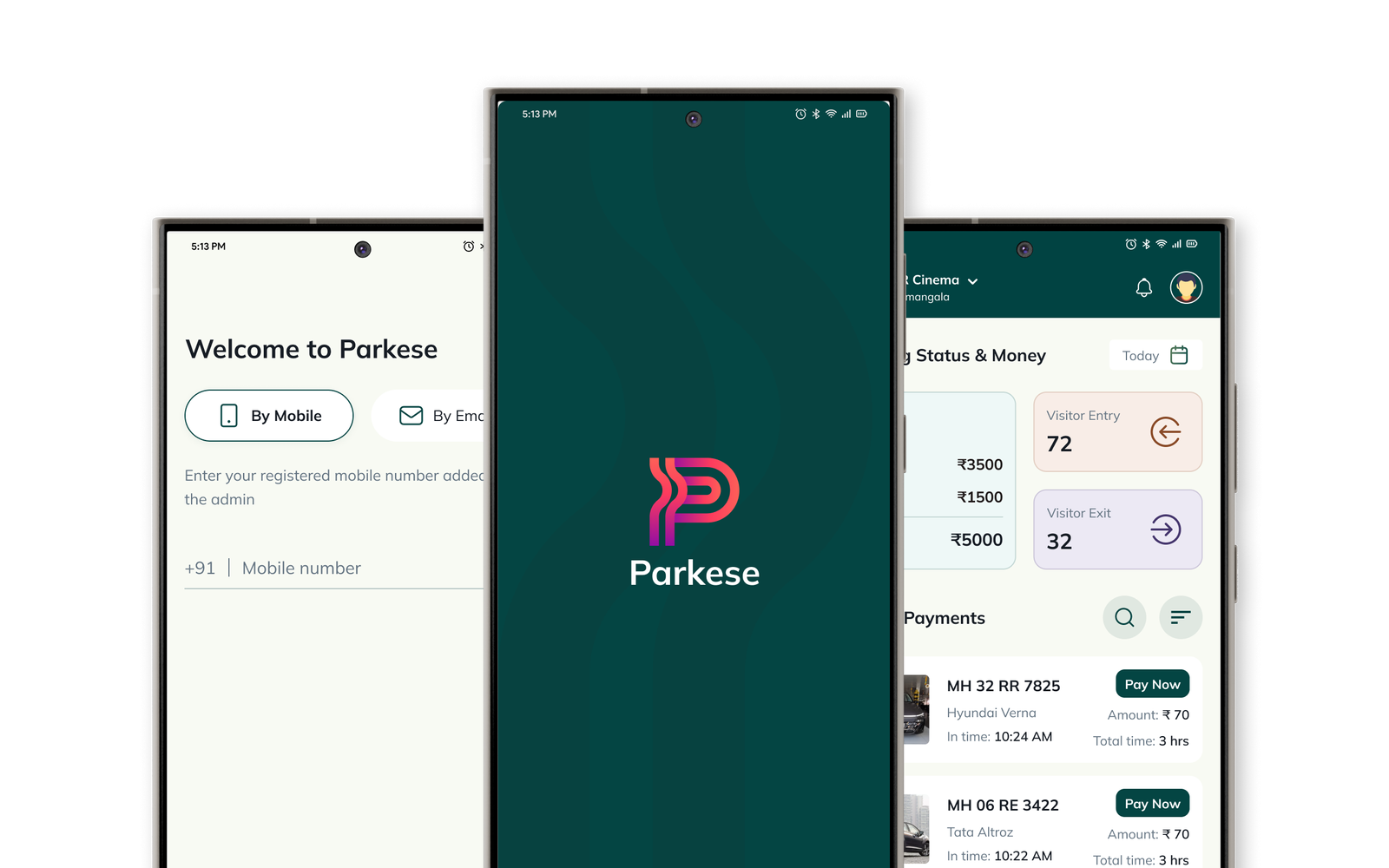
Parkese is a software that helps to Manage and secure parking area using ALPR which works in all environment.
Project overview
Parkese’s goal is to streamline the conventional parking system by using ALPR technology, primarily focusing on India. Their aim is to develop a user-friendly parking mobile application and a dashboard for efficiently managing parking in malls and other bustling parking zones.
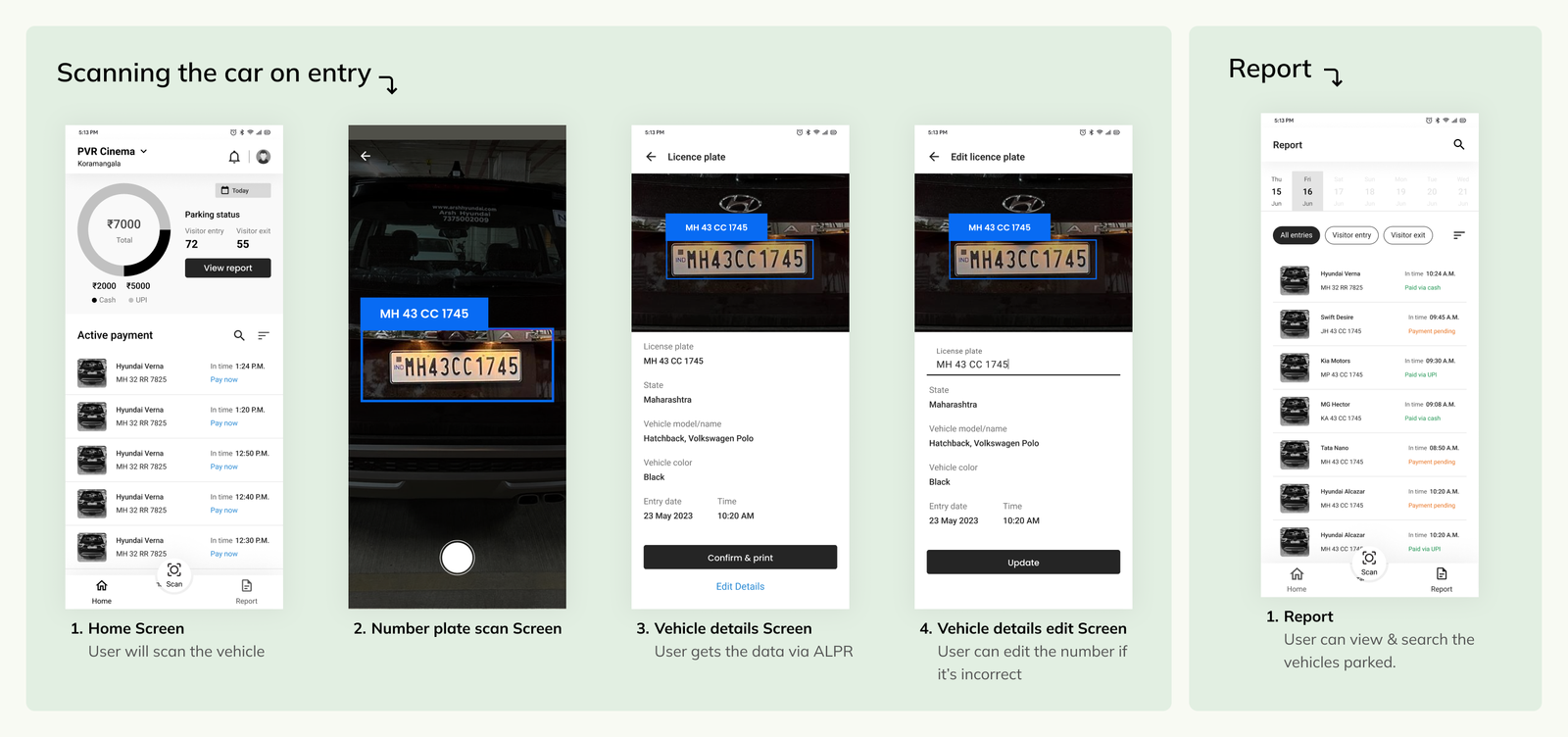
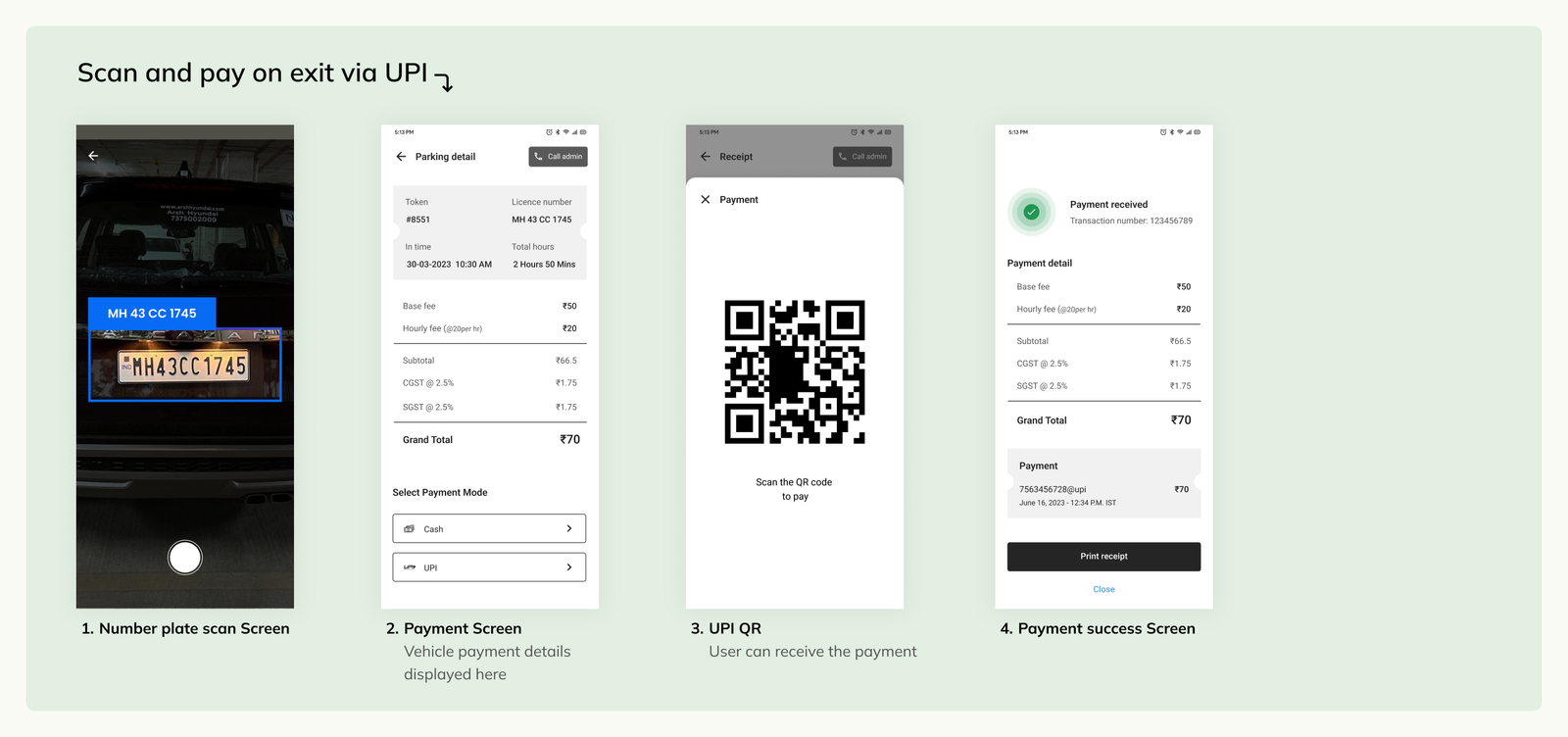
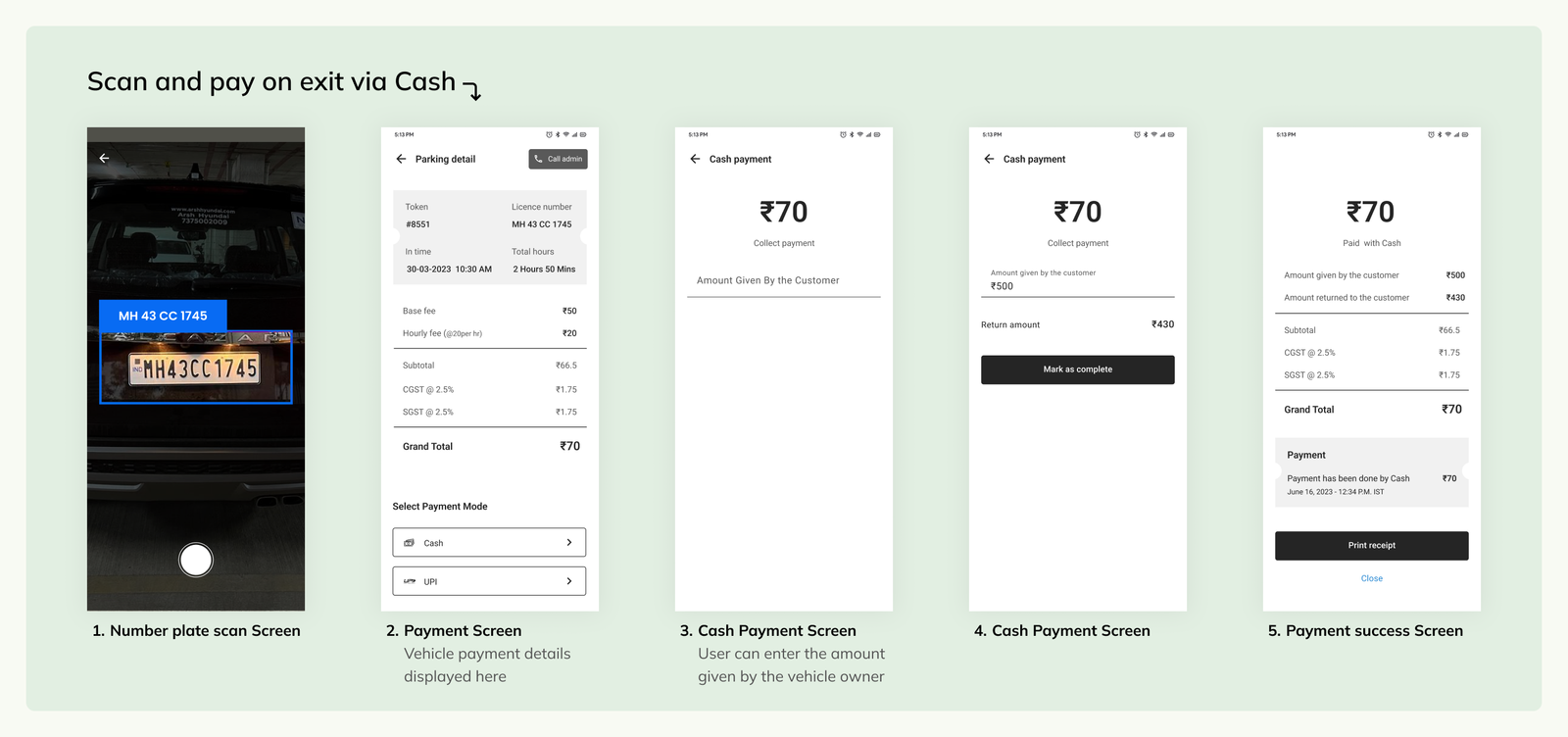
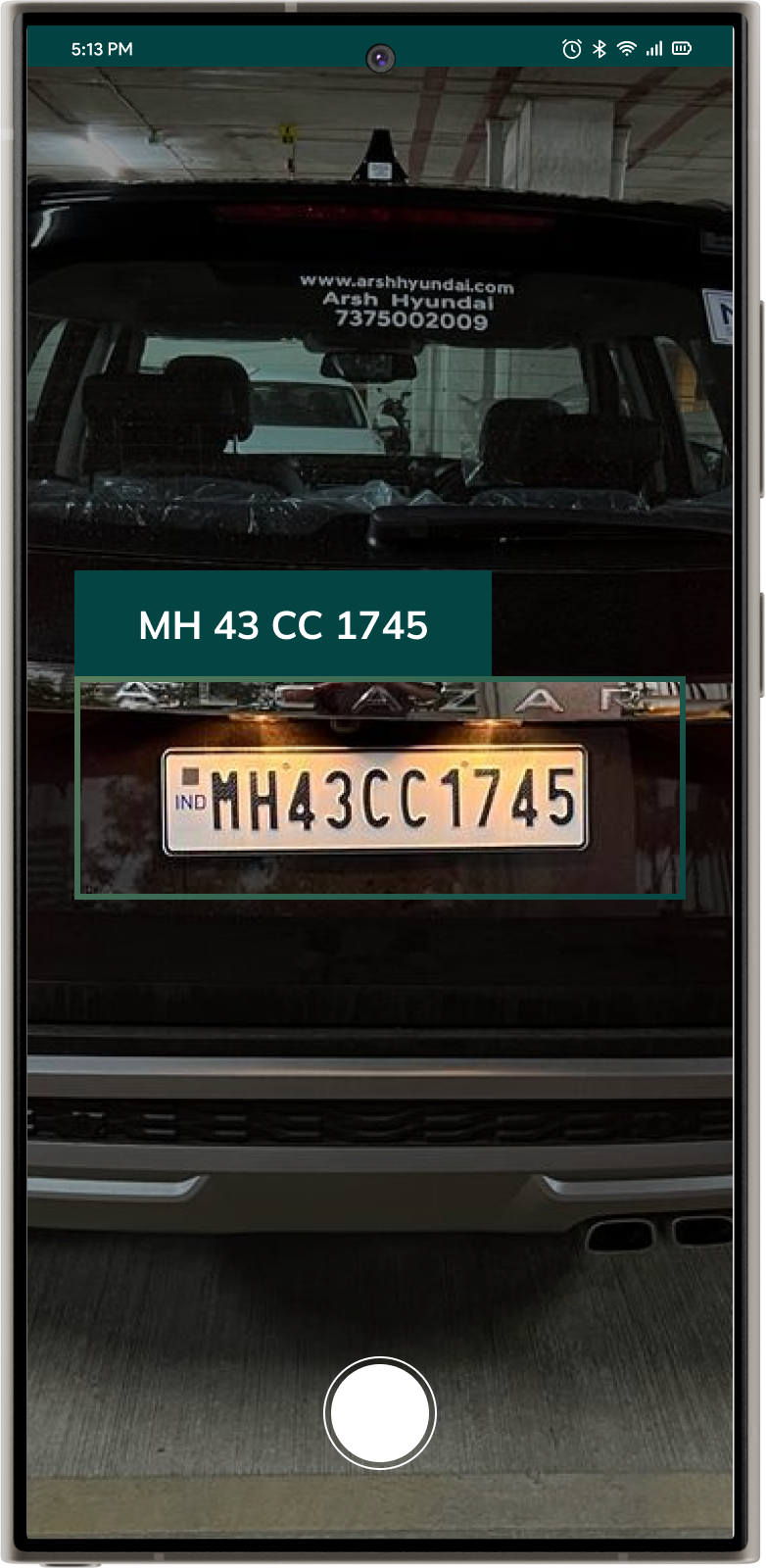
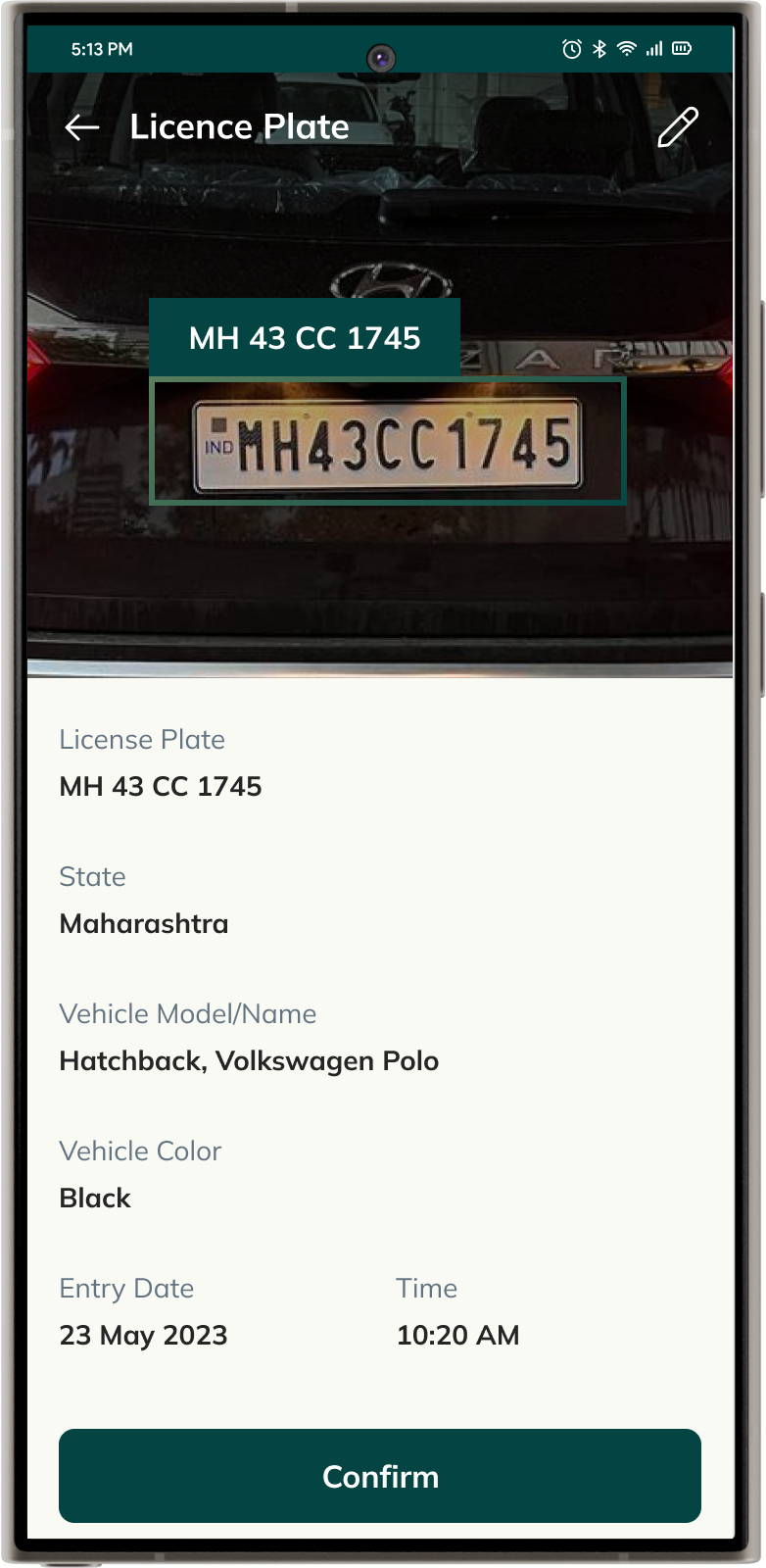
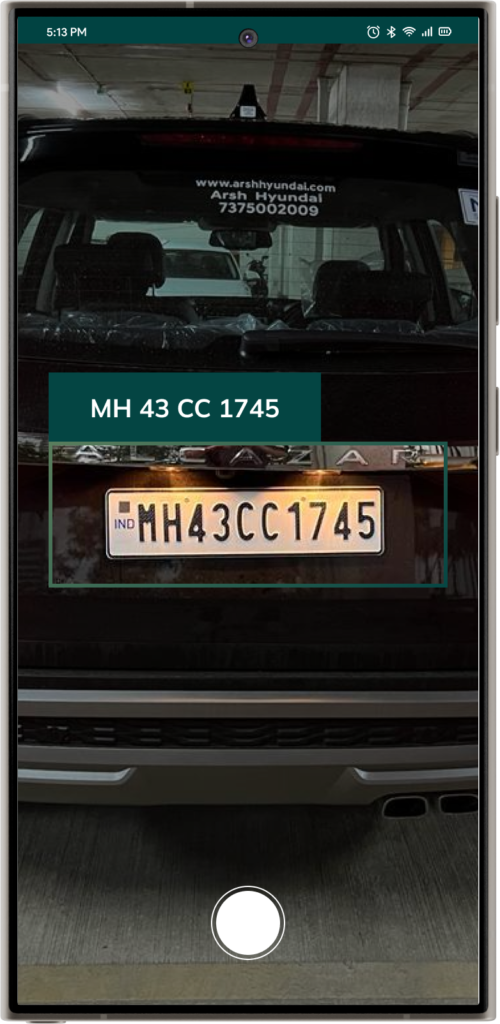
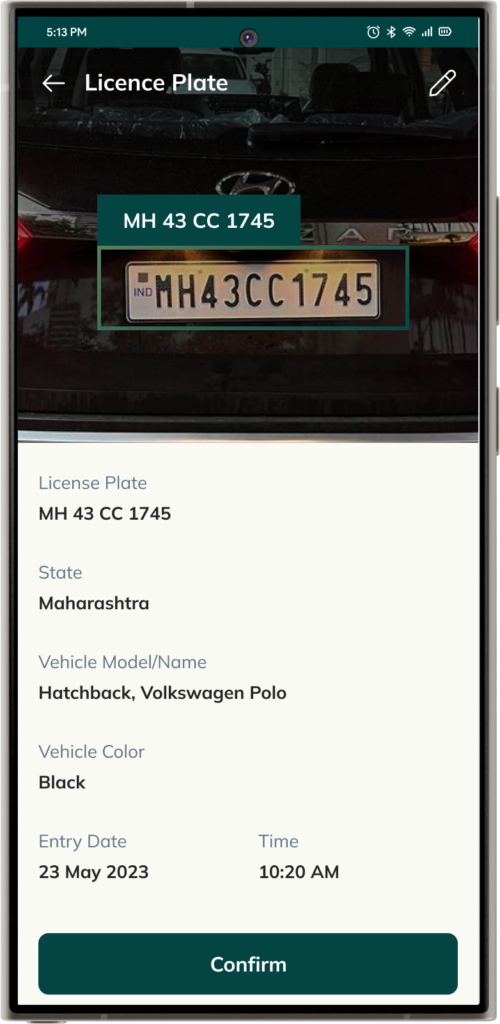
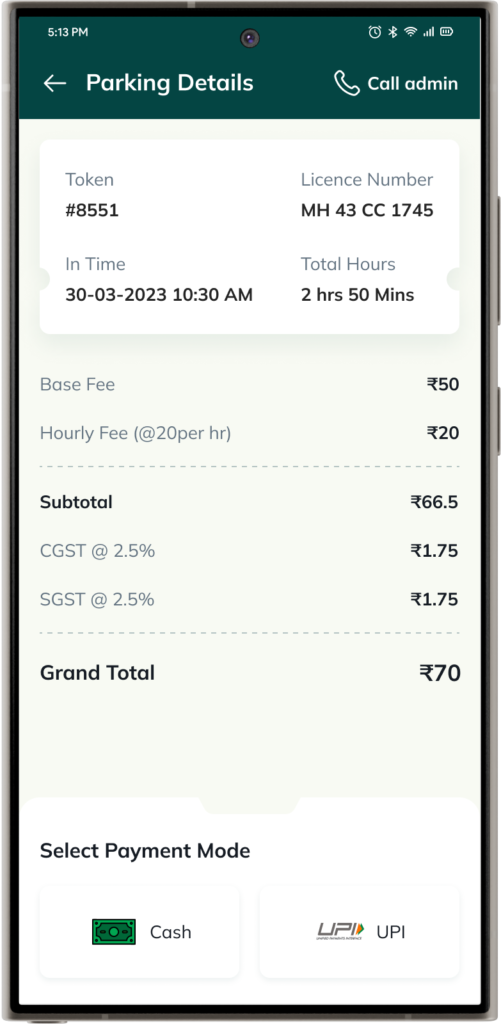
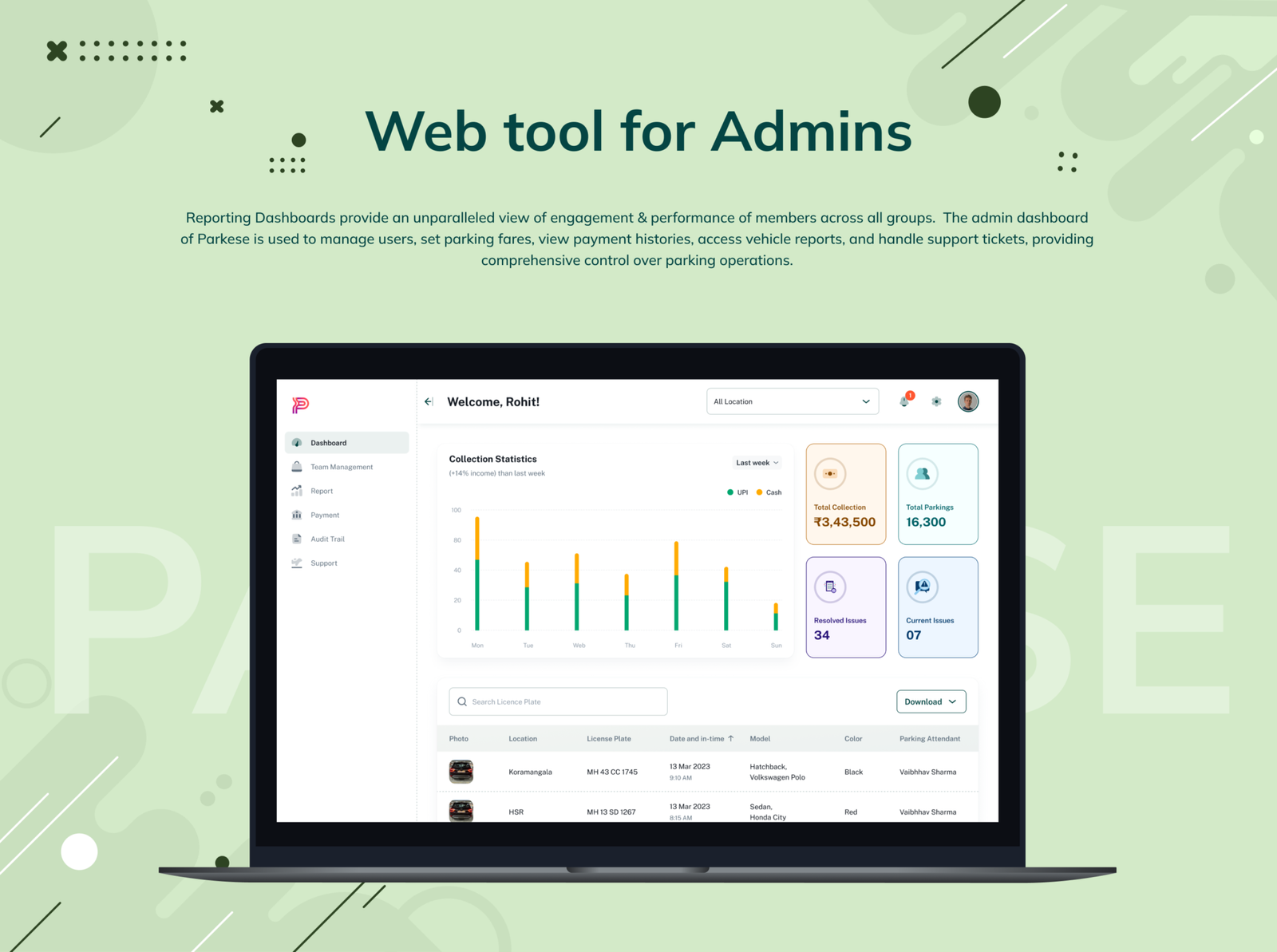
Parkese offers a cutting-edge platform for managing and securing parking areas through ALPR (Automatic License Plate Recognition) technology. The Parkese mobile app facilitates seamless scanning of vehicle number plates, with ALPR capturing the details. Upon exit, another scan calculates the total amount automatically based on the duration of stay. These details are meticulously recorded in the admin dashboard, providing administrators complete control over every aspect of the mobile application’s functionality.
Role & Duration
Product Designer | BridgeUX Design Studios
Design system, Branding, Visual design of Mobile application, Dashboard, and Marketing website.
June – July 2023
Project overview
Parkese’s goal is to streamline the conventional parking system by using ALPR technology, primarily focusing on India. Their aim is to develop a user-friendly parking mobile application and a dashboard for efficiently managing parking in malls and other bustling parking zones.
Parkese offers a cutting-edge platform for managing and securing parking areas through ALPR (Automatic License Plate Recognition) technology. The Parkese mobile app facilitates seamless scanning of vehicle number plates, with ALPR capturing the details. Upon exit, another scan calculates the total amount automatically based on the duration of stay. These details are meticulously recorded in the admin dashboard, providing administrators complete control over every aspect of the mobile application’s functionality.
Role & Duration
Product Designer | BridgeUX Design Studios
Design system, Branding, Visual design of Mobile application, Dashboard, and Marketing website.
June – July 2023
Client
Client
The Problem
Parking is a major hassle in big shopping malls, busy areas, and other high-traffic locations. Traditional parking management systems struggle to keep detailed record of cars parked on the premises, leading to inefficient space utilization, unauthorized access, and increased security risks. The lack of real-time data and automated processes makes it difficult for parking attendants to monitor and manage the flow of vehicles, causing congestion and delays.
Additionally, the inability to maintain accurate and up-to-date information on parked vehicles results in difficulties when addressing disputes or locating specific cars. This inefficiency not only frustrates drivers but also burdens property managers who must allocate extra resources to manually handle parking issues.
Primary Research
Primary Research
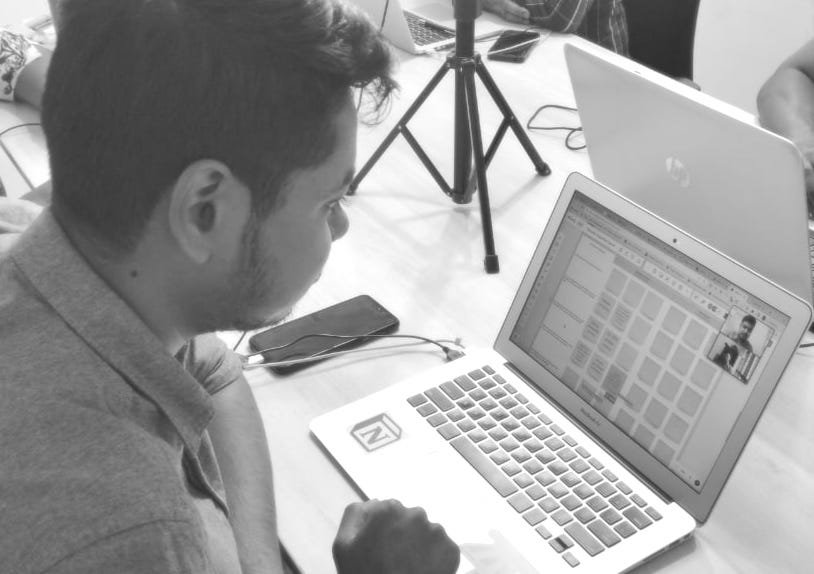
For primary research, an online stakeholder interview was conducted to gather firsthand information about the project. My research encompassed:
- Understanding the targeted audience
- Roles and responsibilities of members at each level
- Day-to-Day tasks that need to be accomplished
- How is the success of the tasks measured
- Subscription model
- Key features and metrics for effective dashboard design
Insights on User Profiles
After conducting stakeholder interviews and analyzing the gathered data, I was able to categorize the insights into these 3 categories:
Insights on User Profiles
After conducting stakeholder interviews and analyzing the gathered data, I was able to categorize the insights into these 3 categories:
Mobile Application
Admin Dashboard
Super Admin Dashboard
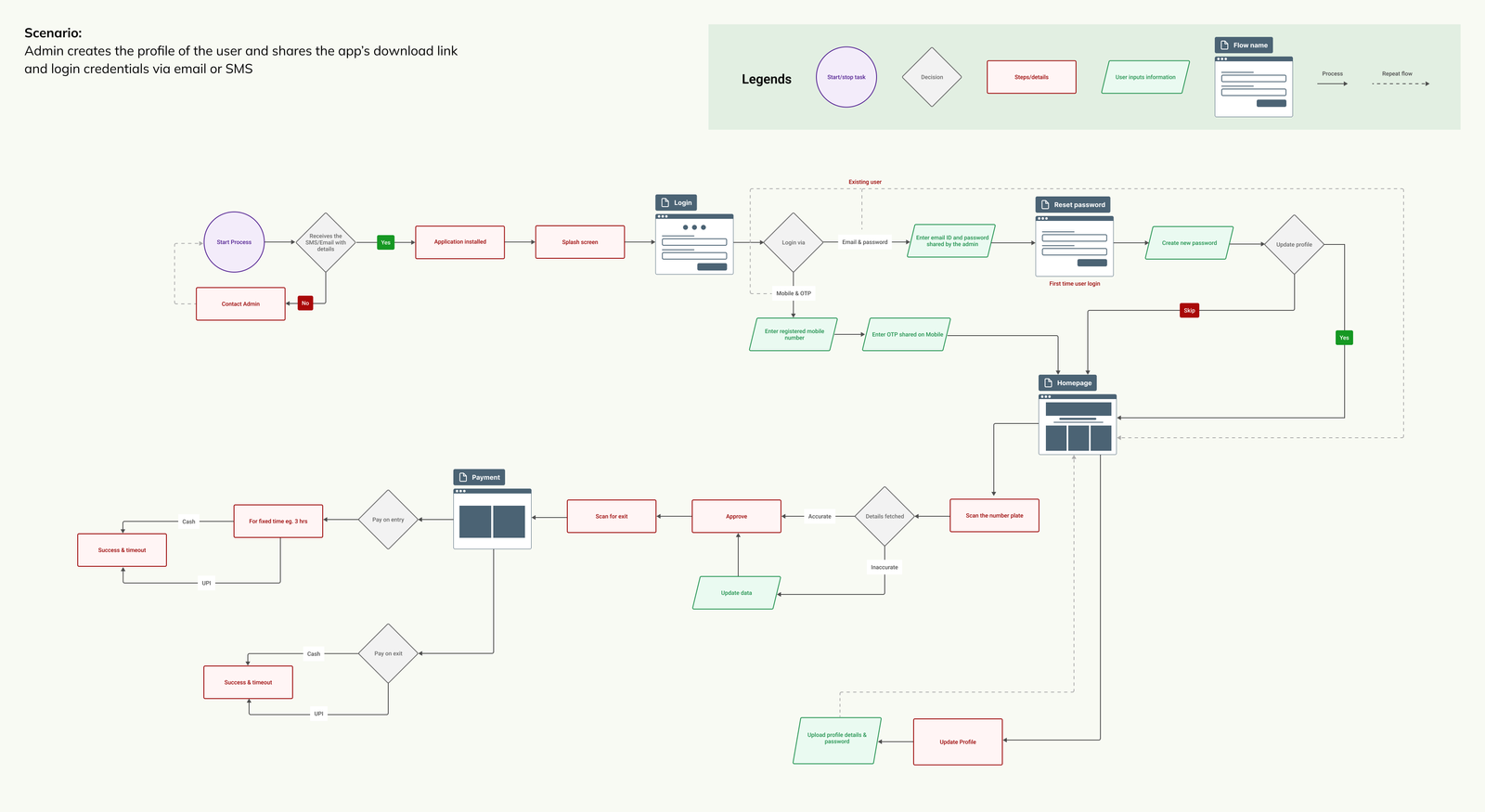
User Flow
User Flow
Conceptualization
I started creating the low-fi greyscale concepts for primary use cases for mobile application. After having a go-ahead from the Product Manager, developers, and Stakeholders on the mockups, we began to conduct usability tests with the low-fidelity mockups. Once we had confidence in the design, we began digitalizing designs.


Conceptualization
I started creating the low-fi greyscale concepts for primary use cases for mobile application. After having a go-ahead from the Product Manager, developers, and Stakeholders on the mockups, we began to conduct usability tests with the low-fidelity mockups. Once we had confidence in the design, we began digitalizing designs.


Design Tokens
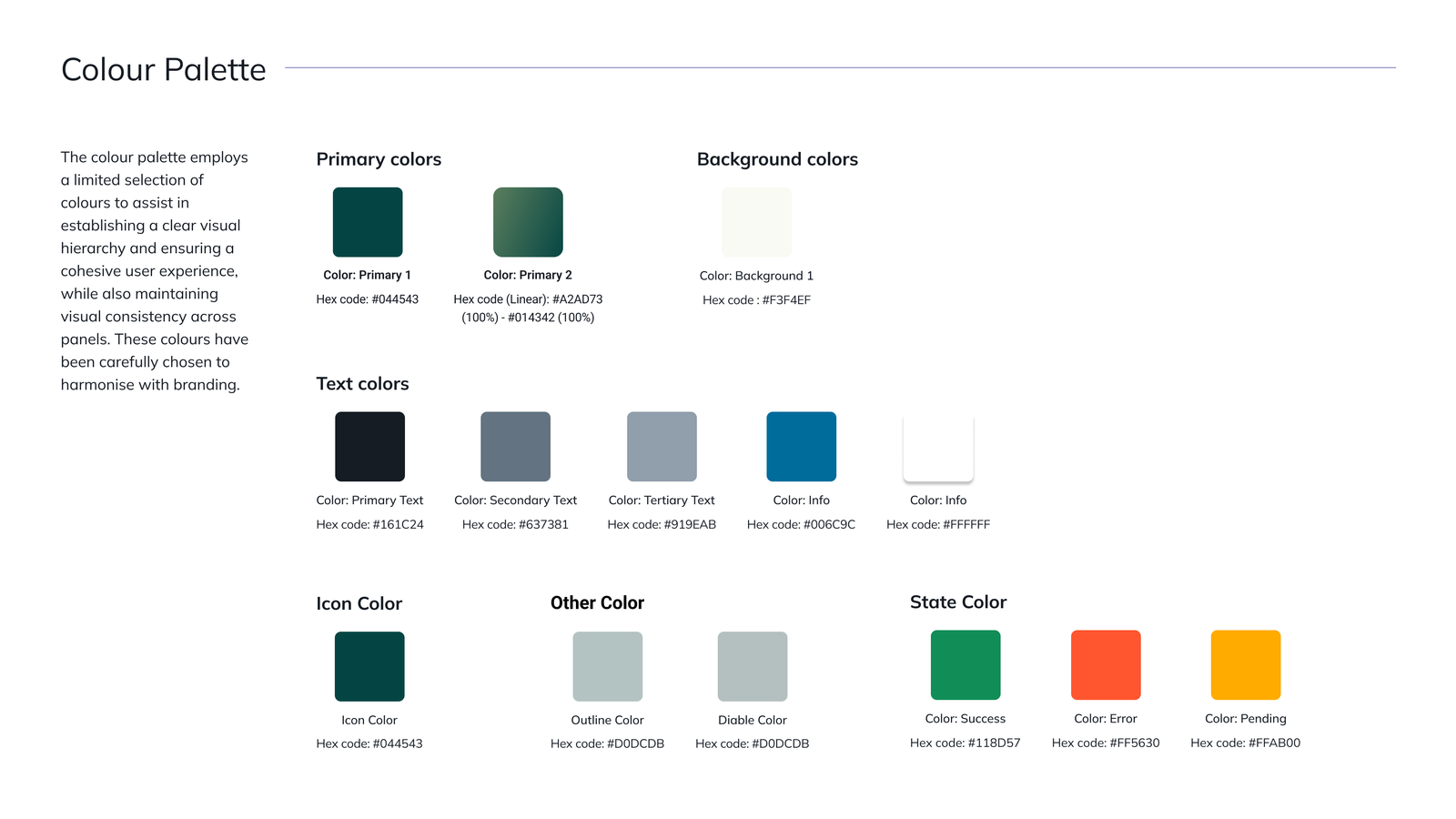
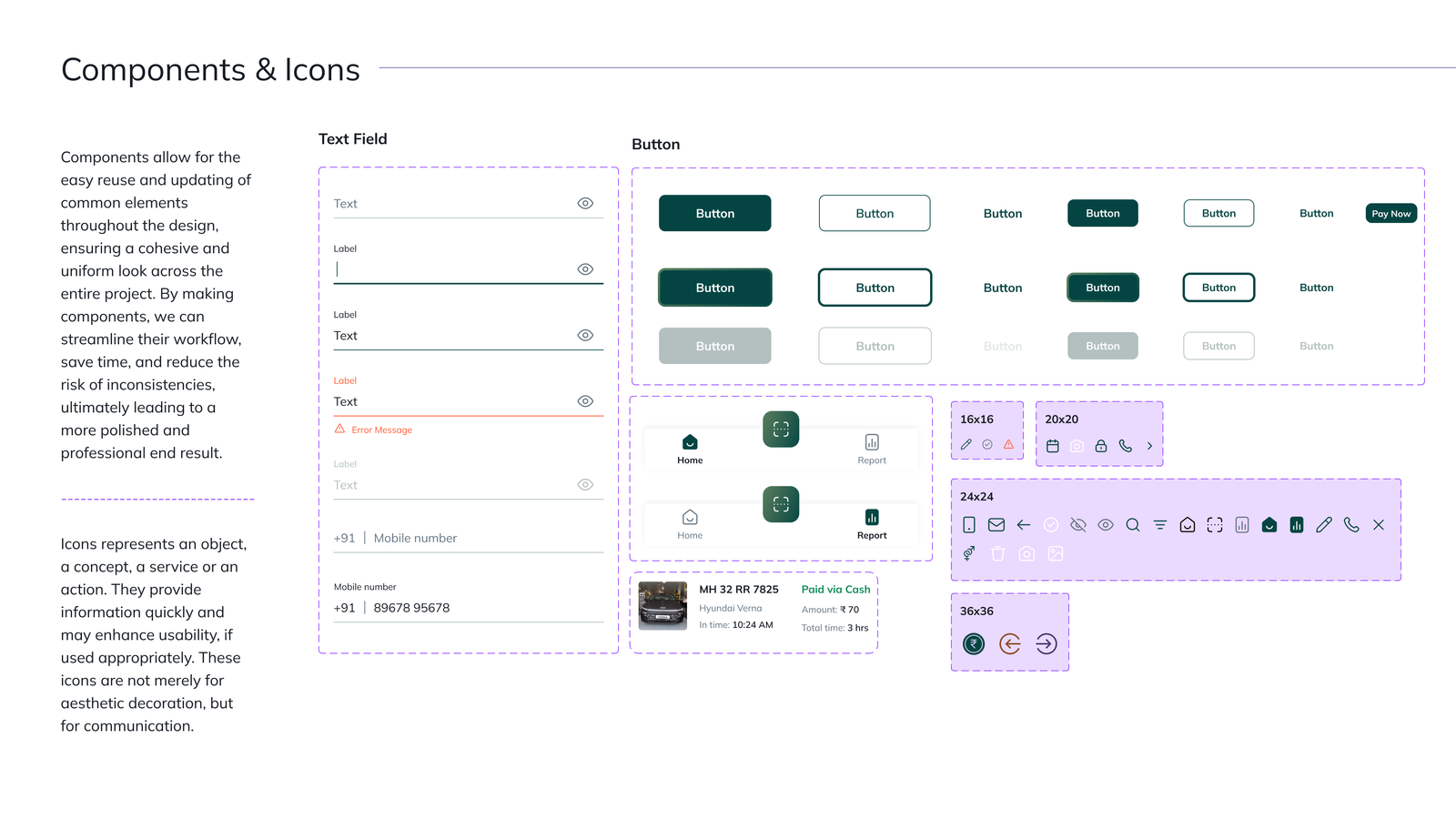
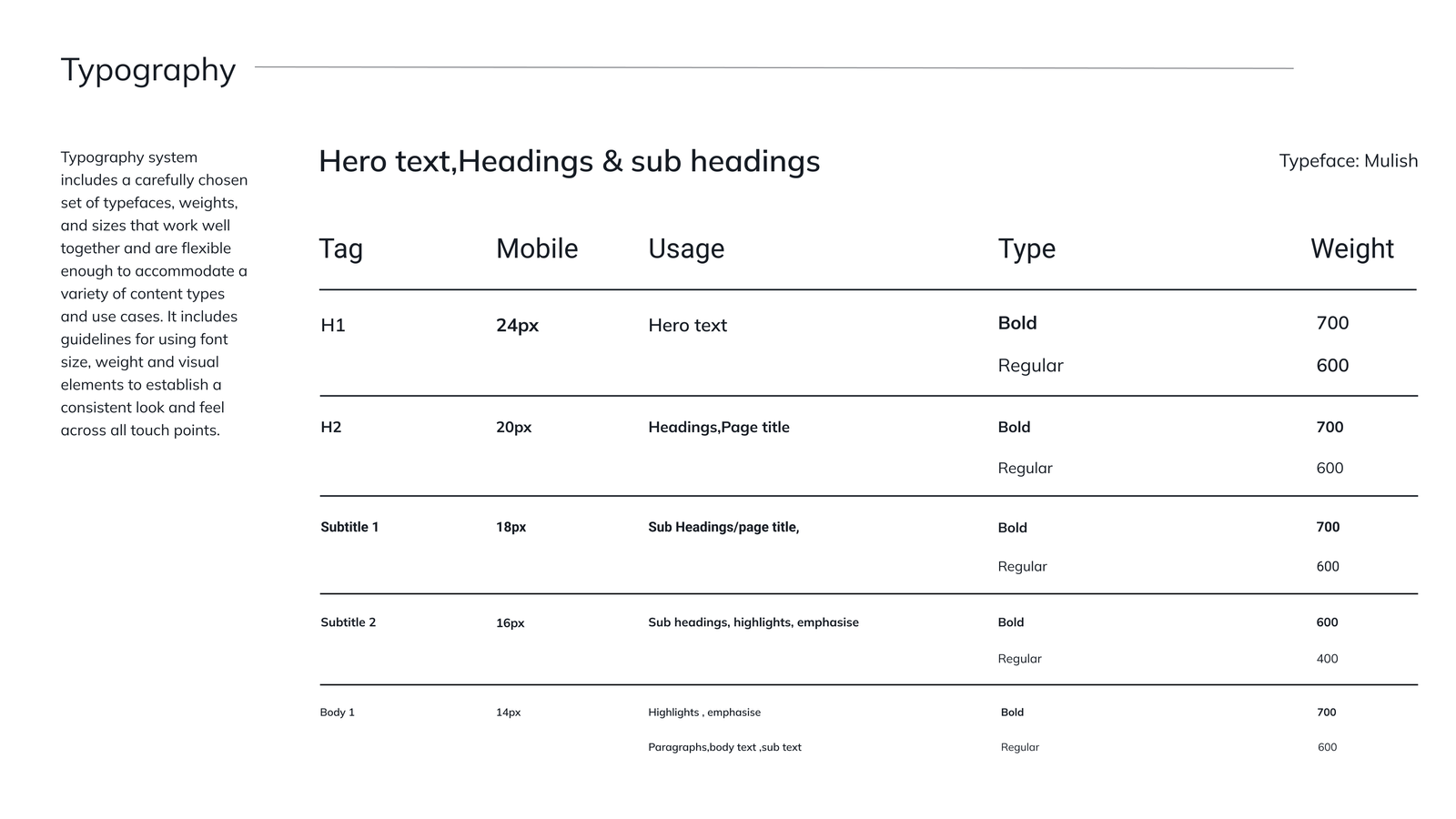
To proceed with the visual design for mobile application I created design tokens to ensure consistency, scalability, and efficiency in our design system. After multiple iteration we decide to go with below design system to promote a sense of calm, growth, and safety, aligning with user-friendly and positive interaction experiences.


Design Tokens
To proceed with the visual design for mobile application I created design tokens to ensure consistency, scalability, and efficiency in our design system. After multiple iteration we decide to go with below design system to promote a sense of calm, growth, and safety, aligning with user-friendly and positive interaction experiences.


Visual Design
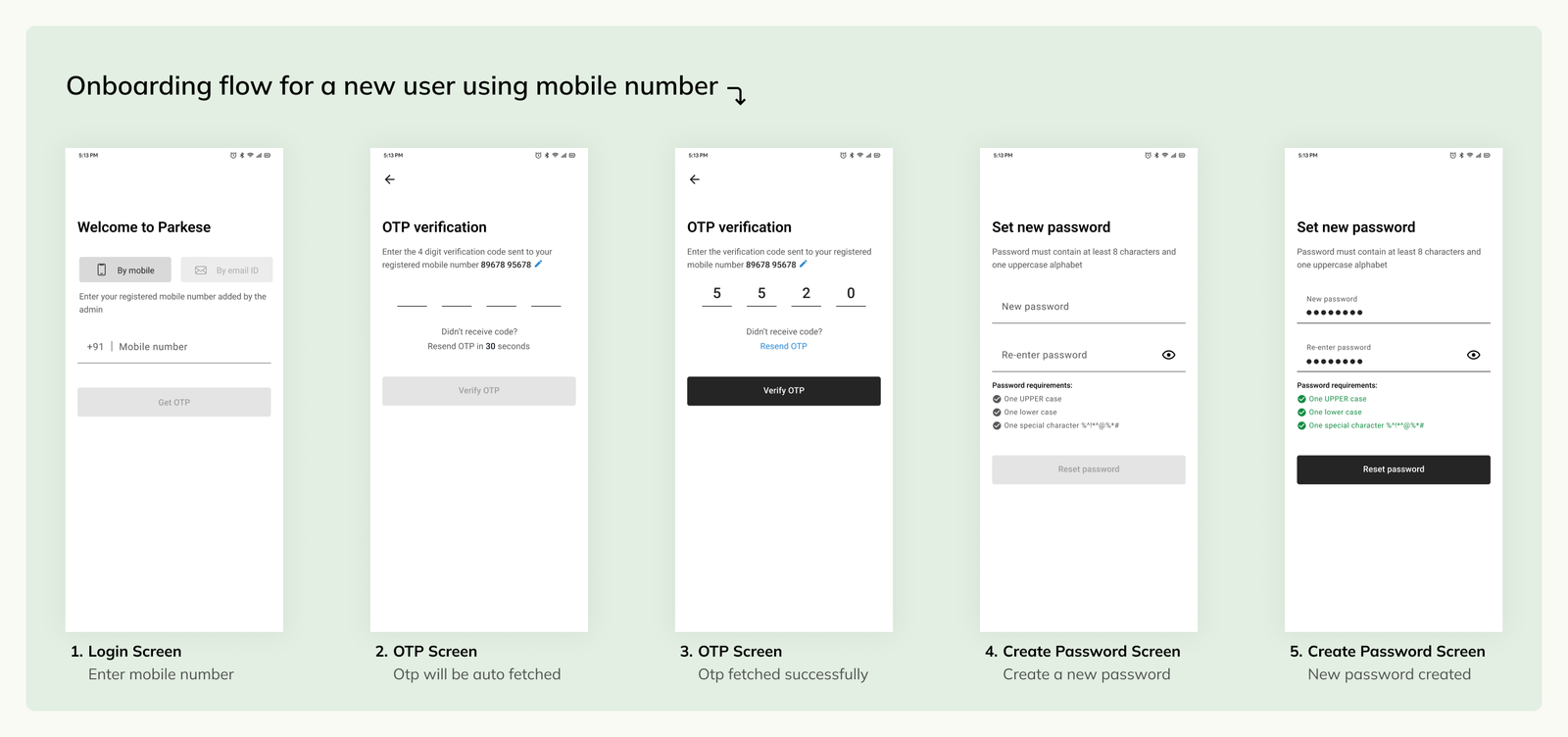
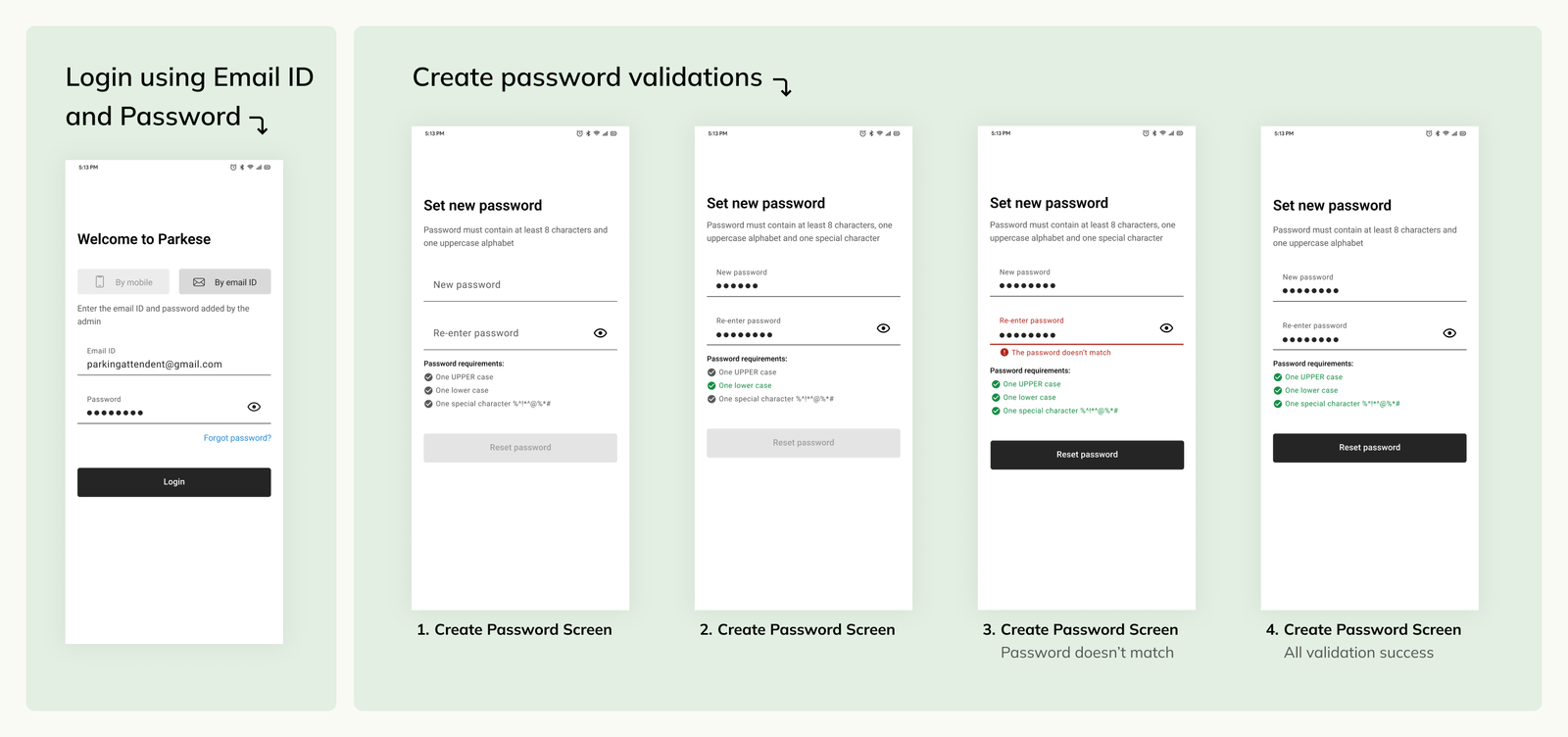
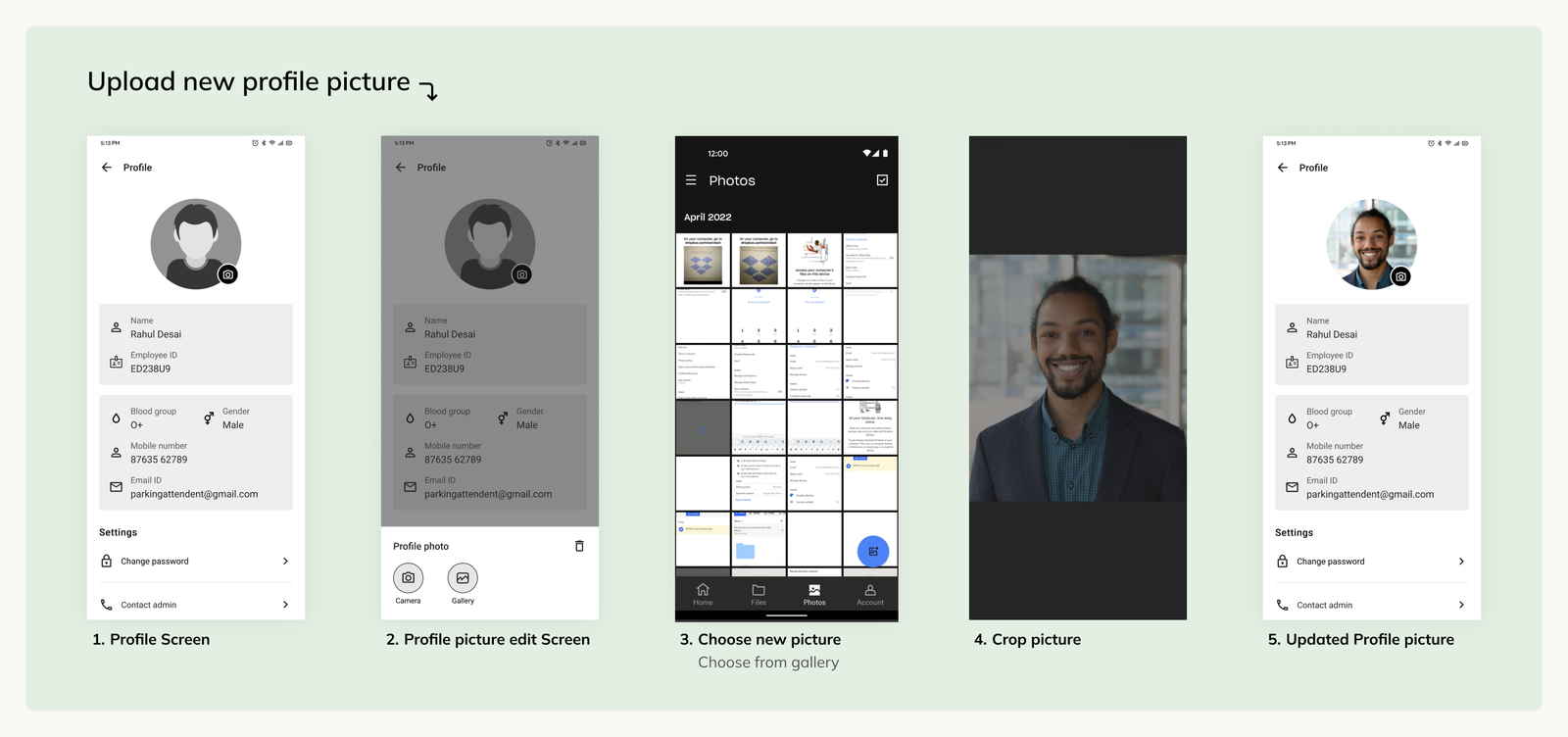
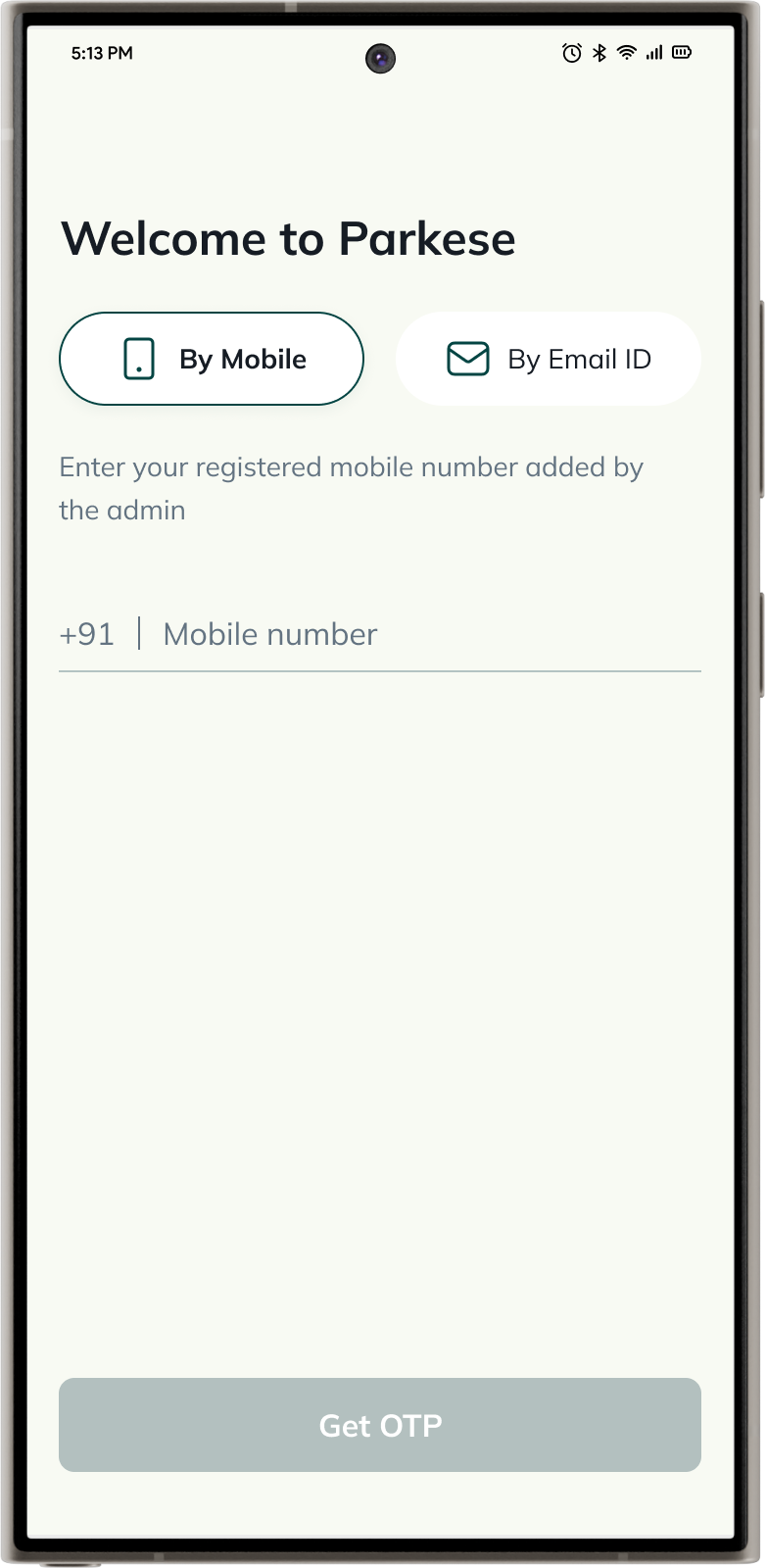
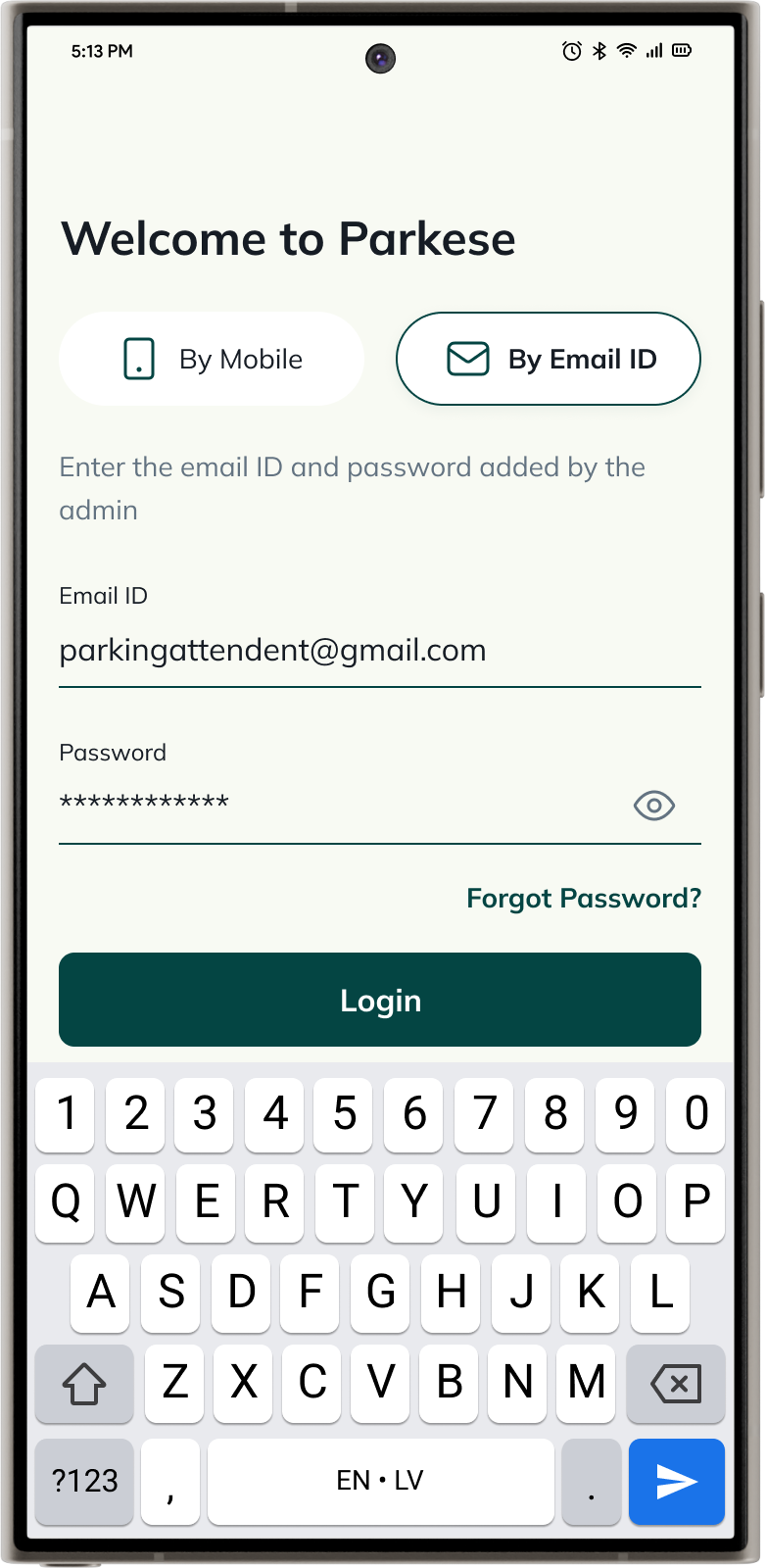
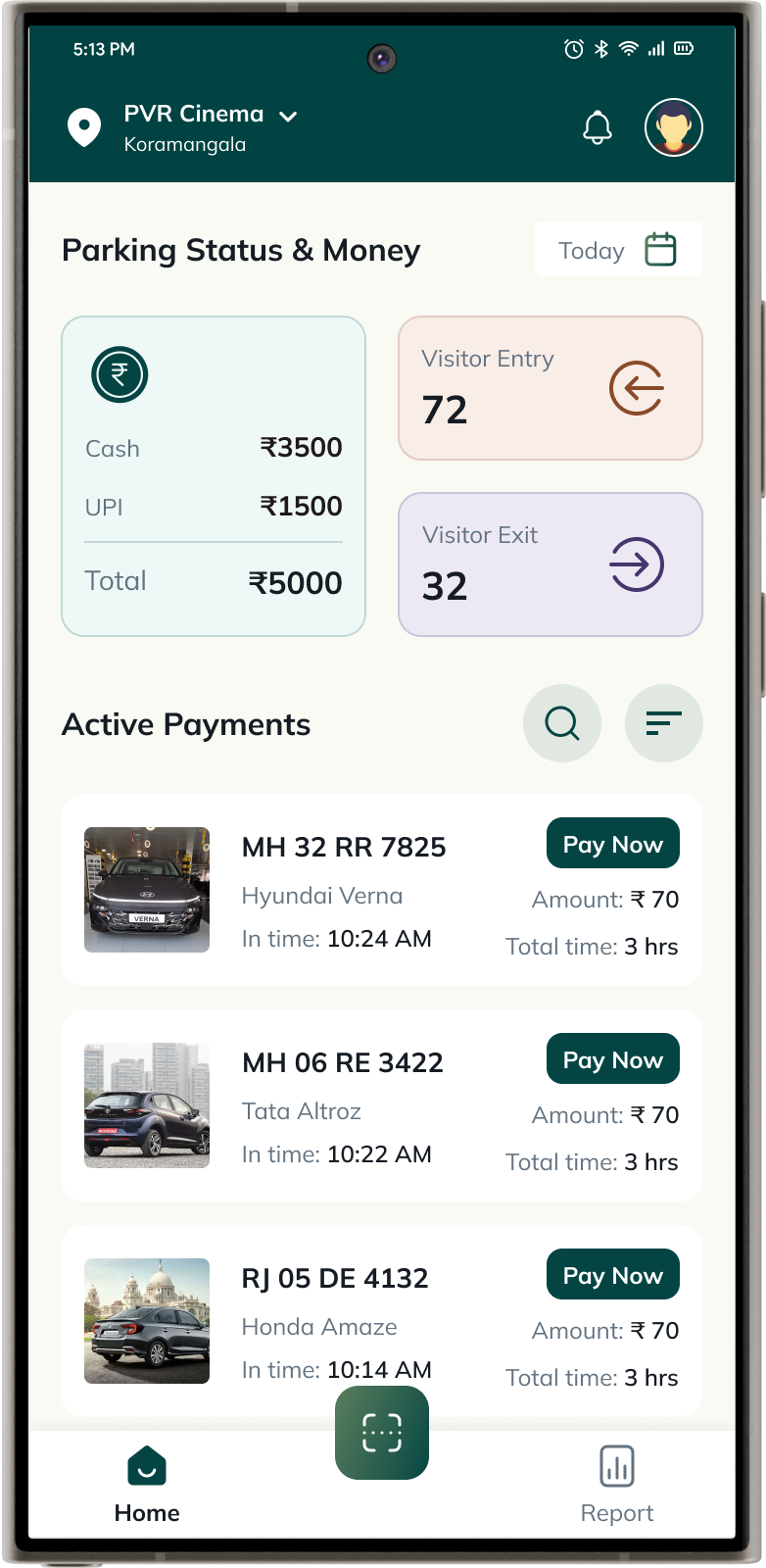
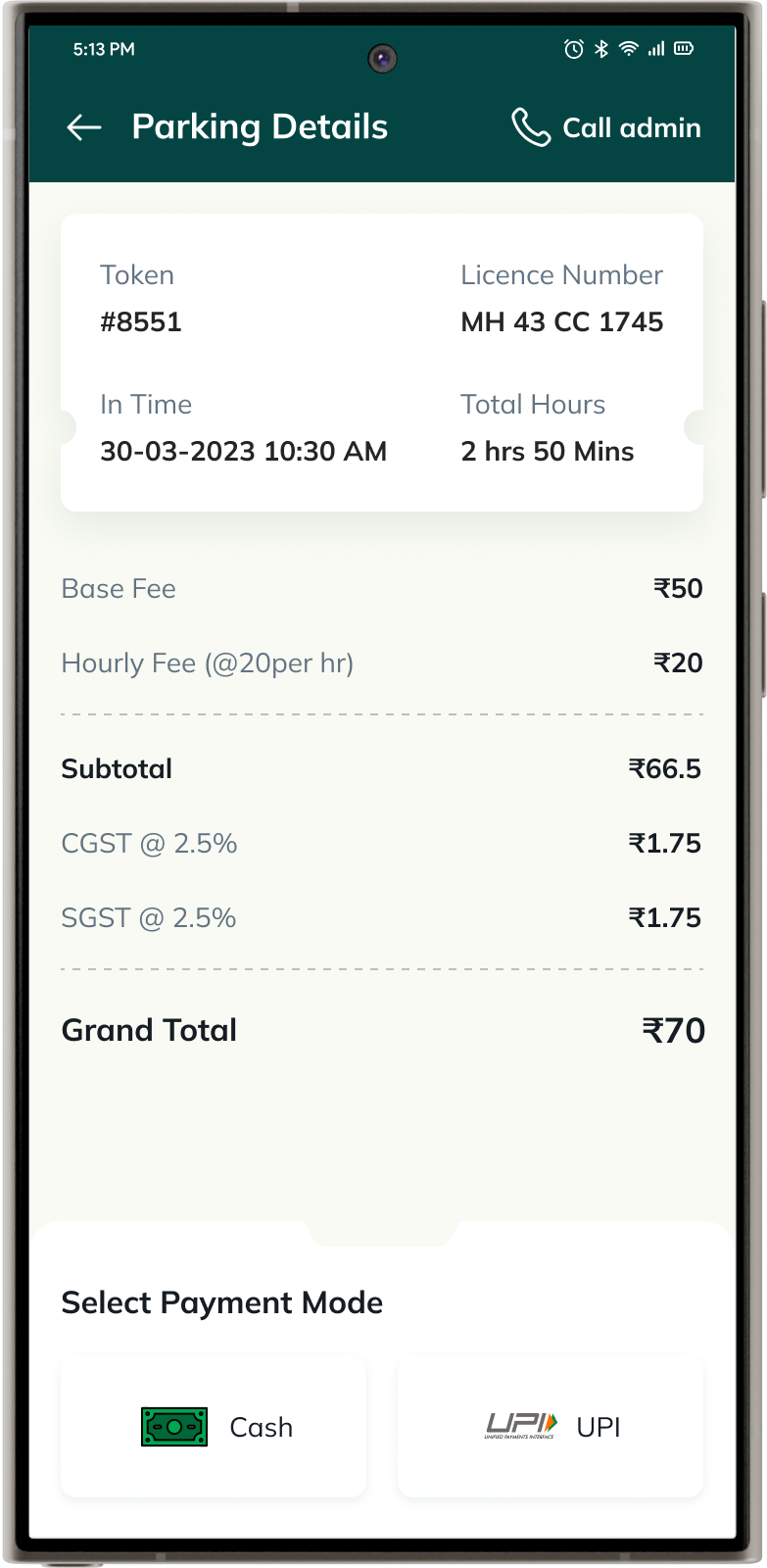
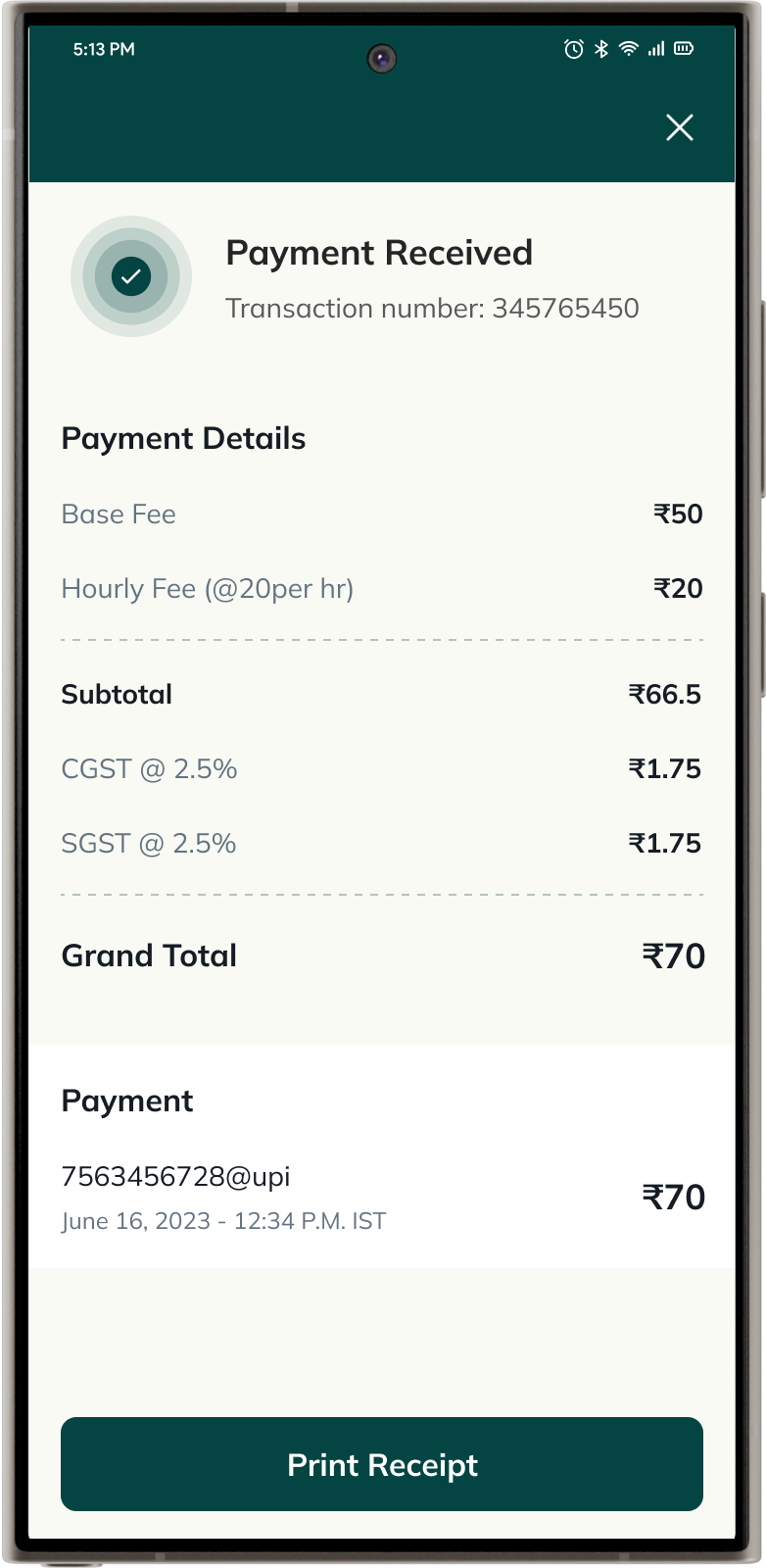
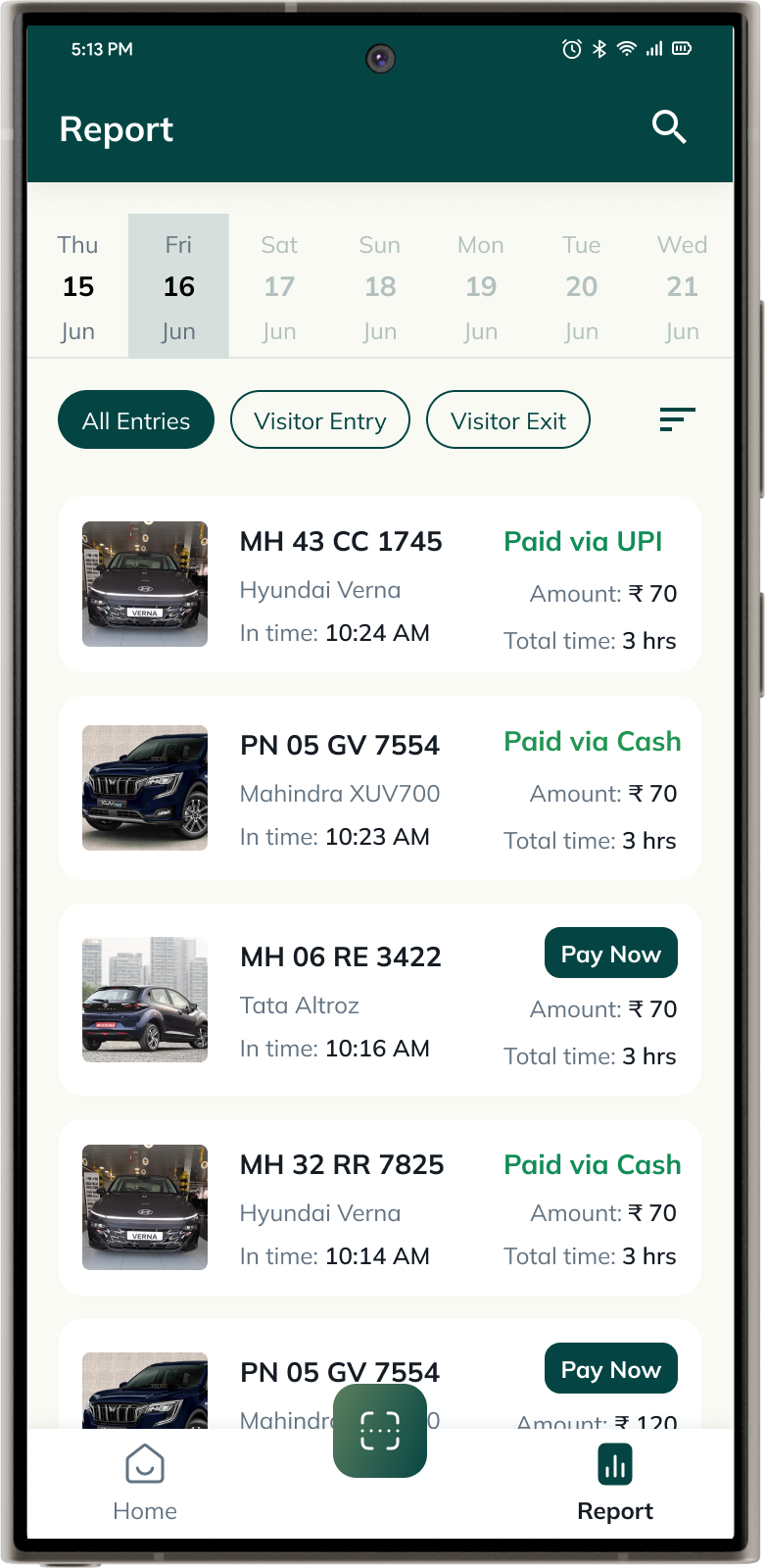
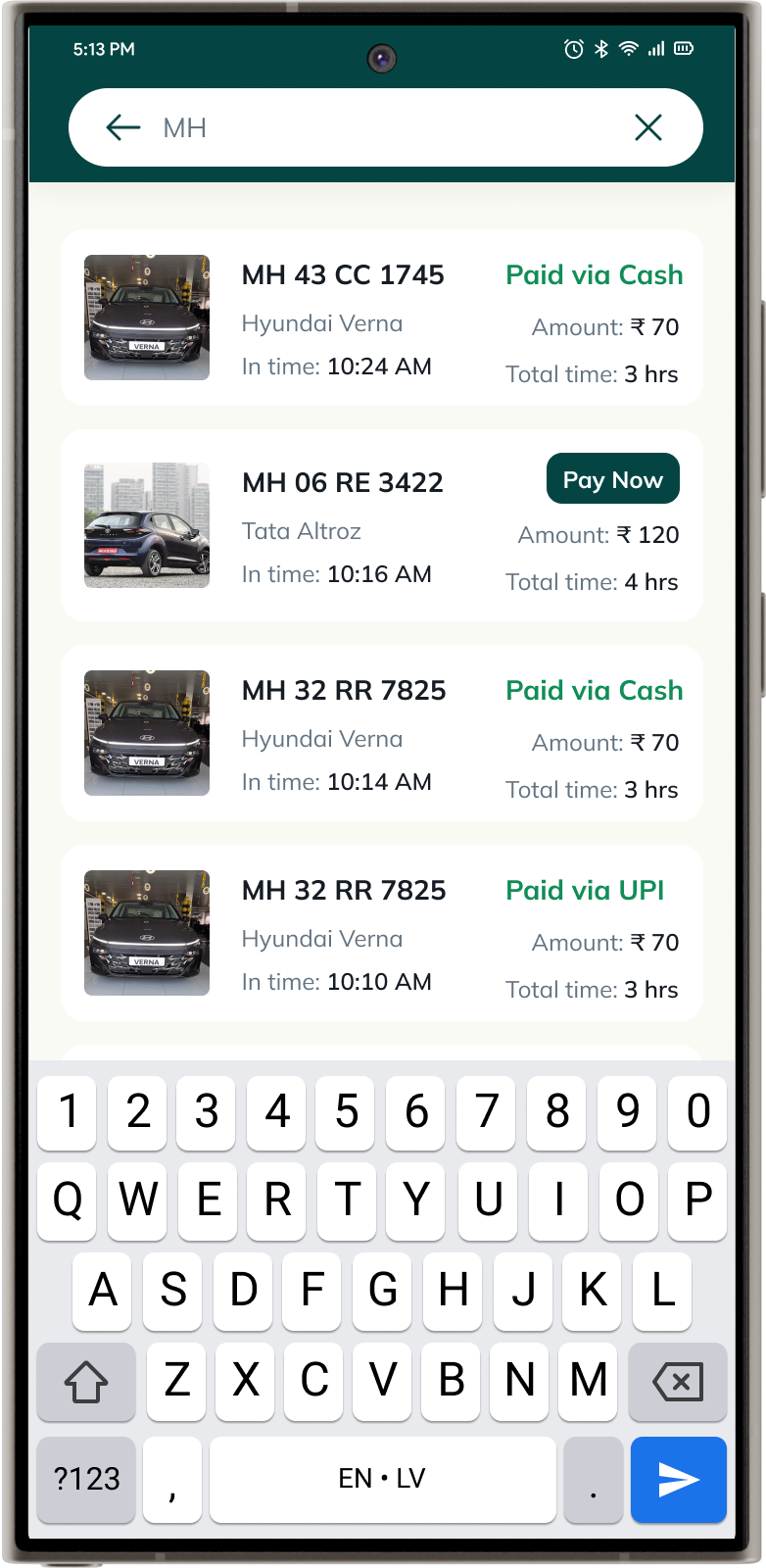
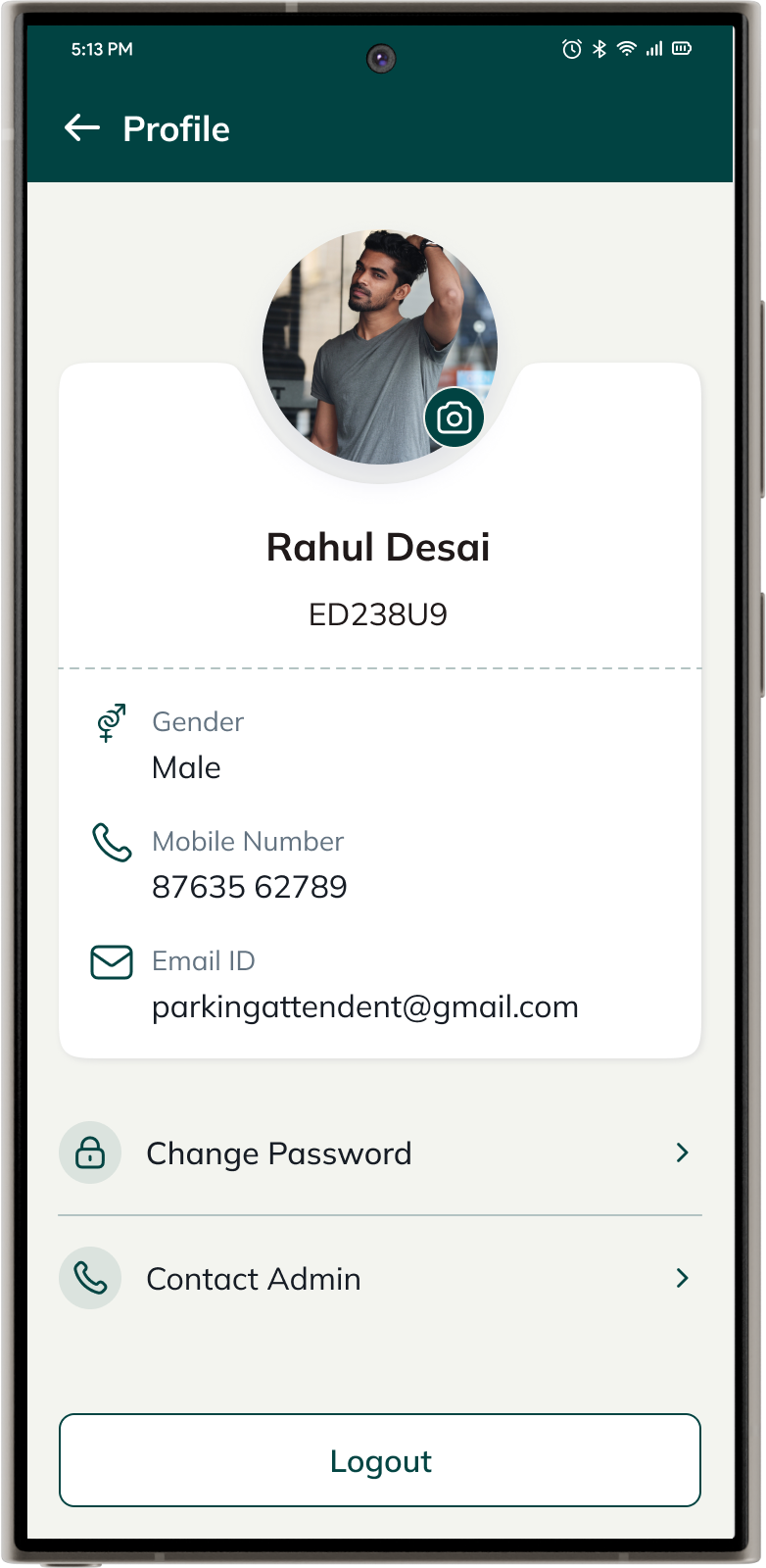
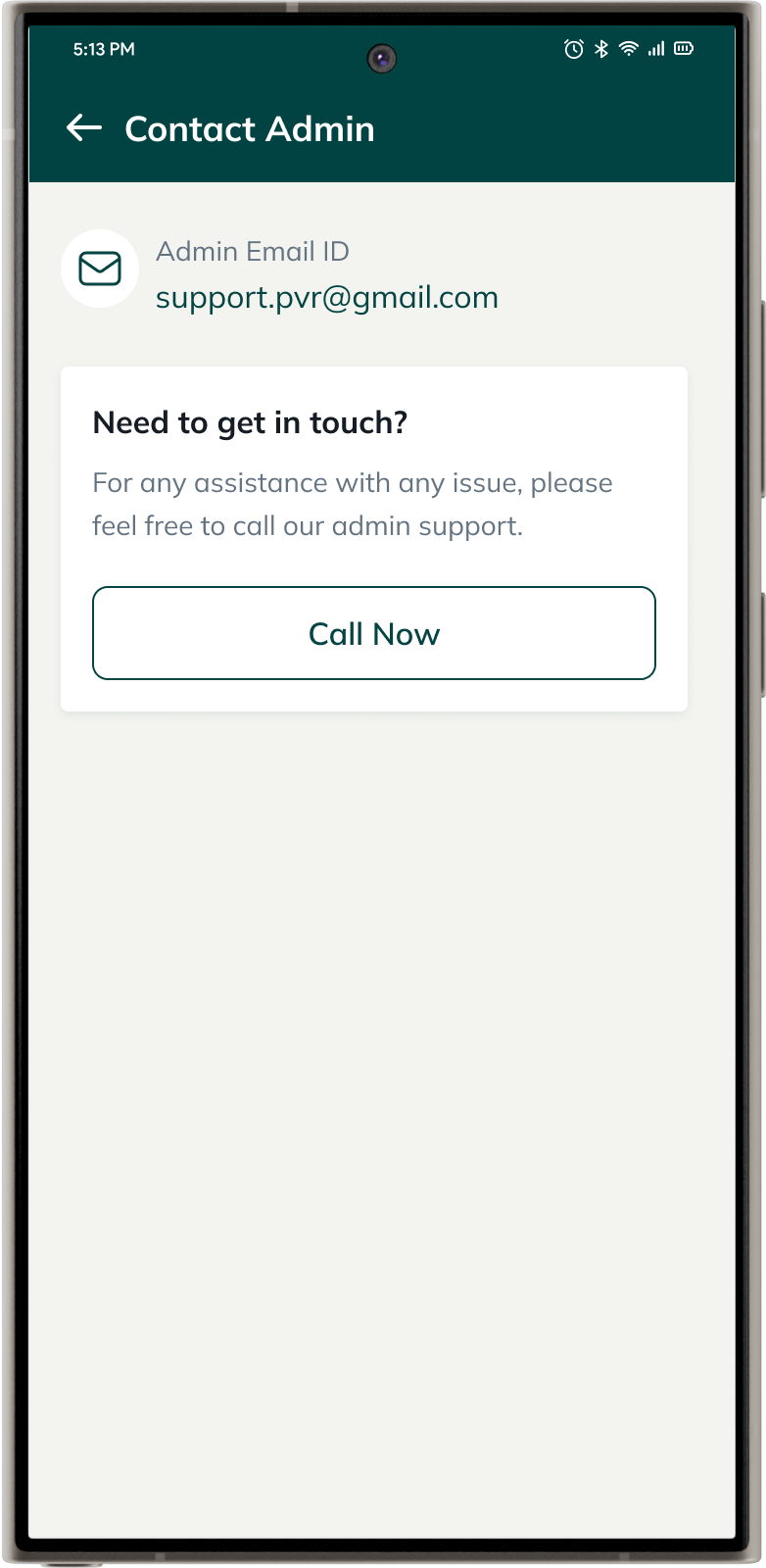
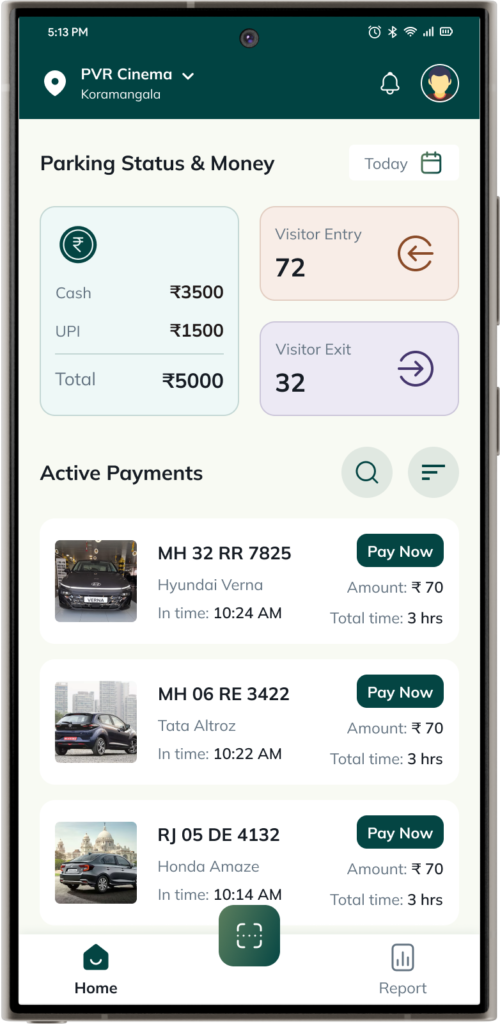
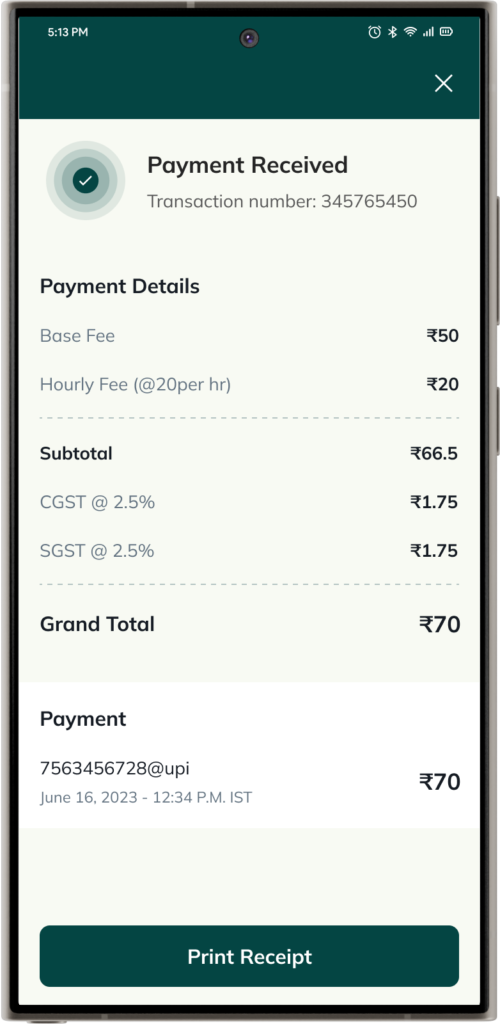
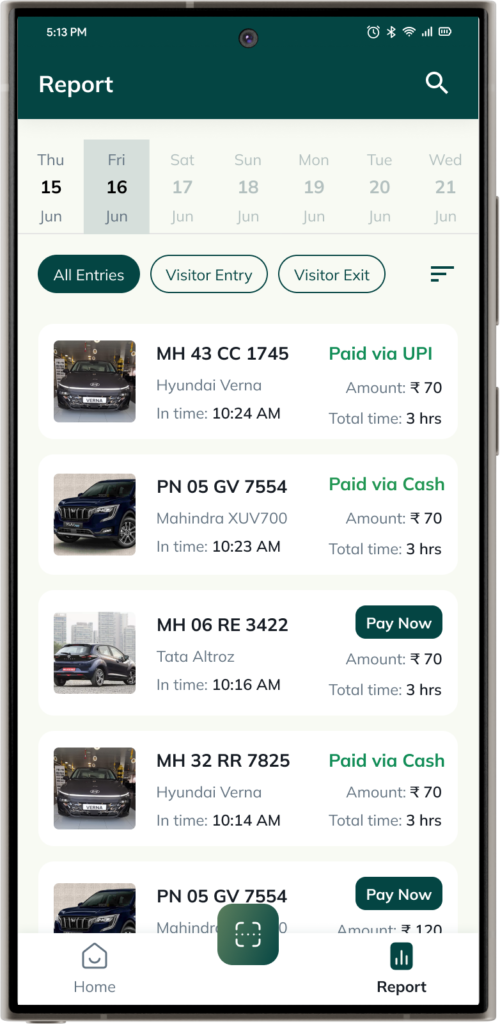
After finalizing the flow, prototype, and design system, we proceeded with the visual design of the mobile application, ensuring that all use cases were thoroughly considered and addressed. This app is exclusively for paid users who have purchased the service. Below are the few mockups.
Visual Design
After finalizing the flow, prototype, and design system, we proceeded with the visual design of the mobile application, ensuring that all use cases were thoroughly considered and addressed. This app is exclusively for paid users who have purchased the service. Below are the few mockups.
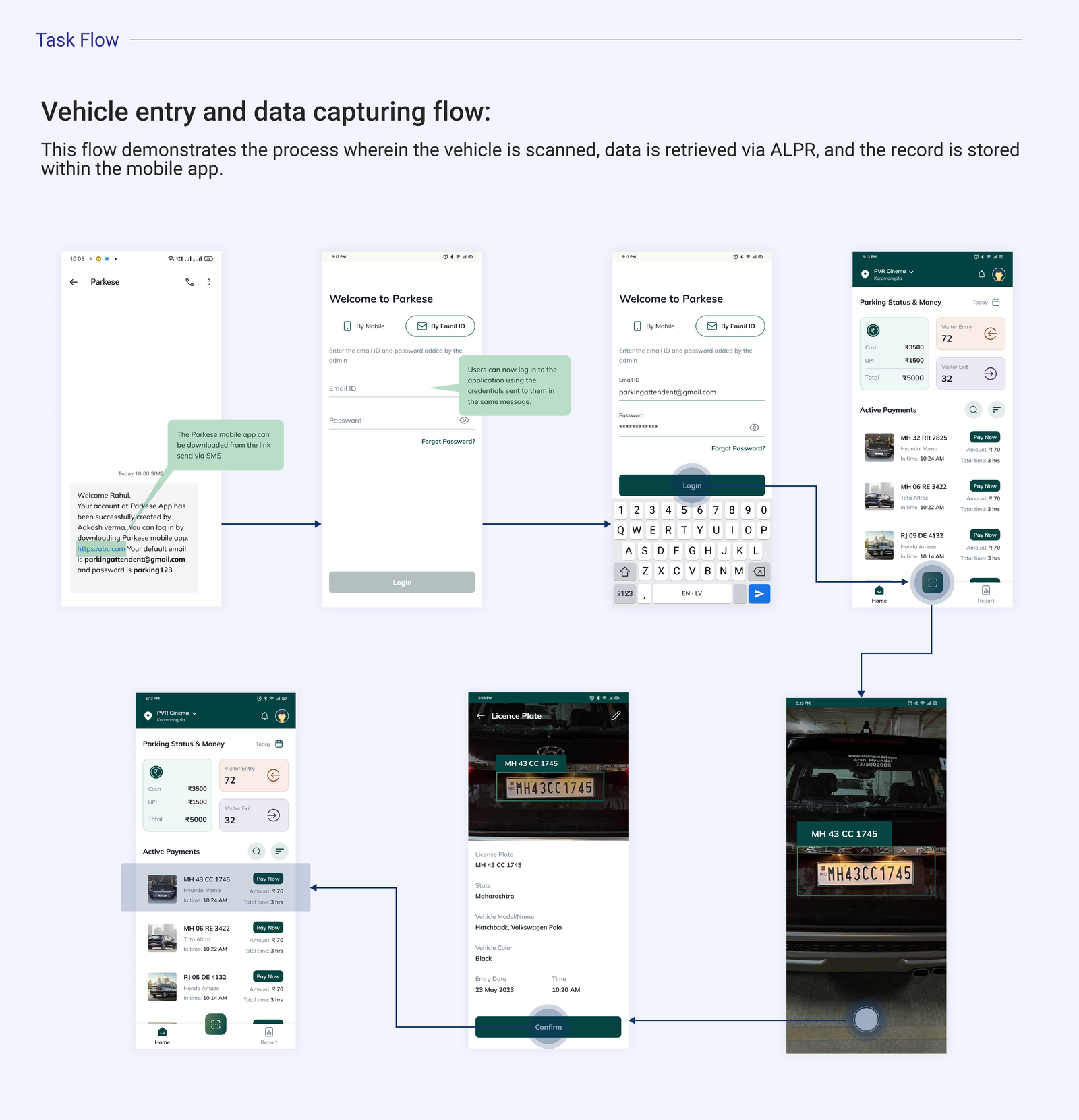
A Happy Flow
Below is an example of a happy flow that a user will experience after completing a process successfully:
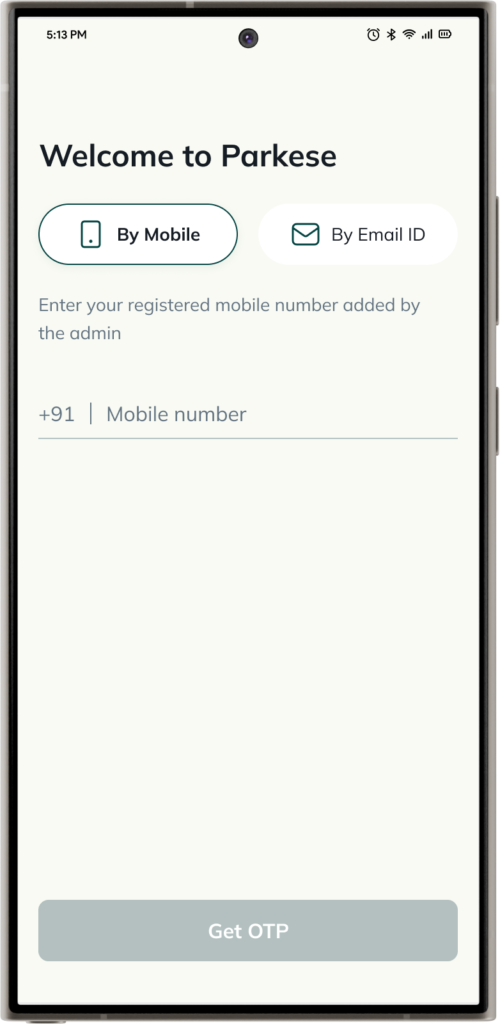
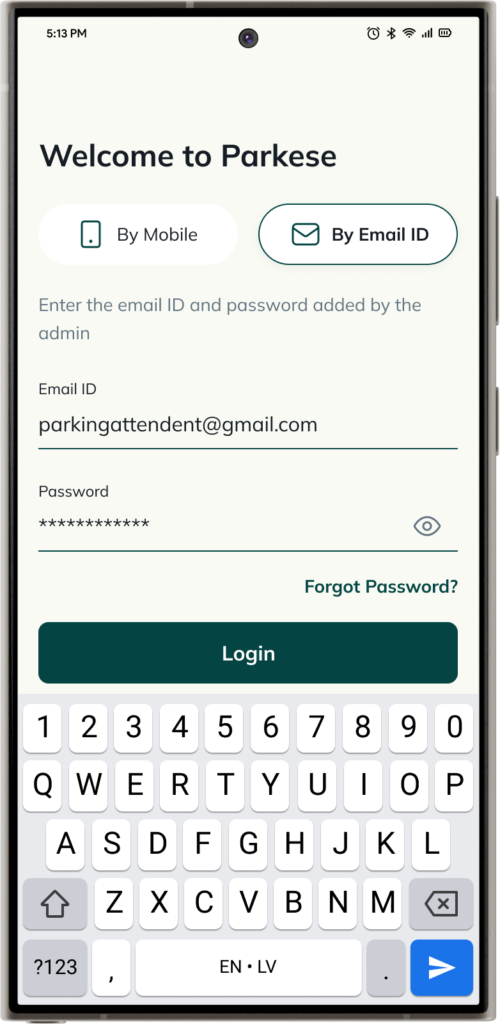
The user logs into the app seamlessly using their credentials. Upon entry, the app automatically captures the car details using the scanning technology. The user then receives a confirmation notification with parking details. The attendant can easily switch locations within the app without any hassle, and the user pays for parking using UPI or cash, with the transaction confirmed instantly. Upon exit, the car details are automatically updated in the system, completing the process efficiently.
Usability Testing
I tested the product at various stages of the project.
Lo-fi prototypes were tested with the stakeholders on alternative days to get feedback on the functionality, content, and interactivity of the product.
Unmoderated User testing – We conducted unmoderated user testing by providing participants with tasks to complete on their own time, without a facilitator present. This allowed us to gather authentic feedback on the user experience in real-world scenarios, ensuring that the app’s design and functionality met user needs effectively.
- Beta Testing – After the first phase of development, we conducted beta testing in real-world conditions. This phase allowed us to identify and fix any issues, gather valuable feedback, and ensure that the app was fully functional and user-friendly before the official launch.
Usability Testing
I tested the product at various stages of the project.
Lo-fi prototypes were tested with the stakeholders on alternative days to get feedback on the functionality, content, and interactivity of the product.
Unmoderated User testing – We conducted unmoderated user testing by providing participants with tasks to complete on their own time, without a facilitator present. This allowed us to gather authentic feedback on the user experience in real-world scenarios, ensuring that the app’s design and functionality met user needs effectively.
- Beta Testing – After the first phase of development, we conducted beta testing in real-world conditions. This phase allowed us to identify and fix any issues, gather valuable feedback, and ensure that the app was fully functional and user-friendly before the official launch.
Project Learnings
1. Simplicity is strength
As a designer, we are often lured by attractive, trendy and out of the box designs. But, We must always remember the ‘why’. The primary goal is to understand the user, their problems and then come up with a design that solves it.
2. Product Scaling Experience
I learned how to lead a project and how to scale a product to a service, ensuring it meets the evolving needs of users while maintaining quality and consistency.
3. Seek out feedback early and continually
The trouble with most of us is that we would rather be ruined by praise than saved by criticism. Keeping the stakeholders/users in loop and testing solutions in whatever form (paper, low-fi or hi-fi) as early as possible saves ample amount of time and re-work.
Featured in...
The app managed to gain some spotlight
Parkese has been selected by the IIT Indore’s ACE Foundation for the Startup India Seed Fund.